At last its finally done!
This little project was inspired by the one and only, PUKI!
I was originally going to do a small platformer game starring Puki,
just kind of as a joke. but as I started making the game, I realized
that how the code was coming along, it really more resembled a
a platforming game engine. It was very versatile, and very easy
to modify.
So I decided to change it from a platforming game, to the P.U.K.I
game Engine.(P.U.K.I standing for Platformer Unlimited Kinetic Integrator)
And how this works is thus,
All of the main code is hidden away in one of the source folders.
The only bit of code that the programmer needs to worry about is
a small file named P.U.K.I containing several varaibles and a detailed
description of each one.
All you have to do is change the variables values to change something
about the game.
For example, there is a variable named JumpMax. By changing its
value, you change how high the player will be able to jump in your
game.
Then there are variables to control the scrolling direction of your game,
the're variables to control when the player loses a life, and so on.
But thats not all!
The most important part of any platforming game is, of course, the
levels!
To make a level, all you have to do, is draw out your platforming
level however you like in any basic paint program, change one of
the variables values to the name of the level image, and thats it!
If you run the program your level will work perfectly!
And the same goes for the players image, all you have to do is
draw the players image,(animated or not) change a few of the variables
values, and run the program!
Of course this is only version 0.1 of this game engine, so there are
limits. You cannot currently add enemys or items to your game, so
you mainly have to rely on making your game scroll quickly to make
it challenging for the player.
Also you can't throw in moving platforms, as of yet.
So mainly all this version is for, is to give you a basic idea of where
this project is headed.
Controls for your games are as follows,(In later versions you will be able to set the controls yourself.)
Left And Right Arrow Keys move the player left and right.
Up Arrow Key jumps.
SpaceBar takes a ScreenShot.
And thats it!
I have include 4 sample levels, 2 of them that scroll upwards, and
2 of them that scroll sideways. I have also include 2 sample music
files, and one sample player image.
I look forward to your feedback,(Especially negative feedback, for it will help me make this a better game engine.)
And thanks for taking the time to read this somewhat Lengthy post.
http://hosted.filefront.com/werdnaworld
Enjoy!
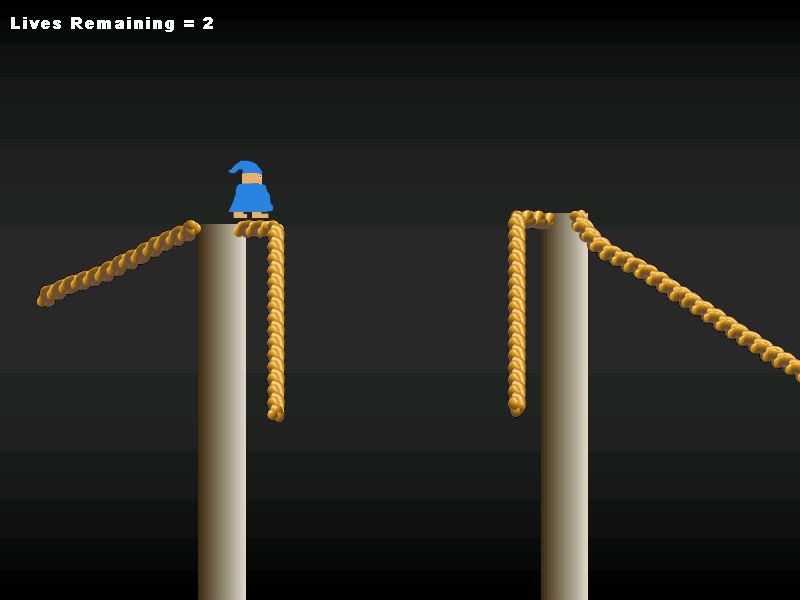
Heres some screenshots of 2 platformer games that I made using this engine.
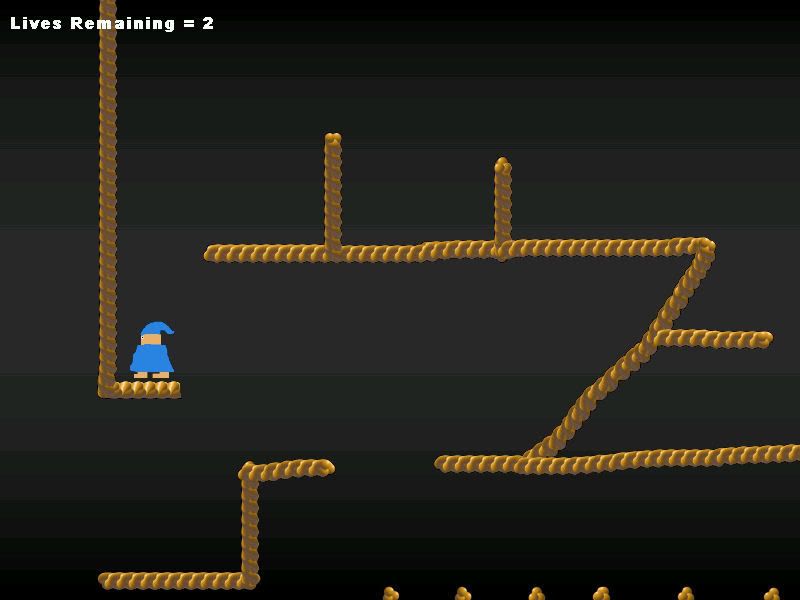
And heres the next level,
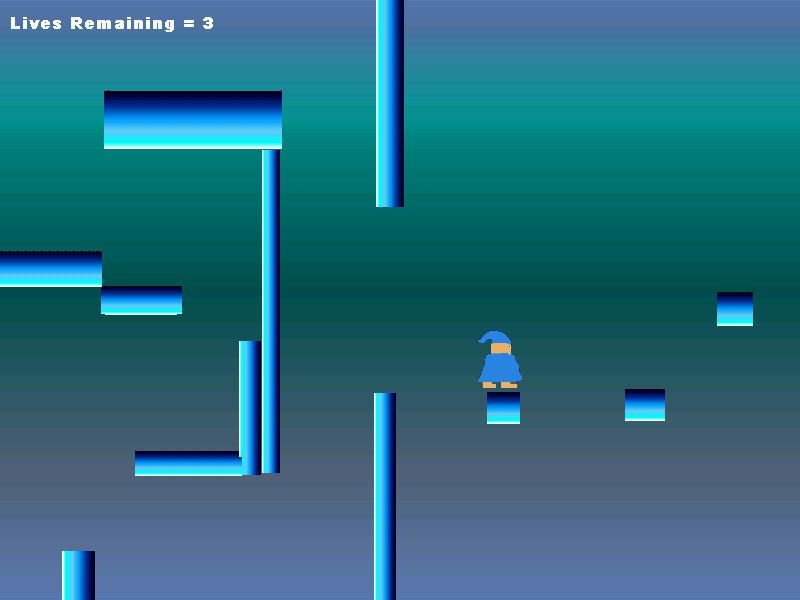
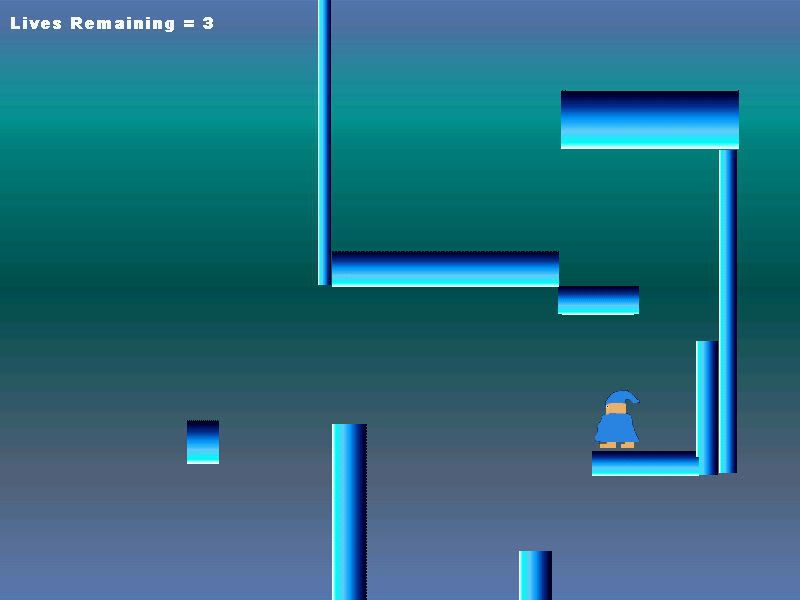
Both of these are included as sample levels in the download.
And the little character wearing a night cap is, of course, PUKI!
The Mighty WERDNA(Lord of Darkness)
This little project was inspired by the one and only, PUKI!
I was originally going to do a small platformer game starring Puki,
just kind of as a joke. but as I started making the game, I realized
that how the code was coming along, it really more resembled a
a platforming game engine. It was very versatile, and very easy
to modify.
So I decided to change it from a platforming game, to the P.U.K.I
game Engine.(P.U.K.I standing for Platformer Unlimited Kinetic Integrator)
And how this works is thus,
All of the main code is hidden away in one of the source folders.
The only bit of code that the programmer needs to worry about is
a small file named P.U.K.I containing several varaibles and a detailed
description of each one.
All you have to do is change the variables values to change something
about the game.
For example, there is a variable named JumpMax. By changing its
value, you change how high the player will be able to jump in your
game.
Then there are variables to control the scrolling direction of your game,
the're variables to control when the player loses a life, and so on.
But thats not all!
The most important part of any platforming game is, of course, the
levels!
To make a level, all you have to do, is draw out your platforming
level however you like in any basic paint program, change one of
the variables values to the name of the level image, and thats it!
If you run the program your level will work perfectly!
And the same goes for the players image, all you have to do is
draw the players image,(animated or not) change a few of the variables
values, and run the program!
Of course this is only version 0.1 of this game engine, so there are
limits. You cannot currently add enemys or items to your game, so
you mainly have to rely on making your game scroll quickly to make
it challenging for the player.
Also you can't throw in moving platforms, as of yet.
So mainly all this version is for, is to give you a basic idea of where
this project is headed.
Controls for your games are as follows,(In later versions you will be able to set the controls yourself.)
Left And Right Arrow Keys move the player left and right.
Up Arrow Key jumps.
SpaceBar takes a ScreenShot.
And thats it!
I have include 4 sample levels, 2 of them that scroll upwards, and
2 of them that scroll sideways. I have also include 2 sample music
files, and one sample player image.
I look forward to your feedback,(Especially negative feedback, for it will help me make this a better game engine.)
And thanks for taking the time to read this somewhat Lengthy post.
http://hosted.filefront.com/werdnaworld
Enjoy!
Heres some screenshots of 2 platformer games that I made using this engine.
And heres the next level,
Both of these are included as sample levels in the download.
And the little character wearing a night cap is, of course, PUKI!
The Mighty WERDNA(Lord of Darkness)