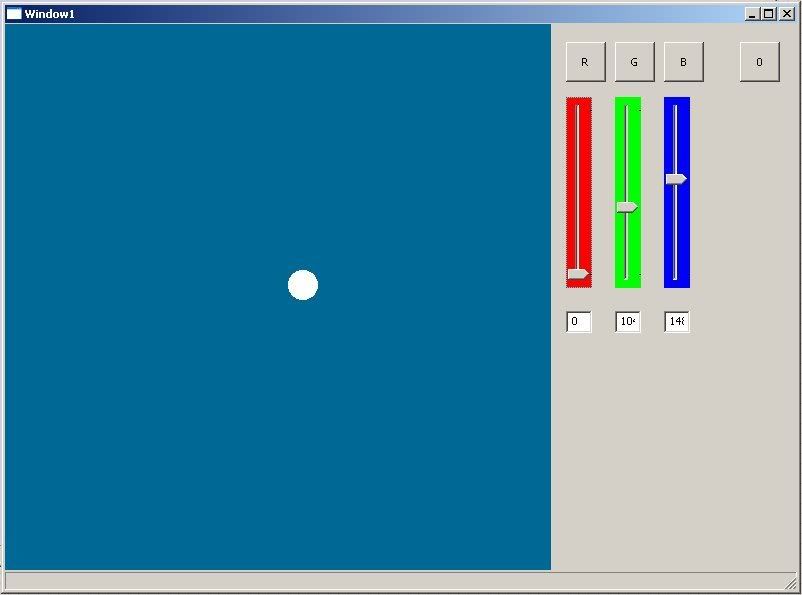
And in the meantime, I have a general question for anybody..
I have created a Type which contains within it my interface. All gadgets within that type are globals.
If I 'extend' that Type with a sub-type, will the sub-type's own gadgets be able to speak to (i.e. be children of) the Base Type's gadgets? If so, I can create a 'base' interface for use in many projects, and then simply 'extend' it with a custom interface type that is specific for each particular program's functions.
It's probably not the 'best' OOP solution in terms of separability, but I think it suits my needs well enough.
It's past midnight here so I'm off to bed otherwise I'd answer my own question tonight. I will test it out after work tomorrow afternoon.. if no one's responded. Just was looking for a quick answer if anyone had ever tried something like that before..
EDIT: I figured I'd include my current code, just for kicks. Please note this is the 'base' interface class I was describing. Eventually it will contain within it all "non-specific" framework functions, such as handling window open/close, menu function (i.e. opening up the options window which will allow you to change the resolution of the canvas), minimize/maximize events, window moving, etc.
After that's built, I'll extend an 'Application-Specific' Sub-Type upon the base class, which will add all the buttons, tabs, sliders, etc that pertain to my specific program -- not to mention the canvas operations (likely an OpenGL context). This is why I'll need the sub-type's gadgets to be able to child-group with the base class' window.
Note how the canvas moves around 'locked' to the 'interface window'. That was Kev's idea (thanks again!) to use an event hook upon the EVENT_WindowMove, since MDI isn't officially supported.
enough english, more blitzmax:
SuperStrict

Import MaxGUI.Drivers


Type TAppWind

Global	CanvasWindow:TGadget
Global	InterfaceWindow:TGadget
Global	InterfaceWindow_File:TGadget
Global	InterfaceWindow_Options:TGadget
Global	InterfaceWindow_Help:TGadget
Global	FileWindow:TGadget
Global 	OptionsWindow:TGadget
Global	HelpWindow:TGadget

Global CanvasWidth:Int = 400
Global CanvasHeight:Int = 300
Global InterfaceWidth:Int = 200


'Basic Setup Stuff in the 'Create' Function

Function Create:TAppWind(ApplicationTitle$)
	If Not CanvasWindow
	AppTitle = ApplicationTitle

	Local style1:Int = WINDOW_TITLEBAR | WINDOW_MENU
	Local style2:Int = WINDOW_CLIENTCOORDS | WINDOW_TOOL

	Local cx:Int = (ClientWidth(Desktop() ) - (canvasWidth+InterfaceWidth)) / 2
	Local cy:Int = (ClientHeight(Desktop() ) - CanvasHeight) / 2
	Local ix:Int = cx + canvasWidth + 1

	InterfaceWindow:TGadget = 		CreateWindow:TGadget(ApplicationTitle , ix , cy , InterfaceWidth , CanvasHeight , Null , style1 )
	CanvasWindow:TGadget = 			CreateWindow:TGadget(ApplicationTitle , 0 , 0 , CanvasWidth , CanvasHeight , Null , style2 )

	SetGadgetColor( CanvasWindow:TGadget , 0 , 0 , 0 , True )
	SetCanvasShape(GadgetX(InterfaceWindow),GadgetY(InterfaceWindow))

	InterfaceWindow_File:TGadget = 	CreateMenu( "File" , 100 , WindowMenu( InterfaceWindow:TGadget ) )
	InterfaceWindow_Options:TGadget = 	CreateMenu( "Options" , 200 , WindowMenu( InterfaceWindow:TGadget ) )
	InterfaceWindow_Help:TGadget = 	CreateMenu( "Help" , 300 , WindowMenu( InterfaceWindow:TGadget ) )
	UpdateWindowMenu( InterfaceWindow:TGadget )


	OptionsWindow:TGadget = CreateWindow:TGadget("Options",ClientWidth(Desktop())/2-(200),ClientHeight(Desktop())/2-(90),400,180,Null,WINDOW_TITLEBAR|WINDOW_TOOL )
	HideGadget( OptionsWindow:TGadget )

	ActivateGadget(CanvasWindow)
	ActivateGadget(InterfaceWindow)

	AddHook EmitEventHook , AppWindEventManager

	EndIf
End Function


Function AppWindEventManager:Object(id:Int , data:Object , context:Object)
	Local event:TEvent = TEvent(Data)

	If event = Null Then Return Null

	Select event.id
		Case EVENT_WINDOWCLOSE
			Select event.source
				Case CanvasWindow , InterfaceWindow
					DisableGadget(CanvasWindow)
					DisableGadget(InterfaceWindow)

					If Confirm("Quit the application?")
						End
					Else
						resumemainapp()
					EndIf


				Case OptionsWindow , FileWindow , HelpWindow
						HideGadget(TGadget(event.source))
						ResumeMainApp()
			End Select

		Case EVENT_APPRESUME
			ResumeMainApp()

		Case EVENT_WINDOWMOVE
			Select event.source
				Case InterfaceWindow
					InterfaceWindow_WM( event )
			End Select

		Case EVENT_MENUACTION
			Select event.data
				'These are Menu Events for the InterfaceWindow
				Case 100	'File
					'DisableGadget(InterfaceWindow) 	'no file window currently exists
					'DisableGadget(CanvasWindow)
					'ShowGadget(FileWindow)
				Case 200	'Options
					DisableGadget(InterfaceWindow)
					DisableGadget(CanvasWindow)
					ShowGadget(OptionsWindow)
				Case 300	'Help
					'DisableGadget(InterfaceWindow) 	'no help window currently exists
					'DisableGadget(CanvasWindow)
					'ShowGadget(HelpWindow)
		End Select

	End Select

	Return data
End Function


Function InterfaceWindow_WM( event:TEvent )
	'if not in fullscreen mode..
		SetCanvasShape(event.x , event.y)
	'else if in fullscreen mode.. do something else
End Function

Function SetCanvasShape(ix:Int,iy:Int)
	SetGadgetShape(CanvasWindow,ix-CanvasWidth-1,iy,CanvasWidth,CanvasHeight)
End Function

Function ResumeMainApp()
	EnableGadget(CanvasWindow)
	EnableGadget(InterfaceWindow)
	ActivateGadget(CanvasWindow)


	'If Not GadgetHidden(FileWindow) then ActivateGadget(fileWindow) 	'no file window currently exists
	If Not GadgetHidden(OptionsWindow)Then ActivateGadget(OptionsWindow)
	'If Not GadgetHidden(HelpWindow) Then ActivateGadget(HelpWindow)		'no help window currently exists


End Function

End Type


TAppWind.Create("Framework Application")

Repeat
	WaitEvent()
		DebugLog CurrentEvent.tostring()
Forever