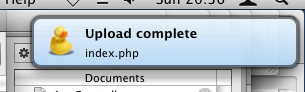
BaH.Growl is an OS X-only module which adds Growl support to your applications.
Growl is a system for posting notifications to users. Applications like Adium, Skype, Cyberduck and Speed Download use it to inform the user of specific events.
You might use it to notify, for example, that a file copy is finished, or a particular function has completed.
It's free and fully documented, as usual. There are also a few small examples to help you use it.
Talking of examples, here a small "Hello World" one :
Any problems, comments, etc, please feel free to post them here.
:o)
Growl is a system for posting notifications to users. Applications like Adium, Skype, Cyberduck and Speed Download use it to inform the user of specific events.
You might use it to notify, for example, that a file copy is finished, or a particular function has completed.
It's free and fully documented, as usual. There are also a few small examples to help you use it.
Talking of examples, here a small "Hello World" one :
SuperStrict

Framework BaH.Growl

Local delegate:TGrowlDelegate = New TGrowlDelegate.Create()

delegate.SetApplicationName("HelloWorld")

delegate.SetAllNotifications(["Hello World"]) ' Supported notifications list

If delegate.Install() Then ' install the delegate, so that we can send notifications

	Local notification:TGrowlNotification = New TGrowlNotification.Create("Hello World", ..
		"Hello World!", "A small Hello World example from BlitzMax!")

	notification.Post() ' post the notification

End If
Any problems, comments, etc, please feel free to post them here.
:o)