ClipPlane in MiniB3D

BlitzMax Modules Forums/MiniB3D/ClipPlane in MiniB3D

Any chance we're going to see a clip plane in regular MiniB3D? I know there's an impetus to keep the command set as close to B3D as possible but they already diverge a little bit and, for all practical intents and purposes, you did have access to one in B3D. Now that was via Tom's dll, sure, but had B3D remained in focus for BRL I'm sure we'd have seen the feature adopted natively -- it's not exactly 'exotic' in the way that shaders, shadows and physics might be considered so.

Just wondering as I'd find it personally handy :D
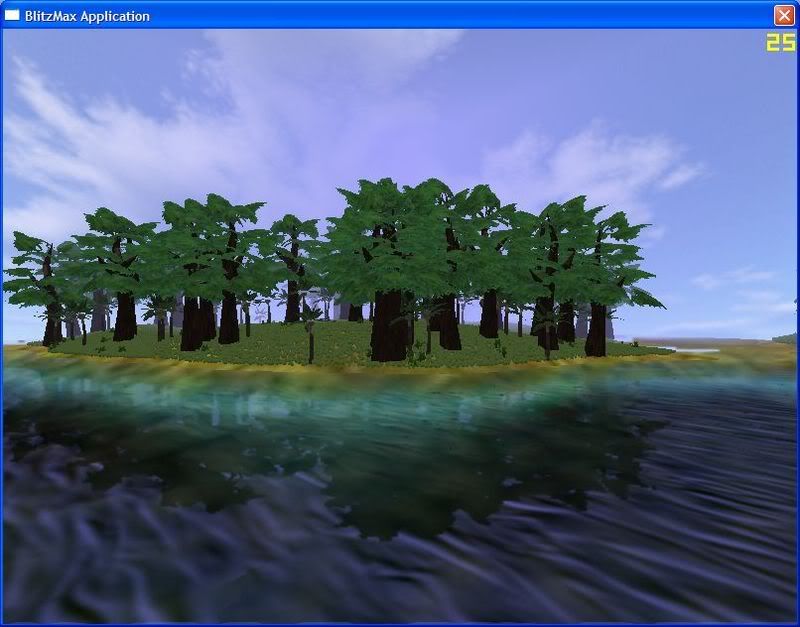
It is very simple to access clipplanes in minib3d. Unfortunatly I'm at school at the moment. I will post some functions in around 6 hours.

You're a star -- I would use Extended for this but I need some Max2D stuff to process the clipped images.

There will be a new version of the extended version soon. Well as I'm in school it takes its time unfortunatly.

This is done with shaders and clipplanes:


I'm after clip-planes for something very similar (island scene) -- really very little needs to intersect the water but it would simplify things if the skybox could.

As promised the 2 functions for setting and desetting clipplanes.

Rem
bbdoc:
End Rem
Function SetClippingPlane(X:Float , Y:Float , Z:Float , NX:Float , NY:Float , NZ:Float , Clip:Int = 0 , Camera:TCamera = Null)
	Local PL:TPlane = TPlane.CreatePlane(TVector.Create(X , Y , Z) , TVector.Create(NX , NY , NZ) )
	Camera.Update()
	glEnable(GL_CLIP_PLANE0+Clip);
	glClipPlane(GL_CLIP_PLANE0+Clip, [Double(pl.equation[0]),Double(pl.equation[1]),Double(pl.equation[2]),Double(pl.equation[3])]);
End Function

Rem
bbdoc:
End Rem
Function DeactivateClippingPlane(Clip:Int = 0)
		glDisable(GL_CLIP_PLANE0+Clip);
End Function


These are taken from the current version of the extended version.
x,y,z represent the position of the plane (the plane in fact is infinity)

nx,ny,nz represents the normal direction of the plane
camera is needed due to matrix calculations.

eg: SetClippingPlane(0,140,0,0,-1,0,1,Cam)
will activate a clipplane nr 1 at position y = 140 and direction downwards, so everything below 140 is clipped.

Cheers for that. Didn't realise it would be as straightforward as half-inching those two commands right out of Extended!