Did you disable Vista UAC?
Miscellaneous Forums/General Discussion/Did you disable Vista UAC?
Hi all,
If we have other internet security softwares installed, could we close UAC of Vista? It is very annoying.
Thanks in adnvance
:)
I did.
Just turn it off.
I allso turned off System Recovery, it took up a lot of hardisk space on my laptop.
I turned it off.
I tried installing XP SP2 on this machine, but there's no sounddrivers for it :(
So if you're buying a HP Pavilion HDX9000 laptop, know that you're going to be stuck with Vista.
I turned off Vista completely and dancing with XP
Almost immediately... Closely followed by uninstalling Vista.
First thing I did after installing it.
It should be called SBNRA instead of UAC: Security by not running anything
I have a copy of vista home premium still waiting to be installed. I guess I will have to try it out someday ... will need to backup my XP partition before doing this, in case I need to revert back. The other option is stick with XP until Windows Vienna is released (2010) ...
I have it turned off on my iMac at work, but on my new Vista installation at home, I intentionally left it turned on. The reason behind it is simple: Most people using Vista will have it switched on, meaning that they will have a different user experience than you when you turn it off. However, your software must also work painlessly on a machine with active UAC, so you better eat the same dog food as your potential customers.
If you're using BlitzMax, you will need to turn UAC off anyway, otherwise you'll get problems with compiling and/or syncing modules.
I do turn it on for testing purposes though, and once I know everything is working fine, I turn it back off.
No, you don't have to turn it off. You might have to make sure that the permissions are ok -- or -- run your BlitzMax environment with administrator privileges (as you have to do it with Visual Studio, by the way).
Vista, particularly UAC, is a horrid mess. I've decided to pretend it doesn't exist. My development and day-to-day computing now takes place on OS X. I will also compile my games and apps on my dusty old XP machine, until it finally kicks the bucket. If the XP version happens to work on someone's Vista machine, great. If not, great. When the XP machine dies, so does my development for the Windows platform.
To put it bluntly, I'm not going to pay Microsoft for a product that I think sucks just so that I can support people who choose to use said sucky product.
I've had almost* no trouble with UAC or vista on my new machine.
* The one exception is one of my game's save files went to some unknown place, I turned off UAC and the files appeared where they belonged, but settings for another file got lost, I turned it back on and both programs are working correctly.
By the end of this year, tens of millions of people will be using that sucky product because it came with their new machine and they just don't care about the OS but only for what they want to do with their computer.
By the way, in my book, Leopard is as much a mess as Vista, and GNU/Linux, no matter what flavour, is even more of a disaster.
By the end of this year, I think no software developer can any longer afford to ignore Vista. It will go beyond the 30 per cent market share this year, and at the end of 2009 it will have passed the the 60 per cent mark in the consumer market. And this is a very pessimistic estimate. Only big enterprises will stay on XP for much longer.
We cannot ignore the future if we want to stay in business.
As a hobbyist who develops stuff for my own amusement and the occasional extra pocket change, I couldn't care less about supporting platforms that I don't enjoy using, even those platforms had a 99% market share. Vista and Linux fall into the "not fun for me" category, and thus are not part of my plans. OS X, and to a lesser extent XP, are fun for me, so they're in scope.
If I were trying to make a living from this, I admit I'd obviously either have to pander to the masses at the cost of my enjoyment, or find a lucrative niche. Personally, I'd rather keep my day job and sell 100 copies of something I enjoyed working on than sell 10,000 copies of something that was a chore to develop, while simultaneously helping to support the very platform that made my fun project into a chore.
Kif, we have a conundrum...bring me a rock and some scissors will you.
No, you don't have to turn it off. You might have to make sure that the permissions are ok -- or -- run your BlitzMax environment with administrator privileges (as you have to do it with Visual Studio, by the way).
Easier just to turn the ruddy thing off, than try and figure out all that other permissions stuff.
The one exception is one of my game's save files went to some unknown place, I turned off UAC and the files appeared where they belonged, but settings for another file got lost, I turned it back on and both programs are working correctly.
I don't think so. It just "looks" like it's now working correctly. The problem is still there, which you're potential customers or other users may soon find out - especially if they use multiple accounts on the same PC.
I'd rather keep my day job and sell 100 copies of something I enjoyed working on than sell 10,000 copies of something that was a chore to develop, while simultaneously helping to support the very platform that made my fun project into a chore.
There's very little extra work to do to make your games work under Vista, as all the "work" has now been done by various users of this forum (particularly for BlitzMax developers). All Vista has really done is forced us to do things the "proper" way from now on where save files and permissions are concerned, whereas everyone, including the big boys, were just lazy and slapped all save files within the game's directory (to name just one example).
Yep.
You cannot run anything on network shares with it on. In true windows style, it lest you browse to the exe and when you try and run it it says "file not found" (why not "access denied" is beyond me).
REALLY USEFUL THAT!
Took me ages to figure that one out.
> I don't think so. It just "looks" like it's now working correctly.
It's not a game I wrote, it's one I purchased and playing.
I kep vista as is.
updates then it tells me.
i know there is backdors. and i am a terrorist that will bomb every on..
neverlest that i am a terrorist Its still working :D
I had UAC off during the betas but forced myself to keep it on with the full product. Except for one extra click whenever I do everything, it's really not that big a deal.
I turned it off.
Not only do I have it turned on (why get a new house then leave a set of gates wide open), I run my machine at a standard user level, so my UAC prompts require admin passwords. A bit of a nusience, but no more than SUDO on a Linux box.
Sure; I need to run BMax at admin, but so what? It's not like it crashes and needs to be restarted 10 times a day.
With VS Express 2008, you can compile etc. at user level with no UAC.
I turned it off -- it mainly seemed to interfere with a lot of stuf fI did in the command prompt, which flat out failed without even giving the UAC prompts.
Moving/copying files from DOS to 'protected' locations? forget it... Since I still pretty much live in DOS, it's borderline unusable with UAC enabled.
As a side note: Can anyone here recommend any freeware tools that duplicate the Windows 2000 classic 'search' functionality under Vista? The 'enhanced' vista search is really, REALLY annoying and I absolutely can't stand it... In XP there was a registry hack to get the Win2000 classic search back, but no dice in Vista.
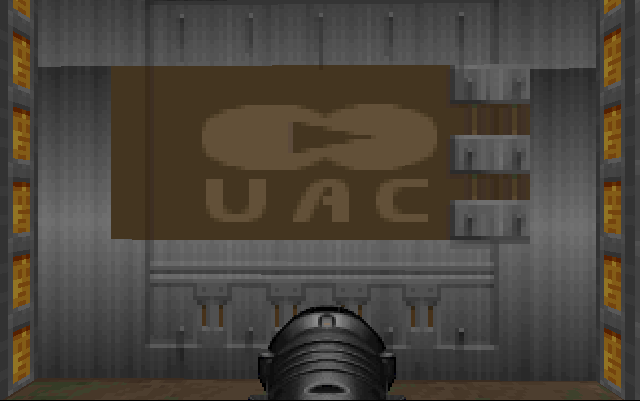
Something like this.
Thank you for your recommendation.
@yoko: I can't catch the meaning of this picture. Could you explain more?
UAC is a corporation in Doom