unfold/unwrap

Blitz3D Forums/Blitz3D Programming/unfold/unwrap

Is is possible, when I import a mesh that has no UV coords to generate them by unfolding or unwrapping ?
I would like to do this by using code, so I can generate UV coords while the program is running.
If it is possible, how should I do this ? Is there any good information on the net somewhere ?

What kind of model is it? Character, level or other?

There is some code in the archives for simple mapping types: sphere, cubic etc.
http://www.blitzbasic.com/codearcs/codearcs.php?code=276
http://www.blitzbasic.com/codearcs/codearcs.php?code=277

Thanks for the examples. I was mainly focussing on unfolding meshes, so I didn't saw them yet.

I would like to use the routine in a texpaint like painting program. Paintmesh is a Blitz3D example (I believe it was also written by birdie) where you can paint to the surface of an object.

In my program, I would like the users to load any .X or .3DS mesh available.

I noticed sometimes meshes have no texture coordinates. For instance the program LDraw exports its LEGO building blocks without texture coordinates.
I would like my program to generate texture coordinates in such a case, so the object could still be painted on.

Suppose a mesh is made out of paper. Then they could be unfolded to a flat surface. I would like to generate texture coordinates in that way, but my mathematical skills are a bit insufficient at this point.

I was thinking about single meshes. Unfolding an entire gamelevel would be cool, however my guess would be, complicated as well. Unfolding (or unwrapping?) single meshes would be quite a big step for me allready.

In the meanwhile, I tried to write a cubemapping routine.
I think it could also be a solution allready, however I am still interested in unfolding meshes. I believe this technique is called "unwrapping uwv" coordinates ? Some programs seem to be able to do this, but I would like to know how it's been done ?

Since birdies cubemapping example is not in the public domain, here is mine. One may use it in any form.
This code is yet unfinished. With more complicated meshes, it generates overlapping texture triangles. The idea is to translate the overlapping triangles to another part of the texture.

;---------------
;set up graphics
;---------------
Graphics3D 		800, 600, 0, 3
SetBuffer 		BackBuffer()


;---------------------------
;load/create original object
;---------------------------
obj 			= CreateSphere()
UpdateNormals 	obj

;-------------
;set up camera
;-------------
camera 			= CreateCamera()
PositionEntity 	camera, 0, 0, -MeshSize(obj)

;--------------------
;create an empty mesh
;--------------------

mesh 			= CreateMesh()

;----------------------
;calculate cube mapping
;----------------------

For i = 1 To CountSurfaces(obj)

	;create an empty surface
	surf = CreateSurface(mesh)
	;get an original surface
	csurf = GetSurface(obj, i)
	
	;reset min/max coords
	minX# =  1000000
	maxX# = -1000000
	minY# =  1000000
	maxY# = -1000000
	minZ# =  1000000
	maxZ# = -1000000
	
	;determine min/max coords
	For j = 0 To CountVertices(csurf) - 1
		If VertexX(csurf, j) < minX Then minX = VertexX(csurf, j)
		If VertexX(csurf, j) > maxX Then maxX = VertexX(csurf, j)
		If VertexY(csurf, j) < minY Then minY = VertexY(csurf, j)
		If VertexY(csurf, j) > maxY Then maxY = VertexY(csurf, j)
		If VertexZ(csurf, j) < minZ Then minZ = VertexZ(csurf, j)
		If VertexZ(csurf, j) > maxZ Then maxZ = VertexZ(csurf, j)
	Next

	;loop through all triangles of the selected surface			
	For j = 0 To CountTriangles(csurf) - 1
		
		;get the 3 vertices from the selected triangle
		v0 = TriangleVertex(csurf, j, 0)
		v1 = TriangleVertex(csurf, j, 1)
		v2 = TriangleVertex(csurf, j, 2)
		
		;get the vertex normals
		n0x# = VertexNX(csurf, v0)
		n0y# = VertexNY(csurf, v0)
		n0z# = VertexNZ(csurf, v0)

		n1x# = VertexNX(csurf, v1)
		n1y# = VertexNY(csurf, v1)
		n1z# = VertexNZ(csurf, v1)
		
		n2x# = VertexNX(csurf, v2)
		n2y# = VertexNY(csurf, v2)
		n2z# = VertexNZ(csurf, v2)
		
		;calculate their average, to get the face normals
		nx# = (n0x# + n1x# + n2x#) / 3
		ny# = (n0y# + n1y# + n2y#) / 3
		nz# = (n0z# + n1z# + n2z#) / 3

		;calculate the dominant normal (front/back/left/right/top/bottom)
		
		;determine direction or each normal
		sx = (Sgn(nx) = 1)
		sy = (Sgn(ny) = 1)
		sz = (Sgn(nz) = 1)

		;determine size of each normal
		nx = Abs(nx)
		ny = Abs(ny)
		nz = Abs(nz)
		
		;fs = face selected, the number determines if a face is front/back/left .. etc
		fs = 1
		If (nx >= ny) And (nx >= nz) Then fs = sx * 3 + 1
		If (ny >= nx) And (ny >= ny) Then fs = sy * 3 + 2
		If (nz >= ny) And (nz >= nx) Then fs = sz * 3 + 3
		
		;calculate texture coords from vertex coords
		;by scaling them in the range 0.0 - 1.0		
		tu0# = 1-((VertexX(csurf, v0) - minX#) / (maxX# - minX#))
		tv0# = 1-((VertexY(csurf, v0) - minY#) / (maxY# - minY#))
		tw0# = (VertexZ(csurf, v0) - minZ#) / (maxZ# - minZ#)
		
		tu1# = 1-((VertexX(csurf, v1) - minX#) / (maxX# - minX#))
		tv1# = 1-((VertexY(csurf, v1) - minY#) / (maxY# - minY#))
		tw1# = (VertexZ(csurf, v1) - minZ#) / (maxZ# - minZ#)
		
		tu2# = 1-((VertexX(csurf, v2) - minX#) / (maxX# - minX#))
		tv2# = 1-((VertexY(csurf, v2) - minY#) / (maxY# - minY#))
		tw2# = (VertexZ(csurf, v2) - minZ#) / (maxZ# - minZ#)
				
		;create 3 new vertices
		nv0 = AddVertex (surf, VertexX(csurf, v0), VertexY(csurf, v0), VertexZ(csurf, v0))
		nv1 = AddVertex (surf, VertexX(csurf, v1), VertexY(csurf, v1), VertexZ(csurf, v1))
		nv2 = AddVertex (surf, VertexX(csurf, v2), VertexY(csurf, v2), VertexZ(csurf, v2))

		;apply the right texture coords to the face
		Select fs
		
			Case 1 ;left
			VertexTexCoords surf, nv0, ((1-tw0#) / 3.0) + (0.0 / 3.0), (tv0# / 2.0) + (0.0)
			VertexTexCoords surf, nv1, ((1-tw1#) / 3.0) + (0.0 / 3.0), (tv1# / 2.0) + (0.0)
			VertexTexCoords surf, nv2, ((1-tw2#) / 3.0) + (0.0 / 3.0), (tv2# / 2.0) + (0.0)
			
			Case 2 ;bottom
			VertexTexCoords surf, nv0, ((1-tu0#) / 3.0) + (1.0 / 3.0), (tw0# / 2.0) + (0.5)
			VertexTexCoords surf, nv1, ((1-tu1#) / 3.0) + (1.0 / 3.0), (tw1# / 2.0) + (0.5)
			VertexTexCoords surf, nv2, ((1-tu2#) / 3.0) + (1.0 / 3.0), (tw2# / 2.0) + (0.5)
			
			Case 3 ;top
			VertexTexCoords surf, nv0, ((1-tu0#) / 3.0) + (2.0 / 3.0), (tv0# / 2.0) + (0.0)
			VertexTexCoords surf, nv1, ((1-tu1#) / 3.0) + (2.0 / 3.0), (tv1# / 2.0) + (0.0)
			VertexTexCoords surf, nv2, ((1-tu2#) / 3.0) + (2.0 / 3.0), (tv2# / 2.0) + (0.0)
			
			Case 4 ;right
			VertexTexCoords surf, nv0, (tw0# / 3.0) + (0.0 / 3.0), (tv0# / 2.0) + (0.5)
			VertexTexCoords surf, nv1, (tw1# / 3.0) + (0.0 / 3.0), (tv1# / 2.0) + (0.5)
			VertexTexCoords surf, nv2, (tw2# / 3.0) + (0.0 / 3.0), (tv2# / 2.0) + (0.5)
	
			Case 5 ;top
			VertexTexCoords surf, nv0, ((1-tu0#) / 3.0) + (1.0 / 3.0), ((1-tw0#) / 2.0) + (0.0)
			VertexTexCoords surf, nv1, ((1-tu1#) / 3.0) + (1.0 / 3.0), ((1-tw1#) / 2.0) + (0.0)
			VertexTexCoords surf, nv2, ((1-tu2#) / 3.0) + (1.0 / 3.0), ((1-tw2#) / 2.0) + (0.0)
			
			Case 6 ;back
	
			VertexTexCoords surf, nv0, (tu0# / 3.0) + (2.0 / 3.0), (tv0# / 2.0) + (0.5)
			VertexTexCoords surf, nv1, (tu1# / 3.0) + (2.0 / 3.0), (tv1# / 2.0) + (0.5)
			VertexTexCoords surf, nv2, (tu2# / 3.0) + (2.0 / 3.0), (tv2# / 2.0) + (0.5)
				
		End Select

		;make a triangle with the 3 created vertices
		AddTriangle surf, nv0, nv1, nv2

		;some debug output		
		Write fs + ","	
		tel = tel + 1
		If tel > 20 Then tel = 0: Print
		
	Next
	
Next		


;--------------------------------------------------------------------------------------------------
;											DEBUG II - show texcoords
;--------------------------------------------------------------------------------------------------

;debug pause
print 
print "press any key"
Flip
FlushKeys()
WaitKey()
FlushKeys()

;hide original object
HideEntity obj


;----------------------------------
;draw texture + texcoords to screen
;----------------------------------

ClsColor 255, 255, 255
Cls
ClsColor 0, 0, 0

;img = LoadImage("c:\xfiles\kubus.bmp")
;DrawImage img, 0, 0

Color 0, 0, 0
For i = 1 To CountSurfaces(mesh)

	surf = GetSurface(mesh, i)
	
	For j = 0 To CountTriangles(surf) - 1
		
		v0 = TriangleVertex(surf, j, 0)
		v1 = TriangleVertex(surf, j, 1)
		v2 = TriangleVertex(surf, j, 2)
		
		tu0# = VertexU(surf, v0) * 512
		tv0# = VertexV(surf, v0) * 512
		tu1# = VertexU(surf, v1) * 512
		tv1# = VertexV(surf, v1) * 512
		tu2# = VertexU(surf, v2) * 512
		tv2# = VertexV(surf, v2) * 512

		Line tu0#, tv0#, tu1#, tv1#
		Line tu1#, tv1#, tu2#, tv2#
		Line tu2#, tv2#, tu0#, tv0#
		
	Next
	
Next
Color 255, 255, 255

Text 0, 540, "Press any key"

Flip

WaitKey()

;----------------------------------------------------------------------------------------------------
;											DEBUG II - show object
;----------------------------------------------------------------------------------------------------

;load texture
tex = Create6sidedTexture()

;texture new object
EntityTexture mesh, tex

;---------
;main loop
;---------

While Not KeyDown( 1 )

	;turn new object
	TurnEntity mesh, 0, 1, 0
	
	RenderWorld
	Flip
	
Wend

End

;----------------------------------------------------------------------------------------------------
;											MeshSize()
;----------------------------------------------------------------------------------------------------
;returns either the depth, width or height of an object, accoording to which has the biggest value

Function MeshSize#( obj )

	;check the 3 sizes of the given object
	dd# = MeshDepth(obj)
	hh# = MeshHeight(obj): If hh# > dd# Then dd# = hh#
	hh# = MeshWidth(obj) : If hh# > dd# Then dd# = hh#
	
	;limit the value
	If dd# < 1.0 Then dd# = 1.0
	Return dd

End Function


Function Create6sidedTexture()

	oldbuffer = GraphicsBuffer()

	tex = CreateTexture(256, 256)
	
	SetBuffer TextureBuffer(tex)
	
	font = LoadFont("Arial", 15)
	SetFont font

	Restore
	For i = 0 To 2
	For j = 0 To 1
	
		Color Rand(127) + 127, Rand(127) + 127, Rand(127) + 127
		Rect i * 85.333, j * 128, 85, 128

		Read name$
		Color 0, 0, 0		
		Text i * 85.333 + 42.833, j * 128 + 64, name$, True, True
	
	Next
	Next
	
	SetBuffer oldbuffer
	
	Return tex
	
End Function

Data "Left", "Right", "Top", "Bottom", "Front", "Back"
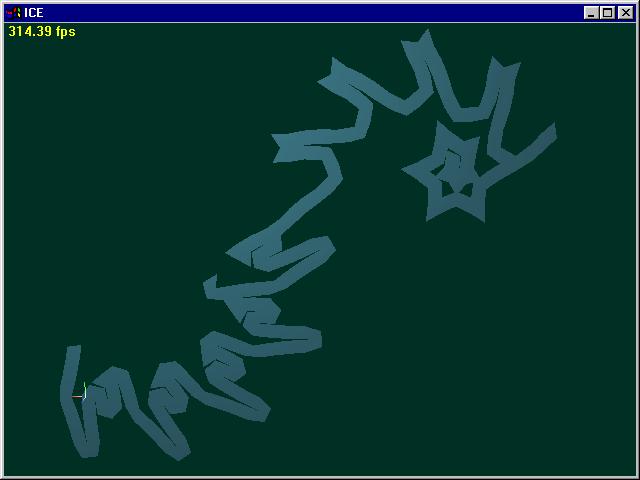

Have you seen Tattoo (made in Blitz3D)?
http://www.terabit.nildram.co.uk/tattoo/
..it relies on existing UVs.

There are many unwrap algorithms, and none of them simple, so good luck. Levels aren't so problematic cos you can use a cubic routine (probly not for painting tho), and don't have as many problems with mesh splits.

(use [ codebox ] instead for code above)

Nice program! That would be the general idea, only a bit more basic I suppose. The idea of using a spraycan could be a nice feature to make nice, smooth textures.

Do you know where to find more information about unwrapping uwv by code ?
To unwrap a surface, I thought about doing the following:

(1) start of at a certain triangle and rotate it, until its normal faces forward.
(2) Then take every 2 points of the triangle, and take any other 3rd point that is connected to it. Rotate that triangle until its normals matches the first one.
Then use a recursive structure (or simulate it with a type) to unfold the entire mesh in all directions, until the "next" triangle found is the first one. (the one I started with)

edit:
Well, I did started on this, and it seems to be the first step towards unwrapping.
I found some nice information about the process here:
http://www.3dtotal.com/ffa/tutorials/max/UVW_mapping_an_object/UVW_mapping_an_object1.asp

If anybody still has any suggestions, they are welcome. In the meanwhile I will look further into it.

Could someone please have a look at my first attempt to unwrap UV's to see if it's going into the right direction ?
It rotates each triangle towards the front and uses one of the previous rendered coordinates to shift it.
(It only works on a part of a Sphere at the moment, but it's the main idea that counts.)
;very messy code, i know
;i hope the graphical output is a bit more clear.
osel = -1

Type memt
	Field x0
	Field y0
	Field x1
	Field y1
	Field x2
	Field y2
End Type

Graphics3D 640, 480, 0, 3
SetBuffer BackBuffer()

camera = CreateCamera()

mesh = CreateSphere()

PositionEntity camera, 0, 0, -5

WireFrame True

orgmesh = CopyMesh(mesh)

HideEntity orgmesh


test_second_triangle = False

For twosearch = 1 To 2

Delete Each memt

ttest = True

sel = 0

init = sel

x2# = 0
y2# = 0

x0# = 0
y0# = 0

x1# = 0
y1# = 0

oldx = 0
oldy = 0
orgx = 0
orgy = 0

nomore = True

While Not KeyDown( 1 )

	FreeEntity mesh
	mesh = CopyMesh(orgmesh)
	surf = GetSurface(mesh, 1)
	
	v0 = TriangleVertex(surf, sel, 0)
	v1 = TriangleVertex(surf, sel, 1)
	v2 = TriangleVertex(surf, sel, 2)
		
	n0x# = VertexNX(surf, v0)
	n0y# = VertexNY(surf, v0)
	n0z# = VertexNZ(surf, v0)

	n1x# = VertexNX(surf, v1)
	n1y# = VertexNY(surf, v1)
	n1z# = VertexNZ(surf, v1)

	n2x# = VertexNX(surf, v2)
	n2y# = VertexNY(surf, v2)
	n2z# = VertexNZ(surf, v2)
	
	nx# = (n0x + n1x + n2x) / 3
	ny# = (n0y + n1y + n2y) / 3
	nz# = (n0z + n1z + n2z) / 3
	
	ang1 = ATan2(nx, nz)
	RotateMesh mesh, 0, ang1, 0
	UpdateNormals mesh
	

	n0x# = VertexNX(surf, v0)
	n0y# = VertexNY(surf, v0)
	n0z# = VertexNZ(surf, v0)

	n1x# = VertexNX(surf, v1)
	n1y# = VertexNY(surf, v1)
	n1z# = VertexNZ(surf, v1)

	n2x# = VertexNX(surf, v2)
	n2y# = VertexNY(surf, v2)
	n2z# = VertexNZ(surf, v2)
	
	nx# = (n0x + n1x + n2x) / 3
	ny# = (n0y + n1y + n2y) / 3
	nz# = (n0z + n1z + n2z) / 3
		
	ang2 = ATan2(ny, nz)
	RotateMesh mesh, ang2, 0, 0
	UpdateNormals mesh
	
;	PositionMesh mesh, (Float(sel) / Float(CountTriangles(surf))) - 0.5, 0, 0


	n0x# = VertexNX(surf, v0)
	n0y# = VertexNY(surf, v0)
	n0z# = VertexNZ(surf, v0)

	n1x# = VertexNX(surf, v1)
	n1y# = VertexNY(surf, v1)
	n1z# = VertexNZ(surf, v1)

	n2x# = VertexNX(surf, v2)
	n2y# = VertexNY(surf, v2)
	n2z# = VertexNZ(surf, v2)
	
	nx# = (n0x + n1x + n2x) / 3
	ny# = (n0y + n1y + n2y) / 3
	nz# = (n0z + n1z + n2z) / 3
	
	
	RenderWorld

	v0x# = VertexX(surf, v0)
	v0y# = VertexY(surf, v0)
	v0z# = VertexZ(surf, v0)
	
	TFormPoint v0x, v0y, v0z, mesh, 0
	CameraProject camera, TFormedX(), TFormedY(), TFormedZ()
	
	x0 = ProjectedX()
	y0 = ProjectedY()
	
	v1x# = VertexX(surf, v1)
	v1y# = VertexY(surf, v1)
	v1z# = VertexZ(surf, v1)
	
	TFormPoint v1x, v1y, v1z, mesh, 0
	CameraProject camera, TFormedX(), TFormedY(), TFormedZ()
	
	x1 = ProjectedX()
	y1 = ProjectedY()

	v2x# = VertexX(surf, v2)
	v2y# = VertexY(surf, v2)
	v2z# = VertexZ(surf, v2)
	
	TFormPoint v2x, v2y, v2z, mesh, 0
	CameraProject camera, TFormedX(), TFormedY(), TFormedZ()
	
	x2 = ProjectedX()
	y2 = ProjectedY()

	If sel = init Then If ttest Then orgx = x0: orgy = y0: ttest = False

	
	x1 = (x1 - x0) + oldx + orgx
	y1 = (y1 - y0) + oldy + orgy

	x2 = (x2 - x0) + oldx + orgx
	y2 = (y2 - y0) + oldy + orgy

	x0 = (x0 - x0) + oldx + orgx
	y0 = (y0 - y0) + oldy + orgy

	Color 255, 0, 0
	Line x0, y0, x1, y1
	Line x1, y1, x2, y2
	Line x2, y2, x0, y0	
	
	Color 255, 255, 255	
	Text x0, y0, v0, True, True
	Text x1, y1, v1, True, True
	Text x2, y2, v2, True, True
	
	If sel <> osel Then
		osel = sel
		m.memt = New memt
		m\x0 = x0
		m\y0 = y0
		m\x1 = x1
		m\y1 = y1
		m\x2 = x2
		m\y2 = y2
	End If
	
	Color 255, 0, 0
	For m.memt = Each memt
		Line m\x0, m\y0, m\x1, m\y1
		Line m\x1, m\y1, m\x2, m\y2
		Line m\x2, m\y2, m\x0, m\y0
	Next
	Color 255, 255, 255
	
	x0 = x0 - orgx
	y0 = y0 - orgy

	x1 = x1 - orgx
	y1 = y1 - orgy

	x2 = x2 - orgx
	y2 = y2 - orgy

	
	search1 = 0
;	search2 = 16
	
	otest = test 
	test = False
	If (v0 = search1) Or (v1 = search1) Or (v2 = search1) Then test = True
		;If (v0 = search2) Or (v1 = search2) Or (v2 = search2) Then test = True
;	End If
	If test Then If Not otest Then FlushKeys()
	
;	Text 0, 0, nx + "," + ny + "," + nz
;	Text 0, 20, sel
;	Text 0, 40, v0 + "," + v1 + "," + v2
	
;	If test Then Text 0, 60, "!!!!found!!!!"

	Text 0, 0, "Press Right Arrow to proceed"
	Text 0, 20, "Press Esc to exit"
	
	Flip

	test = Not KeyDown(29)	
	If test Then
		leftkey = KeyHit(203)
		rightkey = KeyHit(205)
	Else
		leftkey = KeyDown(203)
		rightkey = KeyDown(205)
	End If
	
	nomore = False
	
	If leftkey Then If sel > 0 Then sel = sel - 1
;	If rightkey Then If sel < CountTriangles(surf) - 1 Then sel = sel + 1
	If rightkey Then 
		osel = sel
		For t = 0 To CountTriangles(surf)
			vv = TriangleVertex(surf, t, 0)

			If test_second_triangle Then
			If vv = v2 Then sel = t
			oldx = x2: oldy = y2
			Else
			If vv = v1 Then sel = t
			oldx = x1: oldy = y1
			End If

		Next
		If sel = osel Then nomore = True
	End If
		
	If nomore Then Exit
Wend
If KeyDown(1) Then End
test_second_triangle = True
Next

FlushKeys()

Color 255, 255, 255
Text 320, 440, "Press spacebar to continue", True, True
Flip
Repeat
Until KeyHit(57)

End

Anybody any idea if this could go into the right direction ?

I think there is no generic unwrapping way, instead choose one that fits your needs best from eg:

-spherical
-cylindrical
-box
-plane
-decal
-view

I take it what you are trying to do is spherical mapping. This may be tricky when your mesh has concave parts, you will have to shrink the surrounding nonconcave tris to allow unfolded concave tris.

Also, it may be simple to unfold a uniform grid made of quads, but unfortunatly meshes like characters etc. usually are made of very nonuniform grids.

Ah thanks for clearing this up, jfk. You helped me the other time with a question on image pointers and RTLMoveMemory. Thanks again.

Spherical wrapping, is that calculating two angles from the center to a points and using them as u# and v# ?
I wrote something like that and also a cubemapping code, but like you said, they don't seem fit for every mesh.

I was still wondering if there is some classical solution for this problem. Hmm, shame there isn't.

This "decal" unwrapping sounds interesting. How about LSCM or pelt unwrapping? I read about that in the description of Blender.

What I find so frustrating is that in real life, unwrapping can be done easily. I have made a few paper models to study on. I still think writing an algorithm should be obtainable somehow.
I can imagine some shapes can not be unfolded without overlapping triangles. But I thought about checking for overlaps and avoiding it by moveing one of the parts somewhere else on the texture.

At first, I am looking for something like this:


I am thinking along two lines:

Based on triangles:
If I start of with just one triangle. Then I rotate the mesh so, that this triangle points forwards.
Then I fix this triangle and move on to all triangles that are connected. The connected spline becomes the rotation axis and the rest of the mesh rotates around it until this face is also pointing forward.
I repeat this for all triangles, until there are no more triangles connected, or the original triangle is reached or the triangle found is allready locked.

A second idea is based on vertices:
I could also calculate the distances from each vertex to another and then use this distance table to calculate the texture vertices.

However, this seems to be a very difficult calculation and I'm not even sure if it can be done.

So, this would bring my mathematical part of the question back to this:

I have three points.
If I know the coordinates of two points and I know for every point it's distance to the other two, can I calculate the (x,y)- coordinate of the 3rd one ?

yes you can, it's the intersection point of two circles with a radius that is the same as the distances. I ain't got the code right now, but maybe there is something in the code archives.

Your unfolding method that creates a stripe based on the connection of 2 of 3 vertices is fascinating, tho you will not be able to paint them in a natural way, compared to say cylindrical mapping.

For a simple solution you could also take the x,y,z coords and use sqr((x^2)+(z^2)) for U and y for V (of course proportionally calculated down from the meshsize to 1.0).

Ah, I see. "Intersecting circles" on google gave me some interesting mathematical information.

I think for the meshpainting program, the main issues are: (1) the triangles are not stretched.
(2) the triangles do not overlap.

So if my distance-based idea fails I'll go for a simpler solution and arrange the (normalized, facing front) triangles by their index number from left to right and top-down.
It has a few small disadvantages, but it is a workable (and less complex) solution.
But first, I will study a bit more on this.

For anyone interested, here is the code I wrote for computing the (two) intersection points of two circles.

Input:
x, y coordinates for point A, B and D
distance AB, AC, BC, CD

Output:
cx, cy

;---------------------------------------------------------------------------------------------------
;												  C2	
;                                                 /\
;                                               /    \
;											  /        \
;									        A __________ B
;									   	      \        /
;									            \    /
;									              \/
;									               C1         . D
;
;							  this program calculates (X,Y) of point C1/C2,
; 							   given are the coordinates of point A, B and D.
;							 also known are the distances between each point.
;---------------------------------------------------------------------------------------------------


	;declare float variables
	Local	mx#, my#
	Local 	ax#, ay#, bx#, by#, dx#, dy#
	Local	cx1#, cy1#, cx2#, cy2#
	Local 	oax#, oay#, obx#, oby#, ocx#, ocy#
	Local	organgle#, distance#
	Local	h1#, d1#, h2#, d2#, h3#, d3#
	Local 	AB#, BC#, AC#, CD#
	Local	C1#, C2#

;---------------------------------------------------------------------------------------------------
;  											   Main Program
;---------------------------------------------------------------------------------------------------

	;setup
	Graphics 320, 240
	SetBuffer BackBuffer()
	
	SeedRnd MilliSecs()

	;main loop
	Repeat
	
		Cls
		Locate 0, 0
		
		;-----
		;INPUT
		;-----
		
		;generate three points
		ax = Rand(250) + 35
		ay = Rand(80) + 120
		bx = Rand(250) + 35
		by = Rand(80) + 120
		cx = Rand(250) + 35
		cy = Rand(80) + 120

		;this point is used to determine which 
		;of the two points is valid by checking the distance
		dx = Rand(250) + 35
		dy = Rand(80) + 120
				
		;calculate their distances
		AC = VDist(ax, ay, cx, cy)
		AB = VDist(ax, ay, bx, by)
		BC = VDist(bx, by, cx, cy)
		
		CD = VDist(cx, cy, dx, dy)
		
		;-------
		;PROCESS
		;-------

		;-----------------------------------------------------		
		;goal - (re)calculate the position of point C (cx, cy)
		;-----------------------------------------------------
		
		;store the position of point A, for translate purposes
		oax = ax
		oay = ay
		;and point B and C as well for drawing purposes
		obx = bx
		oby = by
		ocx = cx
		ocy = cy
								
		;calculate angle and distance from A to B
		organgle = (450 - ATan2(bx - ax, by - ay)) Mod 360
		distance = vdist(ax, ay, bx, by)
				
		;set new coordinates A and B (0,0)-(AB,0)
		;because the formula works only with points A and B aligned on the X-axis. (y=0)
		ax = 0
		ay = 0
		bx = distance
		by = 0
		
		;----------------------------------------------------------------------------------
		; this is the main formula
		; it calculates (x,y) for 
		;  the third point
		;there is two possibilities: C1 and C2
		;----------------------------------------------------------------------------------
		cx1 = ((AB ^ 2) - (BC ^ 2) + (AC ^ 2)) / (2 * AB)
		cy1 = Sqr(((4 * AB ^ 2 * AC ^ 2) - (AB ^ 2 - BC ^ 2 + AC ^ 2) ^ 2) / (4 * AB ^ 2))
		cx2 =  cx1
		cy2 = -cy1
		;-----------------------------------------------------------------------------------
		;  using the 4th point (D) we could determine which option is valid
		;-----------------------------------------------------------------------------------
		
		Color 0, 0, 255
		Rect 0, 0, 320, 40
		
		Color 255, 255, 255		

		;;check distances(lengths)
		Print "AB=" + vdist(ax, ay, bx,  by)  + " (" + AB + ")"
		Print "BC=" + vdist(bx, by, cx1, cy1) + " (" + BC + ")"
		Print "AC=" + vdist(ax, ay, cx1, cy1) + " (" + AC + ")"
		
		;calculate midpoint 1
		mx1 = (ax + bx + cx1) / 3
		my1 = (ay + by + cy1) / 3	
		
		;calculate angles (h1,h2,h3,h4) and distances (d1,d2,d3,d4)
		;point A
		h1 = 450 - ATan2((ax  - mx1), (ay  - my1))
		d1 = vdist(ax, ay,  mx1, my1)
		;point B
		h2 = 450 - ATan2((bx  - mx1), (by  - my1))
		d2 = vdist(bx, by,  mx1, my1)
		;point C1
		h3 = 450 - ATan2((cx1 - mx1), (cy1 - my1))
		d3 = vdist(cx1, cy1,  mx1, my1)
		;point C2
		h4 = 450 - ATan2((cx2 - mx1), (cy2 - my1))
		d4 = vdist(cx2, cy2, mx1, my1)

		;AB are rotated back into their original position
		;C1 and C2 rotate along
		ax  = Cos(h1 + organgle) * d1
		ay  = Sin(h1 + organgle) * d1
		bx  = Cos(h2 + organgle) * d2
		by  = Sin(h2 + organgle) * d2
		cx1 = Cos(h3 + organgle) * d3
		cy1 = Sin(h3 + organgle) * d3
		cx2 = Cos(h4 + organgle) * d4
		cy2 = Sin(h4 + organgle) * d4
		
		;translate points so that point A is at it's original position
		cx2 = cx2 - ax + oax
		cy2 = cy2 - ay + oay
		cx1 = cx1 - ax + oax
		cy1 = cy1 - ay + oay
		bx  = bx  - ax + oax
		by  = by  - ay + oay
		ax  = ax  - ax + oax
		ay  = ay  - ay + oay
		
		;determine what C is valid
		If Abs(VDist(cx1, cy1, dx, dy) - CD) < Abs(VDist(cx2, cy2, dx, dy) - CD) Then
		
			cx = cx1
			cy = cy1
		
		Else
		
			cx = cx2
			cy = cy2
			
		End If
		
		;------
		;OUTPUT
		;------

		Viewport 0, 40, 320, 200
		
		Color 0, 64, 0
		;draw original points to the screen		
		Oval oax - 3, oay - 3, 7, 7, False
		Oval obx - 3, oby - 3, 7, 7, False
		Oval ocx - 3, ocy - 3, 7, 7, False

		;draw reference point D
		Oval dx - 2, dy - 2, 5, 5, False

		;draw triangle		
		Color 64, 64, 0					
		Line ax, ay, bx, by
		Line bx, by, cx, cy
		Line cx, cy, ax, ay
				
		;text labels
		Color 180, 180, 180
		Text ax, ay, "A", True, False
		Text bx, by, "B", True, False
		Text dx, dy, "D", True, False	
		Color 255, 0, 0
		Text cx, cy, "C", True, False
				
		Viewport 0, 0, GraphicsWidth(), GraphicsHeight()
						
		Flip
		
		;wait for a key
		now = MilliSecs()
		Repeat
		   Delay 50
		Until (MilliSecs() - now > 750) Or KeyDown(1) Or KeyDown(205)
		
	Until KeyHit(1)
	

End

;---------------------------------------------------------------------------------------------------
;												 END
;---------------------------------------------------------------------------------------------------


;----------------------------------------------------------------------------------------------------
;												VDist()
;----------------------------------------------------------------------------------------------------
;return distance between two points
Function VDist#(x1#, y1#, x2#, y2#)
	Return Sqr((x2 - x1) ^ 2 + (y2 - y1) ^ 2)
End Function


How will you handle a paint stroke that covers several triangles, that are aligned on the mesh, but aren't actually aligned on your texture? (ie. it jumps a seam).

You should put your circle intersection code in the code archive.

Thanks for the tip! I will do that, but I should edit it a bit first, because now it is a bit too case specific.

And you are right: the seams would be one of the main issues of this method. The idea was clipping the brush onto the triangle.
An idea would be this: still clipping, but then drawing the brush on the second triangle too.

With the intersection code, I'm heading for this:

(1) I compute a distance matrix from the 3d model's vertices like this:
-At the first step I calculate only direct distances. (from a vertex to all vectices that are connected to it)
-I add these direct distances to calculate all indirect distances. (vertices that are only indirectly connected, via another vertex)

Then I start off with any two vertices v1 and v2.

I map v1 at (0, 0)
and v2 at (0, distance(v1, v2))

I generate a third point v3 based on v1 and v2.
There are two options for it, I just pick one.

Then I have coordinates for three points and a distance table and I am sort of hoping I can use the algorithm above to compute the other coordinates.
At the end I would have a 2D mapped surface, that I can rescale and rotate to fit a texture.

The distance-based method didn't work so far. However the other method gave me some results, so I thought I post it.
;----------------------------------------------------------------------------------------------------
;												DATA SEGMENT
;----------------------------------------------------------------------------------------------------

;type to store indexes of points that are the same
Type same

		Field v0
		Field v1
		
End Type

Type store
		Field x0
		Field y0
		Field x1
		Field y1
		Field x2
		Field y2
End Type


;buffer for rendered graphical output
Dim 		x#(3)
Dim 		y#(3)


;array for CalculateNormals(surf)
Dim 		fnx#(0)
Dim 		fny#(0)
Dim 		fnz#(0)


;array of boolean = true when connected to triangle "sel"
Dim 		connect(0)


;----------------------------------------------------------------------------------------------------
;												SETUP GRAPHICS
;----------------------------------------------------------------------------------------------------

;setup graphics
Graphics3D 800, 600, 0, 2

;setup light
light=CreateLight()
RotateEntity light, 90, 0, 0

;setup camera
camera = CreateCamera()
MoveEntity camera, 0, 0, -5
CameraProjMode camera, 2
ScaleEntity camera, 5, 5, 5 ;0.2, 0.2, 0.2

;----------------------------------------------------------------------------------------------------
;												 SETUP MESH
;----------------------------------------------------------------------------------------------------

;setup mesh
mesh = CreateCylinder();CreateCone();CreateCube();CreateSphere();LoadMesh("c:\xfiles\pink_ufo.x");
surf = GetSurface(mesh, 1)

;------------------------------------
;GOAL: FIND OUT WHAT VERTICES OVERLAP
;------------------------------------

;loop through vertices 
For i = 0 To CountVertices(surf) - 1

	;get xyz from vertex "j"
	x1# = VertexX(surf, i)
	y1# = VertexY(surf, i)
	z1# = VertexZ(surf, i)

	;loop through vertices from "i"
	For j = i To CountVertices(surf) - 1
	
		;get xyz from vertex "j"
		x2# = VertexX(surf, j)
		y2# = VertexY(surf, j)
		z2# = VertexZ(surf, j)
		
		;if this point has the same coords then		
		If (x1 = x2) And (y1 = y2) And (z1 = z2) Then 
				;create a new "same" type
				c.same = New same
				c\v0 = i
				c\v1 = j										
		End If	
		
	Next
		
Next


;----------------------------------------------------------------------------------------------------
;													INPUT
;----------------------------------------------------------------------------------------------------

;starting triangle
Repeat

sel = (sel + 1) Mod (CountTriangles(surf)) 
If sel = 0 Then Exit

;----------------------------------------------------------------------------------------------------
;												   COMPUTE
;----------------------------------------------------------------------------------------------------

;----------------------------------------------------
;GOAL: FIND ALL TRIANGLES THAT ARE CONNECTED TO "SEL"
;----------------------------------------------------

;start with triangle "sel"
i = sel

	;get triangle vertices from "i"
	v0 = TriangleVertex(surf, i, 0)
	v1 = TriangleVertex(surf, i, 1)
	v2 = TriangleVertex(surf, i, 2)
	
	Dim connect(CountTriangles(surf) - 1)
	
	;loop through all triangles
	For j = 0 To CountTriangles(surf) - 1
		
		;assume the negative
		test = False				
		
		;get triangle vertices from "j"
		w0 = TriangleVertex(surf, j, 0)
		w1 = TriangleVertex(surf, j, 1)
		w2 = TriangleVertex(surf, j, 2)

		;cmp(a,b) = compare (x = b) with x = all points connected to a
		test1 = cmp(v0, w0) Or cmp(v0, w1) Or cmp(v0, w2)
		test2 = cmp(v1, w0) Or cmp(v1, w1) Or cmp(v1, w2)
		test3 = cmp(v2, w0) Or cmp(v2, w1) Or cmp(v2, w2)

		;test if triangle "j" contains one of the points of triangle "i"
		test = ((test1 + test2 + test3) > 0)			

		;store the result in "connect"
		If test Then
			;Print "triangle " + i + " and " + j + " are connected"		
			connect(j) = True
		End If						
					
	Next

;wait for user keypress
;Print
;Print "Press any key.."	
;FlushKeys()
;WaitKey()
;FlushKeys()
	
;--------------------------------------------------
;GOAL: TURN THE MESH SO THAT FACE "SEL" FACES FRONT
;--------------------------------------------------

;get the face normals
CalculateNormals(mesh)	

;face normal xyz for triangle "sel"
nx = fnx(sel)
ny = fny(sel)
nz = fnz(sel)

;calculate angle 1
ang1 = ATan2(nx, nz)
RotateMesh mesh, 0, ang1, 0

;get the face normals (again)
CalculateNormals(mesh)	

;face normal xyz for triangle "sel"
nx = fnx(sel)
ny = fny(sel)
nz = fnz(sel)

;calculate angle 2
ang2 = ATan2(ny, nz)
RotateMesh mesh, ang2, 0, 0

olds = TriangleVertex(surf, sel, 0)
ix# = VertexX(surf, olds)

olds2 = TriangleVertex(surf, sel, 1)
iix# = VertexX(surf, olds)
If iix < ix Then ix = iix: olds = olds2

olds2 = TriangleVertex(surf, sel, 2)
iix# = VertexX(surf, olds)
If iix < ix Then ix = iix: olds = olds2

iy# = VertexY(surf, olds)
iz# = VertexZ(surf, olds)

If osurf > 0 Then
	ox# = VertexX(osurf, olds)
	oy# = VertexY(osurf, olds)
	oz# = VertexZ(osurf, olds)
	
	ix = ix - ox
	iy = iy - oy
	iz = iz - oz
End If

;TFormPoint ix, iy, iz, mesh, 0

PositionMesh mesh, -ix, -iy, -iz

If oldmesh > 0 Then FreeEntity oldmesh
oldmesh = CopyMesh(mesh)
osurf = GetSurface(oldmesh, 1)


;----------------------------------------------------------------------------------------------------
;												OUTPUT
;----------------------------------------------------------------------------------------------------

;---------
;MAIN LOOP
;---------

;Repeat

	;turn&cls
	;TurnEntity mesh, 0, 1, 0
	Cls

	;draw in 3 steps	
	For z = 0 To 2

		;set colors according to step	
		If z = 0 Then Color 255, 255, 255
		If z = 1 Then Color 255, 0, 0
		If z = 2 Then Color 0, 255, 0

		;compute all triangles to screen		
		For i = CountTriangles(surf) - 1 To 0 Step - 1
	
			;respond to "z"
			test = False
			If z = 0 Then test = 0;Not connect(i)
			If z = 1 Then test = 0;connect(i)
			If z = 2 Then test = (i = sel)

			If test Then						
				;get triangle vertices
				For t = 0 To 2
				
					v0 = TriangleVertex(surf, i, t)
					
					TFormPoint VertexX(surf, v0), VertexY(surf, v0), VertexZ(surf, v0), mesh, 0
					CameraProject camera, TFormedX(), TFormedY(), TFormedZ()
					x(t) = ProjectedX()
					y(t) = ProjectedY()
										
					;If z = 0 Then Text x(t), y(t), org(v0)
				Next
			End If
			
			If z = 2 Then
				If test Then
					st.store = New store
					st\x0 = x(0)
					st\y0 = y(0)
					st\x1 = x(1)
					st\y1 = y(1)
					st\x2 = x(2)
					st\y2 = y(2)
				End If
			End If

			;draw lines			
			If test Then
				Line x(0), y(0), x(1), y(1)
				Line x(2), y(2), x(1), y(1)	
				Line x(0), y(0), x(2), y(2)
			End If
		
;			;display text
;			If z = 0 Then	
;				tx# = (x(0) + x(1) + x(2)) / 3
;				ty# = (y(0) + y(1) + y(2)) / 3
;			
;				Color 255, 255, 255
;				Text tx, ty, i, True, True
;			End If							
			
		Next ;i
	
	Next ;z

	Color 128, 128, 255	
	For st.store = Each store
		Line st\x0, st\y0, st\x1, st\y1
		Line st\x1, st\y1, st\x2, st\y2
		Line st\x2, st\y2, st\x0, st\y0
	Next
	
	Flip

Until KeyHit(1)

If Not KeyDown(1) Then WaitKey()
FlushKeys()

End

;----------------------------------------------------------------------------------------------------
;											   FUNCTIONS
;----------------------------------------------------------------------------------------------------


;----------------------------------------------------------------------------------------------------
;												 Cmp()
;---------------------------------------------------------------------------------------------------
;compare each same of i to each same of j
Function cmp(i, j)

	;assume the negative
	test = False
	;loop through each "same"
	For c.same = Each same
		;if found, test it against the second parameter
		If c\v0 = i Then test = test Or (c\v1 = j)
		If c\v0 = j Then test = test Or (c\v1 = i)
	Next
	
	Return test
	
End Function

;---------------------------------------------------------------------------------------------------
;		 								Return first "same" of "i"
;---------------------------------------------------------------------------------------------------

Function org(i)

	r = 0
	
	For c.same = Each same
	
		If c\v1 = i Then r = c\v0
		If c\v0 = i Then r = c\v1
	
	Next
	
	Return r
	
End Function

;---------------------------------------------------------------------------------------------------
;											CalculateNormals()
;----------------------------------------------------------------------------------------------------
;calculate normals for a surface
;and store to fnx, fny, fnz
Function CalculateNormals(mesh)

	surf = GetSurface(mesh, 1)
	
	Dim fnx(CountTriangles(surf) - 1)
	Dim fny(CountTriangles(surf) - 1)
	Dim fnz(CountTriangles(surf) - 1)
	
	UpdateNormals mesh	
	
	For i = 0 To CountTriangles(surf) - 1
	
		;get 3 vertices
		v0 = TriangleVertex(surf, i, 0)
		v1 = TriangleVertex(surf, i, 1)
		v2 = TriangleVertex(surf, i, 2)
	
		;get normals XYZ for each vertex	
		v0x# = VertexNX(surf, v0)
		v0y# = VertexNY(surf, v0)
		v0z# = VertexNZ(surf, v0)
		
		v1x# = VertexNX(surf, v1)
		v1y# = VertexNY(surf, v1)
		v1z# = VertexNZ(surf, v1)
	
		v2x# = VertexNX(surf, v2)
		v2y# = VertexNY(surf, v2)
		v2z# = VertexNZ(surf, v2)
	
		;store	
		fnx(i) = (v0x + v1x + v2x) / 3
		fny(i) = (v0y + v1y + v2y) / 3
		fnz(i) = (v0z + v1z + v2z) / 3
		
	Next
	
End Function


;----------------------------------------------------------------------------------------------------
;													END
;----------------------------------------------------------------------------------------------------