Realtime raytraced shadows: mission impossible?

Miscellaneous Forums/Blitz Showcase/Realtime raytraced shadows: mission impossible?

We all hate it when you need to do complicate things to get some shadows, right? Wouldn't it be much easier to turn on shadows like eg. a switch?. Well raytracing IS that simple. Unfortunately it's dead slow.

Here's a description of how it is done sometimes, eg. in Blitz3D:

Do a camerapick on every pixel. If there is a mesh under the pixel, then position a dummy pivot at pickedx, pickedy, pickedz and use EntityVisible to check if the pivot can see the light entity. If the light can be seen, this pixel will not be in shadow, otherwise it will be shaded.

Pretty simple, but it may take a minute or so to compute.

The main bottlenecks in this technic are:
-CameraPick
-EntityVisible

Now, after some heavy brainstorming I had 2 revolutionary, weird and crazy ideas to speed things up:

I replaced Camerapick by something I call "Distance by Fog".
Every mesh in the scene is fullbright and white (may be a temporary state). I added some black fog to the main camera.

Based on some formulas and tricks I was then capable to read a pixels RGB and calculate the 3D position of the underlying mesh from it. It really works with an accuracy of about one pixel.

But EntityVisible, that had to be performed for every picked pixel was still endless slow.

This was exactly where my good ol ICU trick came in handy: I created a mesh containing (in theory) one triangle for every pixel (practically I reduced it to 160*120 Tris for speed reasons). Every Triangle gets its individual Vertex Color (ICU=Identification by Color Uniqueness).

Since I already know the 3D coords of all pixels, given by my homebrew quick camerapick, I only got to position the corresponding Tris at those coords. Now I position a second camera (no fog) at the lights coordinate and take a 6-sided (cubemap) render. Using Readpixelfast it allows me now to determine the visibility of each Triangle, from the viewpoint of the light source. Hence I can check this way if a given Pixel is lit or not.

It really works. There are still many problems to solve:
rounding errors due to the limited range of fog levels. This results in tiny inaccuracies in the determination of the "picked" coordinates. No biggie, unfortunately the tris have to be very small to make sure they won't cover one another and therefor some of them end up under the scenes mesh surfaces and get kind of missed in the ICU check. This is the main problem right tnow.

However, I'm real happy that it works at all. These two tricks are real weird IMHO. Maybe somebody can get more out of it.

One warning: don't expect too much: this ist still very bugous and far away from being useful. It's an experiment, still not finished, maybe some people want to join as long as there is something to explore.

Here's the source:
; Realtime Shadow Raytracing Approach by Dieter Marfurt
; This Demo is using the ICU Method (Identification by Color Uniqueness) to
; determine what pixel blocks are lit by the light source.

; it also replaces slow Camerapicks by a weird Technic named "Distance by fog".

; This demo is far from being ready to be used in a game etc. Noless it shows that
; there may be a way to do fast realtime raytraced shadows very similar to pixel shaders
; in software.

; Maybe someone's gonna pick it up and make something useful out of it.

Graphics3D 640,480,32,2
;Graphics3D 320,240,32,2
SetBuffer BackBuffer()

Global screenwidth=GraphicsWidth()
Global screenheight=GraphicsHeight()

Global screen_bk=CreateImage(screenwidth,screenheight)


; By now the amount of shading elements is reduced to 160*120, mainly for speed reasons
; (When this is increased then the ICU encoding should be edited as well because now it's
; using the lower 2 bytes of the RGB colors to encode X and Y)
Global tow_w=159,tow_h=119
Global tow_whalf#=tow_w/2.0,tow_hhalf#=tow_h/2.0
Global tow_wrel#=GraphicsWidth()/(tow_w+1),tow_hrel=GraphicsHeight()/(tow_h+1)
Dim buf(tow_w,tow_h)
Dim grey(tow_w,tow_h)


; main cam, also used for distane by fog check
Global cam=CreateCamera()
TranslateEntity cam,0,0,-8
CameraFogMode cam,1
CameraFogColor cam,0,0,0
CameraFogRange cam,0,25.5
CameraProjMode cam,1

; cubemap cam for ICU check
Global raycam=CreateCamera()
CameraViewport raycam,0,0,tow_w,tow_h
CameraRange raycam,0.001,256
CameraProjMode raycam,0


; some meshes
middle=CreatePivot()
num=2
Dim obj(num)
For i=0 To num
 obj(i)=CreateCylinder()
 ScaleEntity obj(i),Rnd(.2,.5),Rnd(1,2),Rnd(.2,.5)
 EntityPickMode obj(i),2
 PositionEntity obj(i),Rand(-3,3),Rnd(1,2),Rand(-3,3)
 RotateEntity obj(i),Rand(360),Rand(360),Rand(360)
 EntityParent obj(i),middle
 EntityFX obj(i),1 Or 16
Next

ground=CreateCube()
ScaleEntity ground,4,0.2,4
TranslateEntity ground,0,-2,0
EntityPickMode ground,2
EntityFX ground,1


Global dummy=CreatePivot() ; helper pivot


Global light=CreateLight(2)
PositionEntity light,0,30,0 ; dynamic light


; Single Surface Mesh using VertexColor for ICU method
Global tow_mesh=CreateMesh()
Global tow_surf=CreateSurface(tow_mesh)
Global di#=0.1 ; this will be the size of the ICU tris! should not be too small or too big.
For j=0 To tow_h
 For i=0 To tow_w
  v0=AddVertex(tow_surf,di*i		,di*j		,0)
  v1=AddVertex(tow_surf,di*i+di		,di*j		,0)
  v2=AddVertex(tow_surf,di*i		,di*j+di	,0)
  VertexColor tow_surf,v0,0,j+10,i+10 ; set ICU colors (max 245*245 by now)
  VertexColor tow_surf,v1,0,j+10,i+10
  VertexColor tow_surf,v2,0,j+10,i+10
  tri=AddTriangle(tow_surf,v0,v1,v2)
 Next
Next
EntityFX tow_mesh,1 Or 2 Or 16
HideEntity tow_mesh

Color 0,0,0

While KeyDown(1)=0
 t1=MilliSecs()
 For i=0 To num
  TurnEntity obj(i),1,2,3
 Next
 TurnEntity middle,0,-1,0
 TurnEntity ground,0,1,0
 RenderWorld()
 do_shadows()
 t2=MilliSecs()
 Color 0,255,0
 Text 0,0,t2-t1
 Flip
Wend
End


Function do_shadows()
 ; save the rendered screen because we'll perform cubemap rendering on the backbuffer 
 CopyRect 0,0, screenwidth, screenheight,0,0,BackBuffer(),ImageBuffer(screen_bk)

 Dim buf(tow_w,tow_h) ; erase sunlight array
 LockBuffer BackBuffer()
 For j=0 To tow_h
  For i=0 To tow_w
   rgb=ReadPixelFast(i*tow_wrel,j*tow_hrel) And $ffffff ; determine distance to object under pixels (by fog brightness)
   grey(i,j)=((rgb Shr 16) +((rgb Shr 8) And $ff)+(rgb And $ff))/3
  Next
 Next
 UnlockBuffer BackBuffer()

 For j=0 To tow_h
  For i=0 To tow_w
   If (grey(i,j)>0)
    ; camerapick replacement (lots faster):
    dis#=(255.0-grey(i,j))/10.0 ; distance calced by fog amount
    PositionEntity dummy,EntityX(cam),EntityY(cam),EntityZ(cam),1
    RotateEntity dummy,EntityPitch(cam),EntityYaw(cam),EntityRoll(cam),1
    xoff#=((i-tow_whalf)*dis/tow_whalf)
    yoff#=-((j-tow_hhalf)*dis/tow_whalf)
    MoveEntity dummy,xoff,yoff,0
    MoveEntity dummy,0,0,dis
    ; dummy is now positioned at the "camerapicks" coordinate
    ; so we put this screencoords ICU triangle there
    VertexCoords tow_surf,TriangleVertex(tow_surf,((j*(tow_w+1))+i),0),EntityX(dummy)-di,	EntityY(dummy)-di,	EntityZ(dummy)-di
    VertexCoords tow_surf,TriangleVertex(tow_surf,((j*(tow_w+1))+i),1),EntityX(dummy)+di,	EntityY(dummy)+di,	EntityZ(dummy)+di
    VertexCoords tow_surf,TriangleVertex(tow_surf,((j*(tow_w+1))+i),2),EntityX(dummy)+di,	EntityY(dummy)-di,	EntityZ(dummy)-di
   Else ; assuming not picked any mesh: move tri out of view.
    VertexCoords tow_surf,TriangleVertex(tow_surf,((j*(tow_w+1))+i),0),16000+EntityX(dummy),		16000+EntityY(dummy),	EntityZ(dummy)
    VertexCoords tow_surf,TriangleVertex(tow_surf,((j*(tow_w+1))+i),1),16000+EntityX(dummy)+di,		16000+EntityY(dummy),		EntityZ(dummy)
    VertexCoords tow_surf,TriangleVertex(tow_surf,((j*(tow_w+1))+i),2),16000+EntityX(dummy),		16000+EntityY(dummy)+di,	EntityZ(dummy)
    buf(i,j)=1
   EndIf
  Next
  If KeyDown(1)=1 Then End
 Next


 ; now we position a non fog camera at the lights coordinate and take 6 renders (cubemap)
 ; whenever a ICU color will appear on the renders, we'll know that "pixel" is lit, where the Color holds the pixel coordinate.

 CameraProjMode cam,0
 CameraProjMode raycam,1
 PositionEntity raycam,EntityX(light),EntityY(light),EntityZ(light),1

 ShowEntity tow_mesh
 w=256 ; size of cubemap, the smaller, the less accurate
 h=256

 ; check every pixels 3d content: can it be seen by the light?
 ; (do this on 6 sides)
 check_icu(0,0,0,w,h)
 check_icu(90,0,0,w,h)
 ;Flip ; used for visual debugging
 check_icu(180,0,0,w,h)
 check_icu(270,0,0,w,h)
 check_icu(0,90,0,w,h)
 check_icu(0,-90,0,w,h)

 HideEntity tow_mesh

 ; restore main render
 CopyRect 0,0, screenwidth, screenheight,0,0,ImageBuffer(screen_bk),BackBuffer()

 darken_shadows2() ;darken shady pixels (blocks by now)

 CameraProjMode cam,1
 CameraProjMode raycam,0
End Function


Function check_icu(pitch#,yaw#,roll#,w,h)
 CameraViewport raycam,0,0,w,h
 RotateEntity raycam,pitch,yaw,roll
 WireFrame 1 ; not sure if this is a good idea...
 RenderWorld()
 WireFrame 0

 LockBuffer BackBuffer()
 For j=0 To h-1
  For i=0 To w-1
    rgb=ReadPixelFast(i,j) And $ffff
    j_=((rgb Shr 8) And $FF)-10 ; decode possible ICU color / coodinate
    i_=(rgb And $FF)-10
    If j_>=0 And j_<=tow_h
     If i_>=0 And i_<=tow_w
      buf(i_,j_)=1 ; ICU detected, sun is shining here!
     EndIf
    EndIf
  Next
 Next
 UnlockBuffer BackBuffer()
End Function


Function darken_shadows2()
 Color 0,0,0
 For j=0 To tow_h
  For i=0 To tow_w
   If buf(i,j)=0 ; no sunshine here?
    Rect i*tow_wrel,j*tow_hrel,tow_wrel,tow_hrel,1 ; paint shadow (well a simple placebo thing)
   EndIf
  Next
 Next
End Function


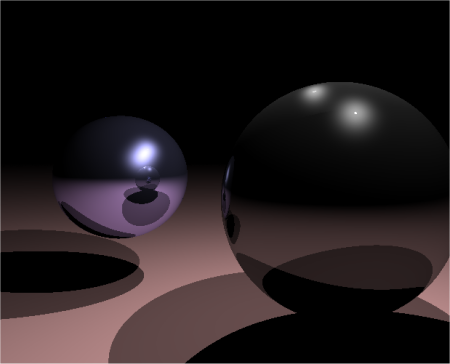
Isnt this similar/how shadow(cubemaps) are done,cept they use a depth buffer...but Didnt you just emulate a depth buffer with the fog trick? ;)

It does work and it is realtime..2fps here.

Sam

yes, the depth buffer is emulated, but the visibility check of the lit zones is diffrent I guess. Not sure what you mean by shadow cubemaps. The renders I call cubemap here are not used as textures. This method is completely dynamic (lights and meshes), and selfshadowing. THIS was the idea. Switching on the light. Of course, it's not that fast, I get 5 fps here with my 50$ radeon 9200, but when you compare it with CameraPick and EntityVisible, then the speed gain is amazing. I just remember when I posted the ICU trick the first time, for a VIS Occlusion thing, Terabit came along and made it run 16 times faster by some quick optimations. So you never know what's next.

Tho I agree, using shaders is probably a better way. But it's the challenge to do the impossible. Well I tried do that since a long time, but I never figured out how to calculate the 3D position. Now I simply use Blitz's MoveEntity Commands to do it.

I just remembered it from a tutorial on how to do realtime shadow maps on a geforce256 .
Ill see if I still have a link.

Yeah, Compared to Camerapick and entityvisiable its many many times faster.

Sam

Can you post a screeny of what the demo is supposed to look like? It looks a real mess on my machine.

yes, it looks like a real mess, of course. That's what I said in the text.

I'd like to have every pixel traced, but right now I had to reduce it to 160*120 units. While the idea was to darken those units onscreen, for this test I simply draw a small black box instead.

This demo was never thought to look cool. It's only here to proof there's a way to camerapick without to camerapick and to use a renderworld to recognize millions of objects in one step.

some problms still exist as I said. you have to read the text,then you know what it's about and why it still looks like a mess.

Nevertheless the critical steps are performed in a fraction of the time needed by a "common blitz3d raytacer".

although this experment still looks like the output of some defect hardware, it has the potential of mostly automatied dynamic shadows that are raytraced. No stecil volume troubles, nothing. But of course, the described problems need to be solved.

However, you should roughly see the shadows of 3 moving cylinders on a rotating platform, including all kinds of artefacts caused by rounding errors etc..

Ok, here's some pics

This one shows the result of the above source. Of course, it looks horrible. Mainly because I made a quick n dirty test and due to the 64k vertices limit I used a 160*120 Tris ICU mesh.


Now I have edited the source a bit and I tried to solve some problems. I have implemented 4 ICU meshes, so the new ICU resolution is 320*240. As you see the speed is not 4 times slower, btw.
One important problem is also clear now: The triangles that are used to detemine the visibility of certain areas should be aligned to the surface, but this cannot be done, While camerapick would deliver the normals, this method doesn't know about normals. It's just the way it is and I'll try to find an other solution. Fact is, the tris should face to the (light-)camera, the more they face to the camera, the better are the results. a lot of tris are still missed for several reasons, that's why there are black parts where should be only light. However, these are practical problems, the theory works pretty well. So this is the current state:

Note this reflects only the shadowing parts. In a real implementation this would be drawn to a texture that semitransparently covers the screen, preferably in a 1:1 pixel resolution.

@Beaker
He's trying to optimize the raytrace method, run this:
Graphics3D 640,480,16,2
SeedRnd 2

gw=160
gh=120

cam=CreateCamera()
	CameraRange cam,.01,200
	PositionEntity cam,0,7,-10
	CameraViewport cam,0,0,gw,gh


p=CreatePlane(1)
	EntityPickMode p,2
	
For c=1 To 10
	cube=CreateCube()
	PositionEntity cube,Rand(-10,10),1,Rand(-10,10)
	EntityColor cube,255,Rand(100,255),Rand(100,255)
	RotateEntity cube,0,Rand(-90,90),0
	EntityPickMode cube,2
Next

s=CreateSphere(4);-> light
	ScaleMesh s,.3,.3,.3
	EntityColor s,255,255,0
	EntityFX s,1

;------------------------------
img=CreateImage(2,2)

;Dummy pivot:
dpivot=CreatePivot()
	EntityRadius dpivot,.02
;---------------

Text 10,gh+15,"use mouse+arrows to move"

While Not KeyDown(1)

	angle=angle+8
	If angle>359 Then angle=0
	PositionEntity s,-8+12*Sin(angle),7,-4

	If KeyDown(200) MoveEntity cam,0,0,.3
	If KeyDown(208) MoveEntity cam,0,0,-.3
	If KeyDown(203) MoveEntity cam,-.3,0,0
	If KeyDown(205) MoveEntity cam,.3,0,0
	TurnEntity cam,MouseYSpeed()/12.0,-MouseXSpeed()/12.0,0
	RotateEntity cam,EntityPitch(cam),EntityYaw(cam),0
	MoveMouse GraphicsWidth()/2,GraphicsHeight()/2

	UpdateWorld
	RenderWorld
	
	For x=0 To gw-1 Step 2
		For y=0 To gh-1 Step 2

			If CameraPick(cam,x,y)>0

			PositionEntity dpivot,PickedX(),PickedY(),PickedZ()
			AlignToVector dpivot,PickedNX(),PickedNY(),PickedNZ(),2
			MoveEntity dpivot,0,.0025,0
			EntityPickMode dpivot,1
			
				If Not EntityVisible(dpivot,s)
				DrawBlock img,x,y
				EndIf
				
			EntityPickMode dpivot,0
			EndIf
		
		Next			
	Next
	
	Flip 0

Wend
MoveMouse 400,300:End


@JFK,
One thing that makes me wonder is how, in the
low level, is achieved a fog effect in the Directx engine,
I mean, there must be already something internally that keep
track of the 3D position of each pixel (if not, how the fog
effect is drawn?), and if that is the case couldn't we
just retrieve the information some way directly from
the engine ... this could optimize a lot the calc for the
3d position of each pixel ... am I wrong?

Paolo.

Paolo - yes, exactly! It's the Z-Buffer or depth buffer. We have no access to it in Blitz 3D. It's an old feature request, unfortunately never added. Ok, I'll try your source. EDIT tried it, it's a good example, also for how slow CameraPick and EntityVisible are. If you would use my replacement, it would be pretty fast. Unfortunately my Fog-by-distance method cannot tell you the picked normals, that is used in the source (and of course, it would also be useful in mine).

Edit: actually access to a depth buffer containing 16 bit or 32 bit information would solve my rounding error problem due to the fog scales immediately.

Considering the point that I started this yesterday evening it evolves pretty quickly, with some optimations this could be useful the sooner or later.

So, we can not access the depth buffer because of a DirectX
limitation or because of Blitz,
if it is Blitz, then do you think the system properties added
for the "Direct3DDevice7 and so... " could be used to access
the depth buffer? Is this what that "Dx7.dll" made by Tom used to do?

Paolo.

I don't know, I only know I would love to have access to the depth buffer :)
I really should learn this DX7 stuff, this might be useful. The only DLL by Tom I know it the memory lib:
-peeking and poking absolute adresses
-get camera properties
-get texture properties
-get entity properties
-get buffer properties
-get brush properties

although there is one function "LockedDepth%(buffer%)", I doubt this gives access to the depth buffer since it takes only one parameter and not x and y.

So DX7.dl is something diffrent? I'll try to locate it.

EDIT

Paolo: here it is: http://www.tomspeed.com/shadowvolume/

Well thank you Tom.

THe decls file says:

.lib "dx7test.dll"

GetRenderTarget%(d3dDevice):"_GetRenderTarget@4"
;SetRenderTarget%(d3dDevice,buffer):"_SetRenderTarget@8"


SupportsWBuffer%(d3dDevice):"_SupportsWBuffer@4"
MaxTextureWidth%(d3dDevice):"_MaxTextureWidth@4"
MaxTextureHeight%(d3dDevice):"_MaxTextureHeight@4"
ZBufferBitDepth%(d3dDevice):"_ZBufferBitDepth@4"

SetRenderState%(d3dDevice%,renderstate%,param%):"_SetRenderState@12"
DeviceClear%(d3dDevice, dwFlags%, dwColorRGBA%, dvZ#, dwStencil%):"_DeviceClear@20"
DeviceClear2%(d3dDevice, BBRect*,dwFlags%, dwColorRGBA%, dvZ#, dwStencil%):"_DeviceClear2@24"


It seems this was used for the stencil shadows demo. Not sure if it let's you access the depth buffer. ZBufferBitDepth - what ever that means. You know, it would be cool if we could do something like "SetBuffer ZBuffer()" and then simly ReadPixelFast the depth.

I am just curious why you're doing this.

Is it for pleasure? There's zero practical use for this. You are better off using stencil buffer.

I don't think so. You cannot compare stencil buffer with pixel shaders.

stencil require shadow/projection volumes, where a pseudo pixel shader don't. It' a huge diffrence. The point is, if this is once working properly, all you have to do is push the button to have full shadows on everything, including self shadowing even of complex and recursive things.

Pixel shader don't care too much about the polycount of the scene.

Now I would agree if you said "why don't you use hardware pixel shaders". That's true and with a graphicscard that supports DX 9 and the right programming tools this would be my choice. But I have an old card an I also don't think you can use pixel shaders in Blitz3D.

But basicly the reason why I do this is the challenge to do the impossible. It's hacking fever that may be compared to hunting fever, something a lot of people don't know, of course. Maybe this way of trying the impossible can be compared with the first wolfenstein that was running on weak hardware that was thought to be way to slow to do any liquid 3D presentation.
I think a lot of people were asking too "why are they doing this" until it was finished and released.

I think this is awesome, jfk. Go for it, and let us know how we can help. Who cares if it ever becomes practical, it's still cool to see how far you can bend the rules of blitz, and probably more good things will come out of it than you might think.

good luck!

roland

Yeah, I think this is cool!
Keep it going!

nice progress jfk! keep us informed please :D

I know this is simple and dumb, but please don't make fun.

Why does this not work?
Graphics3D 640,480
SetBuffer BackBuffer()

Global light=CreateLight()
PositionEntity light,0,50,0

Global camera=CreateCamera()
PositionEntity camera,0,10,-10

ground=CreateCube()
EntityPickMode ground,2
ScaleEntity ground,20,1,20

sphere=CreateSphere()
EntityPickMode sphere,2
PositionEntity sphere,0,10,0
cube=CreateCube(sphere)
EntityPickMode cube,2
PositionEntity cube,3,10,1,1
cone=CreateCone(8,1,sphere)
EntityPickMode cone,2
PositionEntity cone,-3,10,-1,1

Global shadpiv=CreatePivot()

While Not KeyDown(1)

TurnEntity sphere,1,1,1

UpdateWorld
RenderWorld
shadows()
Flip
Wend
End

Function shadows()
LockBuffer

For spy=2 To GraphicsHeight() Step 3
	For spx=2 To GraphicsWidth() Step 3
		CameraPick(camera,spx,spy)
		PositionEntity shadpiv,PickedX(),PickedY(),PickedZ()
		If Not EntityVisible(light,shadpiv)
			WritePixelFast spx,spy,0
		EndIf
	Next
Next

UnlockBuffer
End Function

By the way, it is very slow, so if all you see is a black screen, then wait a minute for it to render.

Ok, never mind, I stole a snippet of Eurythmia's code and now it works.

JFK, I am a bit confused about wich parts of your code do the camera picking and entity visible parts. Would you mind posting two functions like "MyCameraPick()" and "MyEntityVisible()"?

Thanks for the comments everybody. I think I'll continue with this when I have found a way to access the depth buffer, because of the mentioned rounding error when using fog. I also need a better way to place the triangles to make sure they woll be seen by the ICU camera.

Blitznerd - your method is exactly what I described in the very first few lines of this thread. Using Camerapick and ENtityvisible.

Right now I ain't got the time to write generic functions, also because they are woven into the code, but let me try to explain it (although i already did!)

The camera pick is replaced by the socalled "distance by fog" trick. All meshes are fullbright (fx) and white (may be a temporary setting). Then there's some black fog, so the bigger the distance, the darker they are. When picking a pixel this gives the Z distance to the camera, but not the 3D-coordinate of the pixel. So we place a pivot at the cameras position, move it in the x and y direction by pixel coord * Z (because the higher Z is, the more is pixel x and y in 3D!). If we once moved the pivot to the right X and Y position (Z is still equal camera Z) we only need to move it in direction Z by the previously calulated Z distance. FOr test purposes this method is executed parallely to the original method using Camerapick. Two cubes (red and blue, scaled 0.1) are poisitioned at the two coords, one of them rotated 45,45,45. Now you can see if the two methods return the same coords.

The entityvisible is then replaced by something dramaticly faster. Instead of picking the light from every required pixels 3d coord, we simply perform one single renderworld (well 6 ones, 1 in every direction) from the viewpoint of the light and check if a certain 3D coordinate can be seen on the rendered pics. For this we position a triangle at every previously "picked" coordinate. Each triangle is colored in a absolutely unique, individual color. The color is generated by the pixels X and Y coordinate. So later when we detect a triangle on the rendered pics, its color can be reversly decoded to get the pixel coordinate it is representing. In this method it's very simple, the green channel is storing X and the blue channel holds Y (well, plus 10 to allow black unpickable background etc.)

If you want to use a higher sampling resolution than 160*120, one byte per X/Y won't be enough. Colors in Readpixelfast are limited to 24 Bits so you cannot use 32 Bit for encoding. So you best use 12 Bits per X/Y, that would be:

X_enc=((x+10) shl 12)
Y_enc=(y+10)
RGB_enc=X_enc or Y_enc
So this color can be used with VertexColor

Later we'll read a pixel and decode it this way:

RGB=readpixelfast(x,y) and $FFFFFF
x_enc=(rgb shr 12)-10
y_enc=(rgb and %111111111111) -10
now if they are within the sampled resoltion, a triangle was detected.

There is a further problem. We are using a mesh and color its vertices, this way amounts of 160*120 colors can be rendered quickly (using the same amount of individual eg. cubes would almost freeze the machine).

This works nicely and modern cards eat such amounts of triangles like an appetizer. But if you want to use a higher sampling rate (perfect would be a rate that is equal the screen resolution to get 1 shading evaluation for every pixel!), there will arise several problems: the max number of vertices in a surface is about 65535. A you see with 320*240 we would already go higher (one triangle needs 3 Vertices here). So we must split it up to a number of ICU meshes. I did this, 4 meshes as mentioned near the second screenie. It works, but it complicates things unneccessarily. Once again it's Microsoft (remember Bill Gates saying "None will ever need more then 64 KB Ram in his homecomputer").

Needless to say this all won't work in a 16 Bit color depth.

I'll continue with this from time to time as I do since a year or so (mainly inside my head btw) and will let you know when there's some progress.

Try this :

; Raytraced Bouncy Balls

AppTitle "Raytraced Bouncy Balls"

Const width = 320
Const height = 240

Graphics width,height,32,2
SetBuffer BackBuffer()

SeedRnd MilliSecs()

Type plane
        Field nx#
        Field ny#
        Field nz#
        Field dis#
        Field argb
End Type

Type sphere
        Field x#
        Field y#
        Field z#
        Field xv#
        Field yv#
        Field zv#
        Field argb
End Type

Dim p.plane(1)

Dim s.sphere(1)

Dim normalx#(width,height)
Dim normaly#(width,height)
Dim normalz#(width,height)

Global planes = 1

Global spheres = 3

Global sphererad# = 100.0
Global sphererad2# = Float(sphererad# * sphererad#)

Global camerax#
Global cameray#
Global cameraz# = -800.0

Global lightx#
Global lighty# = 800.0
Global lightz#

Global spec# = 10.0

Global grav# = .3
Global fric# = .25

setupplanes()

setupspheres()
s(0)\argb = $FF0000
s(1)\argb = $00FF00
s(2)\argb = $0000FF

setupnormals()

While Not KeyDown(1)
Cls

LockBuffer
raytrace()
UnlockBuffer

For i = 0 To spheres - 1
        s(i)\x# = s(i)\x# + s(i)\xv#
        s(i)\y# = s(i)\y# + s(i)\yv#
        s(i)\z# = s(i)\z# + s(i)\zv#
        s(i)\yv# = s(i)\yv# - grav#
        If s(i)\y# - sphererad# < -p(0)\dis#
                s(i)\y# = -p(0)\dis# + sphererad#
                s(i)\xv# = Float(s(i)\xv# * fric#)
                s(i)\yv# = Float(-s(i)\yv# * fric#)
                s(i)\zv# = Float(s(i)\zv# * fric#)
                If s(i)\xv# > -fric# Or s(i)\xv# < fric# Then s(i)\xv# = 0
                If s(i)\zv# > -fric# Or s(i)\zv# < fric# Then s(i)\zv# = 0
        EndIf
Next

If KeyDown(203) Then camerax# = camerax# - 50.0
If KeyDown(205) Then camerax# = camerax# + 50.0
If KeyDown(200) Then cameraz# = cameraz# + 50.0
If KeyDown(208) Then cameraz# = cameraz# - 50.0

Flip
Wend
For i = 0 To planes - 1
        Delete p(i)
Next
For i = 0 To spheres - 1
        Delete s(i)
Next
End

Function setupplanes()
Dim p.plane(planes)
For i = 0 To planes - 1
        p.plane(i) = New plane
        p(i)\ny# = 1.0
        p(i)\dis# = Float(sphererad# * 4.0)
        p(i)\argb = $686868;Rand($686868,$FFFFFF)
Next
End Function

Function setupspheres()
Dim s.sphere(spheres)
Local sr# = Float(sphererad# * 2.5)
;Local an# = Rnd(360.0)
;Local ani# = Float(360.0 / spheres)
For i = 0 To spheres - 1
        s.sphere(i) = New sphere
        s(i)\x# = Rnd(-sr#,sr#)
        s(i)\y# = Rnd(0,sphererad#)
        s(i)\z# = Rnd(-sr#,sr#)
        s(i)\xv# = Rnd(-5.0,5.0)
        s(i)\yv# = Rnd(-2.0,7.0)
        s(i)\zv# = Rnd(-5.0,5.0)
        s(i)\argb = Rand($686868,$FFFFFF)
;        an# = an# + ani#
Next
End Function

Function setupnormals()
Local nx#
Local ny#
Local nz# = 200.0
Local dis#
For y = 0 To height - 1
        ny# = Float(height Shr 1) - Float(y)
        For x = 0 To width - 1
                nx# = Float(width Shr 1) - Float(x)
                dis# = Sqr(Float(nx# * nx#) + Float(ny# * ny#) + Float(nz# * nz#))
                normalx#(x,y) = -Float(nx# / dis#)
                normaly#(x,y) = Float(ny# / dis#)
                normalz#(x,y) = Float(nz# / dis#)
        Next
Next
End Function

Function raytrace()
Local argb
For y = 0 To height - 1
        For x = 0 To width - 1
                argb = ray(camerax#,cameray#,cameraz#,normalx#(x,y),normaly#(x,y),normalz#(x,y),256)
                If argb <> $000000 Then WritePixelFast x,y,argb
        Next
Next
End Function

Function ray(ex#,ey#,ez#,evx#,evy#,evz#,c)
If c <= 32 Then Return
Local plane.plane
Local sphere.sphere
Local z# = 10000
Local svx#
Local svy#
Local svz#
Local ix#
Local iy#
Local iz#
Local nx#
Local ny#
Local nz#
Local rnx#
Local rny#
Local rnz#
Local lvx#
Local lvy#
Local lvz#
Local dxis#
Local ydis#
Local zdis#
Local dxis2#
Local ydis2#
Local zdis2#
Local dis#
Local dis2#
Local l#
Local c1
Local c2
Local c3
Local r
Local g
Local b
For i = 0 To planes - 1
        plane.plane = p(i)
        nx# = plane\nx#
        ny# = plane\ny#
        nz# = plane\nz#
        dis# = Float(Float(nx# * evx#) + Float(ny# * evy#) + Float(nz# * evz#))
        If dis# < 0
                dis2# = Float(-Float(plane\dis# + Float(Float(nx# * ex#) + Float(ny# * ey#) + Float(nz# * ez#))) / dis#)
                ix# = ex# + Float(evx# * dis2#)
                iy# = ey# + Float(evy# * dis2#)
                iz# = ez# + Float(evz# * dis2#)
                lvx# = Float(lightx# - ix#)
                lvy# = Float(lighty# - iy#)
                lvz# = Float(lightz# - iz#)
                dis# = Sqr(Float(lvx# * lvx#) + Float(lvy# * lvy#) + Float(lvz# * lvz#))
                lvx# = Float(lvx# / dis#)
                lvy# = Float(lvy# / dis#)
                lvz# = Float(lvz# / dis#)
                l# = Float(Float(nx# * lvx#) + Float(ny# * lvy#) + Float(nz# * lvz#))
                dis# = Float(Float(Float(nx# * evx#) + Float(ny# * evy#) + Float(nz# * evz#)) * 2.0)
                rnx# = evx# - Float(nx# * dis#)
                rny# = evy# - Float(ny# * dis#)
                rnz# = evz# - Float(nz# * dis#)
                c1 = Int(l# * 256.0)
                c2 = Int(Float(Float(rnx# * lvx#) + Float(rny# * lvy#) + Float(rnz# * lvz#))^spec# * 256.0)
                argb = plane\argb
                z# = dis2#
        EndIf
Next
For i = 0 To spheres - 1
        sphere.sphere = s(i)
        svx# = sphere\x# - ex#
        svy# = sphere\y# - ey#
        svz# = sphere\z# - ez#
        dis2# = Float(Float(svx# * evx#) + Float(svy# * evy#) + Float(svz# * evz#))
        dis# = Float(Float(svx# * svx#) + Float(svy# * svy#) + Float(svz# * svz#)) - Float(dis2# * dis2#)
        If dis# <= sphererad2#
                dis2# = dis2# - Sqr(sphererad2# - dis#)
                If dis2# > 0 And dis2# < z#
                        ix# = ex# + Float(evx# * dis2#)
                        iy# = ey# + Float(evy# * dis2#)
                        iz# = ez# + Float(evz# * dis2#)
                        nx# = Float(Float(ix# - sphere\x#) / sphererad#)
                        ny# = Float(Float(iy# - sphere\y#) / sphererad#)
                        nz# = Float(Float(iz# - sphere\z#) / sphererad#)
                        lvx# = Float(lightx# - ix#)
                        lvy# = Float(lighty# - iy#)
                        lvz# = Float(lightz# - iz#)
                        dis# = Sqr(Float(lvx# * lvx#) + Float(lvy# * lvy#) + Float(lvz# * lvz#))
                        lvx# = Float(lvx# / dis#)
                        lvy# = Float(lvy# / dis#)
                        lvz# = Float(lvz# / dis#)
                        l# = Float(Float(nx# * lvx#) + Float(ny# * lvy#) + Float(nz# * lvz#))
                        dis# = Float(Float(Float(nx# * evx#) + Float(ny# * evy#) + Float(nz# * evz#)) * 2.0)
                        rnx# = evx# - Float(nx# * dis#)
                        rny# = evy# - Float(ny# * dis#)
                        rnz# = evz# - Float(nz# * dis#)
                        c1 = Int(l# * 256.0)
                        c2 = Int(Float(Float(rnx# * lvx#) + Float(rny# * lvy#) + Float(rnz# * lvz#))^spec# * 256.0)
                        argb = sphere\argb
                        z# = dis2#
                EndIf
        EndIf
Next
If shadowed(ix#,iy#,iz#)
        c1 = 30
        c2 = 0
Else
        If c1 < 30 Then c1 = 30
        If c2 < 0 Then c2 = 0
EndIf
c3 = (c1 * c) Shr 8
r = ((argb And $FF0000) * c3) Shr 8
g = ((argb And $00FF00) * c3) Shr 8
b = ((argb And $0000FF) * c3) Shr 8
r = r + (c2 Shl 16)
g = g + (c2 Shl 8)
b = b + c2
If argb <> $000000 Then argb = ray(ix#,iy#,iz#,rnx#,rny#,rnz#,c - 32)
r = r + (argb And $FF0000)
g = g + (argb And $00FF00)
b = b + (argb And $0000FF)
If r > $FF0000
        r = $FF0000
Else
        r = r And $FF0000
EndIf
If g > $00FF00
        g = $00FF00
Else
        g = g And $00FF00
EndIf
If b > $0000FF
        b = $0000FF
Else
        b = b And $0000FF
EndIf
Return r Or g Or b
End Function

Function shadowed(x#,y#,z#)
Local plane.plane
Local sphere.sphere
Local shad = False
Local evx# = Float(lightx# - x#)
Local evy# = Float(lighty# - y#)
Local evz# = Float(lightz# - z#)
Local dis# = Sqr(Float(evx# * evx#) + Float(evy# * evy#) + Float(evz# * evz#))
Local dis2#
evx# = Float(evx# / dis#)
evy# = Float(evy# / dis#)
evz# = Float(evz# / dis#)
For i = 0 To planes - 1
        plane.plane = p(i)
        nx# = plane\nx#
        ny# = plane\ny#
        nz# = plane\nz#
        dis# = Float(Float(nx# * evx#) + Float(ny# * evy#) + Float(nz# * evz#))
        If dis# < 0
                shad = True
                i = planes - 1
        EndIf
Next
If shad = False
        For i = 0 To spheres - 1
                sphere.sphere = s(i)
                svx# = sphere\x# - x#
                svy# = sphere\y# - y#
                svz# = sphere\z# - z#
                dis2# = Float(Float(svx# * evx#) + Float(svy# * evy#) + Float(svz# * evz#))
                dis# = Float(Float(svx# * svx#) + Float(svy# * svy#) + Float(svz# * svz#)) - Float(dis2# * dis2#)
                If dis2# > 0 And dis# < sphererad2#
                        shad = True
                        i = spheres - 1
                EndIf
        Next
EndIf
Return shad
End Function


This Source is Very Slow!!!


This Source is Very Slow!!!


1) Which source,
2) Could you do faster? :)

filax - your code is very interesting, tho the goal was to use raytracing in order to add shadows to blitz3d, so it must be able to access the blitz geometry etc.

Dont mean to hijack the thread :P but maybe you could just wait for the stencil shadow system (how much longer) which will be good enough. This IS after all dx7 and as you say you dont have access to the depth buffer. Or actually, you DO have access to it, using the same commands i'm using in the stencil operations, but i dont know the dx7 sdk enough to tell you how to do it. I'm sure you could read up on it if you found some dx7 docs and use Tom's dll to do it...

well, i tried to make a raytracing shadow lib for directx renderer(not realtime), but i didn't manage that.

but you did, and you have got my full respect!

the source of filax works VERY FAST for a raytracing engine!!!!

i have seen a raytracer which needs hours for a pic for that his one^^ needs seconds!

Braincell I asked Tom, tho no answer. This shadow experiment was funny, maybe it will be useful when we have terahertz puters, right now it's frozen.

Any stencil shadow solution for BLitz3D is welcome, or a BMax 3D Engine by BRL.

i have modifyed your version a little filax, and that is it now:

Graphics 640, 480, 32, 2
SetBuffer BackBuffer()
SeedRnd MilliSecs()

;Raytracer
InitRaytracer()
SetCameraPosition(0, -25, -130)
SetLightPosition(35, 200, -35)
SetAmbientLight(255)
CreateScene()

;Loadscreen
SetFont LoadFont("Arial", GraphicsHeight() / 5, True, False, False)
Text GraphicsWidth() / 2, GraphicsHeight() / 2, "Please wait...", True, True
Flip

;Render
Raytrace()
Flip
WaitKey()
End

Function CreateScene()
AddEntity("Plane", 1, 100, $857830)               ;Floor
AddEntity("Sphere", 100, -0, 200, 100, $660000)   ;Red ball
AddEntity("Sphere", -100, -80, 325, 100, $006600) ;Green ball
AddEntity("Sphere", 0, -50, 410, 100, $000066)    ;Blue ball
End Function


Type Plane
	Field nx#, ny#, nz#
	Field dis#
	Field argb
End Type
Type Sphere
	Field x#, y#, z#
	Field rad#
	Field argb
End Type
Dim normalx#(-1, -1)
Dim normaly#(-1, -1)
Dim normalz#(-1, -1)
Global camerax#, cameray#, cameraz#
Global lightx#, lighty#, lightz#
Global ambientcol

Function InitRaytracer()
w = GraphicsWidth()
h = GraphicsHeight()
Dim normalx#(w, h)
Dim normaly#(w, h)
Dim normalz#(w, h)
SetupNormals()
End Function

Function Raytrace()
Cls
LockBuffer()
width = GraphicsWidth()
height = GraphicsHeight()
For y = 0 To height - 1
	For x = 0 To width - 1
		rgb = SendRay(camerax#, cameray#, cameraz#, normalx#(x, y), normaly#(x, y), normalz#(x, y), ambientcol)
		If rgb <> $000000 Then WritePixelFast x, y, rgb, BackBuffer()
	Next
Next
UnlockBuffer()
End Function

Function SendRay(ex#, ey#, ez#, evx#, evy#, evz#, c = 255, recursive_times = 4)
If recursive_times < 0 Then Return
Local z# = 10000
For p.Plane = Each Plane
	nx# = p\nx#
	ny# = p\ny#
	nz# = p\nz#
	dis# = nx# * evx# + ny# * evy# + nz# * evz#
	If dis# < 0 Then
		dis2# = -(p\dis# + nx# * ex# + ny# * ey# + nz# * ez#) / dis#
		ix# = ex# + evx# * dis2#
		iy# = ey# + evy# * dis2#
		iz# = ez# + evz# * dis2#
		lvx# = lightx# - ix#
		lvy# = lighty# - iy#
		lvz# = lightz# - iz#
		dis# = Sqr(lvx# * lvx# + lvy# * lvy# + lvz# * lvz#)
		lvx# = lvx# / dis#
		lvy# = lvy# / dis#
		lvz# = lvz# / dis#
		dis# = (nx# * evx# + ny# * evy# + nz# * evz#) * 2
		rnx# = evx# - nx# * dis#
		rny# = evy# - ny# * dis#
		rnz# = evz# - nz# * dis#
		c1 = (nx# * lvx# + ny# * lvy# + nz# * lvz#) * 256
		argb = p\argb
		z# = dis2#
	EndIf
Next
For s.Sphere = Each Sphere
	svx# = s\x# - ex#
	svy# = s\y# - ey#
	svz# = s\z# - ez#
	dis2# = svx# * evx# + svy# * evy# + svz# * evz#
	dis# = svx# * svx# + svy# * svy# + svz# * svz# - dis2# * dis2#
	If dis# <= s\rad# * s\rad# Then
		dis2# = dis2# - Sqr(s\rad# * s\rad# - dis#)
		If dis2# > 0 And dis2# < z# Then
			ix# = ex# + evx# * dis2#
			iy# = ey# + evy# * dis2#
			iz# = ez# + evz# * dis2#
			nx# = Float(ix# - s\x#) / s\rad#
			ny# = Float(iy# - s\y#) / s\rad#
			nz# = Float(iz# - s\z#) / s\rad#
			lvx# = lightx# - ix#
			lvy# = lighty# - iy#
			lvz# = lightz# - iz#
			dis# = Sqr(lvx# * lvx# + lvy# * lvy# + lvz# * lvz#)
			lvx# = lvx# / dis#
			lvy# = lvy# / dis#
			lvz# = lvz# / dis#
			dis# = (nx# * evx# + ny# * evy# + nz# * evz#) * 2
			rnx# = evx# - nx# * dis#
			rny# = evy# - ny# * dis#
			rnz# = evz# - nz# * dis#
			c1 = (nx# * lvx# + ny# * lvy# + nz# * lvz#) * 256
			c2 = (rnx# * lvx# + rny# * lvy# + rnz# * lvz#) ^ 10 * 256
			argb = s\argb
			z# = dis2#
		EndIf
	EndIf
Next
If Shadowed(ix#, iy#, iz#) Then
	c1 = 30
	c2 = 0
Else
	If c1 < 30 Then c1 = 30
	If c2 < 0 Then c2 = 0
EndIf
c3 = c1 * c Shr 8
r = (argb And $FF0000) * c3 Shr 8 + c2 Shl 16
g = (argb And $00FF00) * c3 Shr 8 + c2 Shl 8
b = (argb And $0000FF) * c3 Shr 8 + c2
If argb <> $000000 Then argb = SendRay(ix#, iy#, iz#, rnx#, rny#, rnz#, c - 32, recursive_times - 1)
r = r + (argb And $FF0000)
g = g + (argb And $00FF00)
b = b + (argb And $0000FF)
If r > $FF0000 Then r = $FF0000 Else r = r And $FF0000
If g > $00FF00 Then g = $00FF00 Else g = g And $00FF00
If b > $0000FF Then b = $0000FF Else b = b And $0000FF
Return r Or g Or b
End Function

Function Shadowed(x#, y#, z#)
evx# = lightx# - x#
evy# = lighty# - y#
evz# = lightz# - z#
dis# = Sqr(evx# * evx# + evy# * evy# + evz# * evz#)
evx# = evx# / dis#
evy# = evy# / dis#
evz# = evz# / dis#
For s.Sphere = Each Sphere
	svx# = s\x# - x#
	svy# = s\y# - y#
	svz# = s\z# - z#
	dis2# = svx# * evx# + svy# * evy# + svz# * evz#
	dis# = svx# * svx# + svy# * svy# + svz# * svz# - dis2# * dis2#
	If dis2# > 0 And dis# < s\rad# * s\rad# Then Return True
Next
End Function

Function SetCameraPosition(x#, y#, z#)
camerax# = x#
cameray# = y#
cameraz# = z#
End Function

Function SetLightPosition(x#, y#, z#)
lightx# = x#
lighty# = y#
lightz# = z#
End Function

Function SetAmbientLight(col)
ambientcol = col
End Function

Function AddEntity(typ$, p1$ = "", p2$ = "", p3$ = "", p4$ = "", p5$ = "")
Select Lower(typ$)
	Case "sphere"
		s.Sphere = New Sphere
		s\x# = p1$
		s\y# = p2$
		s\z# = p3$
		s\rad# = p4$
		s\argb = p5$
	Case "plane"
		p.Plane = New Plane
		p\ny# = p1$
		p\dis# = p2$
		p\argb = p3$
	Default
		RuntimeError "Entity type not found."
End Select
End Function

Function SetupNormals()
width = GraphicsWidth()
height = GraphicsHeight()
nz# = 200
For y = 0 To height - 1
	ny# = Float(height Shr 1 - y) * 240.0 / Float(width)
	For x = 0 To width - 1
		nx# = Float(width Shr 1 - x) * 240.0 / Float(width)
		dis# = Sqr(nx# * nx# + ny# * ny# + nz# * nz#)
		normalx#(x, y) = -nx# / dis#
		normaly#(x, y) = ny# / dis#
		normalz#(x, y) = nz# / dis#
	Next
Next
End Function


Nice work :) ! Any idea to add

- Cube and cylinder ?
- Multi light ?
- Camera rotation ?
- Object rotation ?

Remember Devil :) on amiga the same image with DKB Trace
take 30/40 hours of computing for a resolution of 320/240...

I have try to add cone primitive but without good result :
http://www.frontiernet.net/~imaging/raytracing.html

Move control added :


Graphics 320, 240, 32, 0
SetBuffer BackBuffer()
SeedRnd MilliSecs()

;Raytracer
InitRaytracer()
SetCameraPosition(0, -25, -230)
SetLightPosition(35, 200, -35)
SetAmbientLight(255)
CreateScene()


Local Px#
Local Py#
Local Pz#
Local Speed#=5

While Not KeyHit(1)
	If KeyDown(203) Then
		Px# = Px# - Speed#
	EndIf

	If KeyDown(205) Then
		Px#= Px# + Speed#
	EndIf

	If KeyDown(201) Then
		Py#=Py#+Speed#
	EndIf

	If KeyDown(209) Then
		Py#=Py#-Speed#
	EndIf


	If KeyDown(200) Then
		Pz# = Pz# + Speed#
	EndIf

	If KeyDown(208) Then
		Pz# = Pz# - Speed#
	EndIf

	SetCameraPosition(Px#, Py#, Pz#)
	
	Raytrace()
	Flip
Wend

End


Function CreateScene()
AddEntity("Plane", 1, 100, $857830)               ;Floor
AddEntity("Sphere", 100, 10, 100, 50, $660000)   ;Red ball
AddEntity("Sphere", 0, 10, 125, 50, $006600) ;Green ball
AddEntity("Sphere", -100, 10, 100, 50, $000066)    ;Blue ball
End Function


Type Plane
	Field nx#, ny#, nz#
	Field dis#
	Field argb
End Type

Type Sphere
	Field x#, y#, z#
	Field rad#
	Field argb
End Type

Dim normalx#(-1, -1)
Dim normaly#(-1, -1)
Dim normalz#(-1, -1)

Global camerax#, cameray#, cameraz#
Global lightx#, lighty#, lightz#
Global ambientcol

Function InitRaytracer()
	w = GraphicsWidth()
	h = GraphicsHeight()
	Dim normalx#(w, h)
	Dim normaly#(w, h)
	Dim normalz#(w, h)
	SetupNormals()
End Function

Function Raytrace()
Cls
LockBuffer()
	width = GraphicsWidth()
	height = GraphicsHeight()
	For y = 0 To height - 1
		For x = 0 To width - 1
			rgb = SendRay(camerax#, cameray#, cameraz#, normalx#(x, y), normaly#(x, y), normalz#(x, y), ambientcol)
			If rgb <> $000000 Then WritePixelFast x, y, rgb, BackBuffer()
		Next
	Next
	UnlockBuffer()
End Function

Function SendRay(ex#, ey#, ez#, evx#, evy#, evz#, c = 255, recursive_times = 4)
	If recursive_times < 0 Then Return
	Local z# = 10000
	
	For p.Plane = Each Plane
		nx# = p\nx#
		ny# = p\ny#
		nz# = p\nz#
		dis# = nx# * evx# + ny# * evy# + nz# * evz#
		If dis# < 0 Then
			dis2# = -(p\dis# + nx# * ex# + ny# * ey# + nz# * ez#) / dis#
			ix# = ex# + evx# * dis2#
			iy# = ey# + evy# * dis2#
			iz# = ez# + evz# * dis2#
			lvx# = lightx# - ix#
			lvy# = lighty# - iy#
			lvz# = lightz# - iz#
			dis# = Sqr(lvx# * lvx# + lvy# * lvy# + lvz# * lvz#)
			lvx# = lvx# / dis#
			lvy# = lvy# / dis#
			lvz# = lvz# / dis#
			dis# = (nx# * evx# + ny# * evy# + nz# * evz#) * 2
			rnx# = evx# - nx# * dis#
			rny# = evy# - ny# * dis#
			rnz# = evz# - nz# * dis#
			c1 = (nx# * lvx# + ny# * lvy# + nz# * lvz#) * 256
			argb = p\argb
			z# = dis2#
		EndIf
	Next
	
	For s.Sphere = Each Sphere
		svx# = s\x# - ex#
		svy# = s\y# - ey#
		svz# = s\z# - ez#
		dis2# = svx# * evx# + svy# * evy# + svz# * evz#
		dis# = svx# * svx# + svy# * svy# + svz# * svz# - dis2# * dis2#
		If dis# <= s\rad# * s\rad# Then
			dis2# = dis2# - Sqr(s\rad# * s\rad# - dis#)
			If dis2# > 0 And dis2# < z# Then
				ix# = ex# + evx# * dis2#
				iy# = ey# + evy# * dis2#
				iz# = ez# + evz# * dis2#
				nx# = Float(ix# - s\x#) / s\rad#
				ny# = Float(iy# - s\y#) / s\rad#
				nz# = Float(iz# - s\z#) / s\rad#
				lvx# = lightx# - ix#
				lvy# = lighty# - iy#
				lvz# = lightz# - iz#
				dis# = Sqr(lvx# * lvx# + lvy# * lvy# + lvz# * lvz#)
				lvx# = lvx# / dis#
				lvy# = lvy# / dis#
				lvz# = lvz# / dis#
				dis# = (nx# * evx# + ny# * evy# + nz# * evz#) * 2
				rnx# = evx# - nx# * dis#
				rny# = evy# - ny# * dis#
				rnz# = evz# - nz# * dis#
				c1 = (nx# * lvx# + ny# * lvy# + nz# * lvz#) * 256
				c2 = (rnx# * lvx# + rny# * lvy# + rnz# * lvz#) ^ 10 * 256
				argb = s\argb
				z# = dis2#
			EndIf
		EndIf
	Next
	
	If Shadowed(ix#, iy#, iz#) Then
		c1 = 30
		c2 = 0
	Else
		If c1 < 30 Then c1 = 30
		If c2 < 0 Then c2 = 0
	EndIf
	
	c3 = c1 * c Shr 8
	r = (argb And $FF0000) * c3 Shr 8 + c2 Shl 16
	g = (argb And $00FF00) * c3 Shr 8 + c2 Shl 8
	b = (argb And $0000FF) * c3 Shr 8 + c2
	
	If argb <> $000000 Then argb = SendRay(ix#, iy#, iz#, rnx#, rny#, rnz#, c - 32, recursive_times - 1)
	
	r = r + (argb And $FF0000)
	g = g + (argb And $00FF00)
	b = b + (argb And $0000FF)
	
	If r > $FF0000 Then r = $FF0000 Else r = r And $FF0000
	If g > $00FF00 Then g = $00FF00 Else g = g And $00FF00
	If b > $0000FF Then b = $0000FF Else b = b And $0000FF
	Return r Or g Or b
End Function

Function Shadowed(x#, y#, z#)
	evx# = lightx# - x#
	evy# = lighty# - y#
	evz# = lightz# - z#
	dis# = Sqr(evx# * evx# + evy# * evy# + evz# * evz#)
	evx# = evx# / dis#
	evy# = evy# / dis#
	evz# = evz# / dis#
	For s.Sphere = Each Sphere
		svx# = s\x# - x#
		svy# = s\y# - y#
		svz# = s\z# - z#
		dis2# = svx# * evx# + svy# * evy# + svz# * evz#
		dis# = svx# * svx# + svy# * svy# + svz# * svz# - dis2# * dis2#
		If dis2# > 0 And dis# < s\rad# * s\rad# Then Return True
	Next
End Function

Function SetCameraPosition(x#, y#, z#)
	camerax# = x#
	cameray# = y#
	cameraz# = z#
End Function

Function SetLightPosition(x#, y#, z#)
	lightx# = x#
	lighty# = y#
	lightz# = z#
End Function

Function SetAmbientLight(col)
	ambientcol = col
End Function

Function AddEntity(typ$, p1$ = "", p2$ = "", p3$ = "", p4$ = "", p5$ = "")
	Select Lower(typ$)
		Case "sphere"
			s.Sphere = New Sphere
			s\x# = p1$
			s\y# = p2$
			s\z# = p3$
			s\rad# = p4$
			s\argb = p5$
		Case "plane"
			p.Plane = New Plane
			p\ny# = p1$
			p\dis# = p2$
			p\argb = p3$
		Default
			RuntimeError "Entity type not found."
	End Select
End Function

Function SetupNormals()
	width = GraphicsWidth()
	height = GraphicsHeight()
	nz# = 200
	
	For y = 0 To height - 1
		ny# = Float(height Shr 1 - y) * 240.0 / Float(width)
		
		For x = 0 To width - 1
			nx# = Float(width Shr 1 - x) * 240.0 / Float(width)
			dis# = Sqr(nx# * nx# + ny# * ny# + nz# * nz#)
			normalx#(x, y) = -nx# / dis#
			normaly#(x, y) = ny# / dis#
			normalz#(x, y) = nz# / dis#
		Next
		
	Next
End Function


ok, i managed multi lights, and the shadows are oversampling!

but i dont know how i can make 2 light flare reflections on the spheres!

----


edit: code deleted! i have managed multi lights and all the stuff arround the lights. especialy the flared on the spheres :)
i'll post it in here when it is ready!

Hi Devils :)

I find you shadows sampling very good ! Very usefull with
multi light :)

I have find doc about Raytracing ! i hope to help you to
find multi light reflection !

http://www.cescg.org/CESCG98/MDolezal/index.html
http://www.devmaster.net/articles/raytracing_series/part3.php
http://www.flipcode.com/articles/article_raytrace03.shtml

Look this topic : Its a raytracer made with purebasic
it work with multi light specularity !

http://www.purebasic.fr/english/viewtopic.php?t=15568&postdays=0&postorder=asc&start=45


have u managed multi lights?

i have managed it a bit, but the spheres arent shadowed very much,...why??

Include "Raytracer.bb"

Graphics 640, 480, 32, 2
SetBuffer BackBuffer()
SeedRnd MilliSecs()

;Raytracer
InitRaytracer()
SetCameraPosition(0, -25, -130)
SetAmbientLight(255)
CreateScene()

;Loadscreen
SetFont LoadFont("Arial", GraphicsHeight() / 5, True, False, False)
Text GraphicsWidth() / 2, GraphicsHeight() / 2, "Please wait...", True, True
Flip

;Render
Raytrace()
Flip
WaitKey()
End

Function CreateScene()
AddEntity("Light", 50, 1000, 800)                 ;Light1
AddEntity("Light", -200, 200, 400)                ;Light2
AddEntity("Plane", 1, 100, $857830)               ;Floor
AddEntity("Sphere", 100, 10, 200, 100, $FF0000)   ;Red ball
AddEntity("Sphere", -100, -80, 385, 100, $00FF00) ;Green ball
AddEntity("Sphere", 0, -50, 510, 100, $0000FF)    ;Blue ball
End Function

Type Light
	Field x#, y#, z#
End Type
Type Plane
	Field nx#, ny#, nz#
	Field dis#
	Field argb
End Type
Type Sphere
	Field x#, y#, z#
	Field rad#
	Field argb
End Type
Dim normalx#(-1, -1)
Dim normaly#(-1, -1)
Dim normalz#(-1, -1)
Global camerax#, cameray#, cameraz#
Global ambientcol

Function InitRaytracer()
w = GraphicsWidth()
h = GraphicsHeight()
Dim normalx#(w, h)
Dim normaly#(w, h)
Dim normalz#(w, h)
SetupNormals()
End Function

Function Raytrace()
Cls
LockBuffer()
width = GraphicsWidth()
height = GraphicsHeight()
For y = 0 To height - 1
	For x = 0 To width - 1
		rgb = SendRay(camerax#, cameray#, cameraz#, normalx#(x, y), normaly#(x, y), normalz#(x, y), ambientcol)
		If rgb <> $000000 Then WritePixelFast x, y, rgb, BackBuffer()
	Next
Next
UnlockBuffer()
End Function

Function SendRay(ex#, ey#, ez#, evx#, evy#, evz#, c = 255, recursive_times = 4)
If recursive_times < 0 Then Return
z# = 10000
l.Light = First Light
For p.Plane = Each Plane
	nx# = p\nx#
	ny# = p\ny#
	nz# = p\nz#
	dis# = nx# * evx# + ny# * evy# + nz# * evz#
	If dis# < 0 Then
		dis2# = -(p\dis# + nx# * ex# + ny# * ey# + nz# * ez#) / dis#
		ix# = ex# + evx# * dis2#
		iy# = ey# + evy# * dis2#
		iz# = ez# + evz# * dis2#
		lvx# = l\x# - ix#
		lvy# = l\y# - iy#
		lvz# = l\z# - iz#
		dis# = Sqr(lvx# * lvx# + lvy# * lvy# + lvz# * lvz#)
		lvx# = lvx# / dis#
		lvy# = lvy# / dis#
		lvz# = lvz# / dis#
		dis# = (nx# * evx# + ny# * evy# + nz# * evz#) * 2
		rnx# = evx# - nx# * dis#
		rny# = evy# - ny# * dis#
		rnz# = evz# - nz# * dis#
		c1 = (nx# * lvx# + ny# * lvy# + nz# * lvz#) * 256
		argb = p\argb
		z# = dis2#
	EndIf
Next
For s.Sphere = Each Sphere
	svx# = s\x# - ex#
	svy# = s\y# - ey#
	svz# = s\z# - ez#
	dis2# = svx# * evx# + svy# * evy# + svz# * evz#
	dis# = svx# * svx# + svy# * svy# + svz# * svz# - dis2# * dis2#
	If dis# <= s\rad# * s\rad# Then
		dis2# = dis2# - Sqr(s\rad# * s\rad# - dis#)
		If dis2# > 0 And dis2# < z# Then
			ix# = ex# + evx# * dis2#
			iy# = ey# + evy# * dis2#
			iz# = ez# + evz# * dis2#
			nx# = Float(ix# - s\x#) / s\rad#
			ny# = Float(iy# - s\y#) / s\rad#
			nz# = Float(iz# - s\z#) / s\rad#
			For l.Light = Each Light
				lvx# = l\x# - ix#
				lvy# = l\y# - iy#
				lvz# = l\z# - iz#
				dis# = Sqr(lvx# * lvx# + lvy# * lvy# + lvz# * lvz#)
				lvx# = lvx# / dis#
				lvy# = lvy# / dis#
				lvz# = lvz# / dis#
				dis# = (nx# * evx# + ny# * evy# + nz# * evz#) * 2
				rnx# = evx# - nx# * dis#
				rny# = evy# - ny# * dis#
				rnz# = evz# - nz# * dis#
				xx = Shadowed(ix#, iy#, iz#)
				If xx < 255 Then xx = 1 Else xx = 2
				c1 = (nx# * lvx# + ny# * lvy# + nz# * lvz#) * 256 * xx
				c2 = c2 + (rnx# * lvx# + rny# * lvy# + rnz# * lvz#) ^ 10 * 256
			Next
			argb = s\argb
			z# = dis2#
		EndIf
	EndIf
Next
sh = Shadowed(ix#, iy#, iz#)
If sh < 255 Then
	c1 = (255 - 10000.0 / Float(sh)) * .4
	If c1 < 0 Then c1 = 0
	If c1 > 255 Then c1 = 255
	c2 = cs * 255.0 / Float(sh)
Else
	If c1 < 30 Then c1 = 30
	If c2 < 0 Then c2 = 0
EndIf
c3 = c1 * c Shr 8
r = (argb And $FF0000) * c3 Shr 8 + c2 Shl 16
g = (argb And $00FF00) * c3 Shr 8 + c2 Shl 8
b = (argb And $0000FF) * c3 Shr 8 + c2
;If argb <> 0 Then argb = SendRay(ix#, iy#, iz#, rnx#, rny#, rnz#, c - 32, recursive_times - 1)
r = r + (argb And $FF0000)
g = g + (argb And $00FF00)
b = b + (argb And $0000FF)
If r > $FF0000 Then r = $FF0000 Else r = r And $FF0000
If g > $00FF00 Then g = $00FF00 Else g = g And $00FF00
If b > $0000FF Then b = $0000FF Else b = b And $0000FF
Return r Or g Or b
End Function

Function Shadowed(x#, y#, z#)
col = 255
For l.Light = Each Light
	evx# = l\x# - x#
	evy# = l\y# - y#
	evz# = l\z# - z#
	dis# = Sqr(evx# * evx# + evy# * evy# + evz# * evz#)
	evx# = evx# / dis#
	evy# = evy# / dis#
	evz# = evz# / dis#
	ar = False
	For s.Sphere = Each Sphere
		svx# = s\x# - x#
		svy# = s\y# - y#
		svz# = s\z# - z#
		dis2# = svx# * evx# + svy# * evy# + svz# * evz#
		dis# = svx# * svx# + svy# * svy# + svz# * svz# - dis2# * dis2#
		If dis2# > 0 And dis# < s\rad# * s\rad# And ar = False Then
			col = col / 5
			ar = True
		EndIf
	Next
Next
Return col
End Function

Function SetCameraPosition(x#, y#, z#)
camerax# = x#
cameray# = y#
cameraz# = z#
End Function

Function SetAmbientLight(col)
ambientcol = col
End Function

Function AddEntity(typ$, p1$ = "", p2$ = "", p3$ = "", p4$ = "", p5$ = "")
Select Lower(typ$)
	Case "sphere"
		s.Sphere = New Sphere
		s\x# = p1$
		s\y# = p2$
		s\z# = p3$
		s\rad# = p4$
		s\argb = p5$
	Case "plane"
		p.Plane = New Plane
		p\ny# = p1$
		p\dis# = p2$
		p\argb = p3$
	Case "light"
		l.Light = New Light
		l\x# = p1$
		l\y# = p2$
		l\z# = p3$
	Default
		RuntimeError "Entity type not found."
End Select
End Function

Function SetupNormals()
width = GraphicsWidth()
height = GraphicsHeight()
nz# = 200
For y = 0 To height - 1
	ny# = Float(height Shr 1 - y) * 240.0 / Float(width)
	For x = 0 To width - 1
		nx# = Float(width Shr 1 - x) * 240.0 / Float(width)
		dis# = Sqr(nx# * nx# + ny# * ny# + nz# * nz#)
		normalx#(x, y) = -nx# / dis#
		normaly#(x, y) = ny# / dis#
		normalz#(x, y) = nz# / dis#
	Next
Next
End Function


It's strange you seem lost specularity ? and mirroring ?

For the shadow its maybe a problem of values clamp ? when
you compute shadow color ?

Take a look on the purebasic raytracer (see up) the rendering
is good but slower than you method.But personaly i haven't tested blitz source with multi light, it's a little bit
too hard for me :)

But you work and your method by entity is really good
i hope that you continue !

Sorry for specularity i haven't see the :

If argb <> 0 Then argb = SendRay(ix#, iy#, iz#, rnx#, rny#, rnz#, c - 32, recursive_times - 1)

:)

for the graphics glitch on reflection and shadow it seem
dependency of the ambient light value !? may be your
computing of the material + light value + ambiant value
is wrong ? or not clamped ?

Try this scene :

Function CreateScene()
AddEntity("Light", 400, 400, -400) ;Light1
AddEntity("Light", -400, 400, -400) ;Light2
AddEntity("Plane", 1, 100, $857830) ;Floor
AddEntity("Sphere", 100, 10, 100, 50, $660000) ;Red ball
AddEntity("Sphere", 0, 10, 125, 50, $006600) ;Green ball
AddEntity("Sphere", -100, 10, 100, 50, $000066) ;Blue ball
End Function

i don't know why shadows squeeze the blend?

well, thats ok...
i think that if there are multi lights AND reflections, the balls looks to silver!
i will stay at the version without the mult lights...

Hi devils

Any idea for camera rotation ?

no, because i don't know how exactly your raytracer works...
i don't see any rays which should be sended...?!

but i have added multi lights succesfully now:

Graphics 640, 480, 32, 2
SetBuffer BackBuffer()
SeedRnd MilliSecs()

;Raytracer
InitRaytracer()
CreateScene()

;Loadscreen
SetFont LoadFont("Arial", GraphicsHeight() / 5, True, False, False)
Text GraphicsWidth() / 2, GraphicsHeight() / 2, "Please wait...", True, True
Flip

;Render
Raytrace()
Flip
WaitKey()
End

Function CreateScene()
AddEntity("Light", 50, 1000, 800)                 ;Light1
AddEntity("Light", -200, 200, 400)                ;Light2
AddEntity("Plane", 1, 100, $857830)               ;Floor
AddEntity("Sphere", 100, 10, 200, 100, $FF0000)   ;Red ball
AddEntity("Sphere", -100, -80, 385, 100, $00FF00) ;Green ball
AddEntity("Sphere", 0, -50, 510, 100, $0000FF)    ;Blue ball
SetCameraPosition(0, -25, -130)
SetAmbientLight(255)
End Function

Type Light
	Field x#, y#, z#
End Type
Type Plane
	Field nx#, ny#, nz#
	Field dis#
	Field argb
End Type
Type Sphere
	Field x#, y#, z#
	Field rad#
	Field argb
End Type
Dim normalx#(-1, -1)
Dim normaly#(-1, -1)
Dim normalz#(-1, -1)
Global camerax#, cameray#, cameraz#
Global ambientcol

Function InitRaytracer()
w = GraphicsWidth()
h = GraphicsHeight()
Dim normalx#(w, h)
Dim normaly#(w, h)
Dim normalz#(w, h)
SetupNormals()
End Function

Function Raytrace()
Cls
LockBuffer()
width = GraphicsWidth()
height = GraphicsHeight()
For y = 0 To height - 1
	For x = 0 To width - 1
		rgb = SendRay(camerax#, cameray#, cameraz#, normalx#(x, y), normaly#(x, y), normalz#(x, y), ambientcol)
		If rgb <> $000000 Then WritePixelFast x, y, rgb, BackBuffer()
	Next
Next
UnlockBuffer()
End Function

Function SendRay(ex#, ey#, ez#, evx#, evy#, evz#, c = 255, recursive_times = 4)
If recursive_times < 0 Then Return
Local z# = 10000
l.Light = First Light
For p.Plane = Each Plane
	nx# = p\nx#
	ny# = p\ny#
	nz# = p\nz#
	dis# = nx# * evx# + ny# * evy# + nz# * evz#
	If dis# < 0 Then
		dis2# = -(p\dis# + nx# * ex# + ny# * ey# + nz# * ez#) / dis#
		ix# = ex# + evx# * dis2#
		iy# = ey# + evy# * dis2#
		iz# = ez# + evz# * dis2#
		lvx# = l\x# - ix#
		lvy# = l\y# - iy#
		lvz# = l\z# - iz#
		dis# = Sqr(lvx# * lvx# + lvy# * lvy# + lvz# * lvz#)
		lvx# = lvx# / dis#
		lvy# = lvy# / dis#
		lvz# = lvz# / dis#
		dis# = (nx# * evx# + ny# * evy# + nz# * evz#) * 2
		rnx# = evx# - nx# * dis#
		rny# = evy# - ny# * dis#
		rnz# = evz# - nz# * dis#
		c1 = (nx# * lvx# + ny# * lvy# + nz# * lvz#) * 256
		argb = p\argb
		z# = dis2#
	EndIf
Next
c2 = 0
For s.Sphere = Each Sphere
	svx# = s\x# - ex#
	svy# = s\y# - ey#
	svz# = s\z# - ez#
	dis2# = svx# * evx# + svy# * evy# + svz# * evz#
	dis# = svx# * svx# + svy# * svy# + svz# * svz# - dis2# * dis2#
	If dis# <= s\rad# * s\rad# Then
		dis2# = dis2# - Sqr(s\rad# * s\rad# - dis#)
		If dis2# > 0 And dis2# < z# Then
			ix# = ex# + evx# * dis2#
			iy# = ey# + evy# * dis2#
			iz# = ez# + evz# * dis2#
			nx# = Float(ix# - s\x#) / s\rad#
			ny# = Float(iy# - s\y#) / s\rad#
			nz# = Float(iz# - s\z#) / s\rad#
			For l.Light = Each Light
				lvx# = l\x# - ix#
				lvy# = l\y# - iy#
				lvz# = l\z# - iz#
				dis# = Sqr(lvx# * lvx# + lvy# * lvy# + lvz# * lvz#)
				lvx# = lvx# / dis#
				lvy# = lvy# / dis#
				lvz# = lvz# / dis#
				dis# = (nx# * evx# + ny# * evy# + nz# * evz#) * 2
				rnx# = evx# - nx# * dis#
				rny# = evy# - ny# * dis#
				rnz# = evz# - nz# * dis#
				c2 = c2 + (rnx# * lvx# + rny# * lvy# + rnz# * lvz#) ^ 10 * 256
			Next
			c1 = (nx# * lvx# + ny# * lvy# + nz# * lvz#) * 256
			argb = s\argb
			z# = dis2#
		EndIf
	EndIf
Next
sh = Shadowed(ix#, iy#, iz#)
If c2 < 50 Then c2 = 50
If sh < 255 Then
	c1 = sh
	c2 = 0
Else
	c2 = c2 * 2
	If c1 < 30 Then c1 = 30
	If c2 < 0 Then c2 = 0
EndIf
c3 = c1 * c Shr 8
r = (argb And $FF0000) * c3 Shr 8 + c2 Shl 16
g = (argb And $00FF00) * c3 Shr 8 + c2 Shl 8
b = (argb And $0000FF) * c3 Shr 8 + c2
If argb <> $000000 Then argb = SendRay(ix#, iy#, iz#, rnx#, rny#, rnz#, c - 32, recursive_times - 1)
r = r + (argb And $FF0000) / 8
g = g + (argb And $00FF00) / 8
b = b + (argb And $0000FF) / 8
If r > $FF0000 Then r = $FF0000 Else r = r And $FF0000
If g > $00FF00 Then g = $00FF00 Else g = g And $00FF00
If b > $0000FF Then b = $0000FF Else b = b And $0000FF
Return r Or g Or b
End Function

Function Shadowed(x#, y#, z#)
col = 255
For l.Light = Each Light
	evx# = l\x# - x#
	evy# = l\y# - y#
	evz# = l\z# - z#
	dis# = Sqr(evx# * evx# + evy# * evy# + evz# * evz#)
	evx# = evx# / dis#
	evy# = evy# / dis#
	evz# = evz# / dis#
	ar = False
	For s.Sphere = Each Sphere
		svx# = s\x# - x#
		svy# = s\y# - y#
		svz# = s\z# - z#
		dis2# = svx# * evx# + svy# * evy# + svz# * evz#
		dis# = svx# * svx# + svy# * svy# + svz# * svz# - dis2# * dis2#
		If dis2# > 0 And dis# < s\rad# * s\rad# And ar = False Then
			col = col / 2
			ar = True
		EndIf
	Next
Next
Return col
End Function

Function SetCameraPosition(x#, y#, z#)
camerax# = x#
cameray# = y#
cameraz# = z#
End Function

Function SetAmbientLight(col)
ambientcol = col
End Function

Function AddEntity(typ$, p1$ = "", p2$ = "", p3$ = "", p4$ = "", p5$ = "")
Select Lower(typ$)
	Case "sphere"
		s.Sphere = New Sphere
		s\x# = p1$
		s\y# = p2$
		s\z# = p3$
		s\rad# = p4$
		s\argb = p5$
	Case "plane"
		p.Plane = New Plane
		p\ny# = p1$
		p\dis# = p2$
		p\argb = p3$
	Case "light"
		l.Light = New Light
		l\x# = p1$
		l\y# = p2$
		l\z# = p3$
	Default
		RuntimeError "Entity type not found."
End Select
End Function

Function SetupNormals()
width = GraphicsWidth()
height = GraphicsHeight()
nz# = 200
For y = 0 To height - 1
	ny# = Float(height Shr 1 - y) * 240.0 / Float(width)
	For x = 0 To width - 1
		nx# = Float(width Shr 1 - x) * 240.0 / Float(width)
		dis# = Sqr(nx# * nx# + ny# * ny# + nz# * nz#)
		normalx#(x, y) = -nx# / dis#
		normaly#(x, y) = ny# / dis#
		normalz#(x, y) = nz# / dis#
	Next
Next
End Function


It's strange the render is really different ? more flat ?

yes, in fact there are rays sended, and this is much more costly than your raytracer!
but if you take the standart methode of raytracing there will come some errors...
this^^ is a different kind of raytracing, and i'm trying to find out how it works! i don't know how it works, can you may explain me?

ok, i am actually working on a version between direct x and raytracing!
give me some time and i'll let you know when its ready :)

?? DirectX + Raytracing ? :??

yes...
here is a little test version:

Graphics3D 160, 120, 32, 3
SetBuffer BackBuffer()
AmbientLight 200, 200, 200

;Camera
Cam = CreateCamera()
PositionEntity Cam, 0, 10, -10
RotateEntity Cam, 40, 0, 0

;Raytracer
SetShadowCam(Cam)

;Plane
c = CreatePlane()
EntityColor c, 200, 200, 255
SetShadowMesh(c)

;Cube
Cube = CreateCube()
ScaleEntity Cube, 1.3, 1.3, 1.3
EntityColor Cube, 255, 0, 0
PositionEntity Cube, 0, 3, 0
SetShadowMesh(Cube)

;Light
Light = CreateShadowLight()
PositionEntity Light, 0, 10, 5

While Not KeyHit(1)
	TurnEntity Cube, 1, 2, 3
	RenderWorld
	Raytrace()
	Flip
Wend
End

Type ShadowLight
	Field ent, div#
End Type
Global ShadowCam

Function SetShadowMesh(ent)
EntityPickMode ent, 2
End Function

Function SetShadowCam(ent)
ShadowCam = ent
End Function

Function CreateShadowLight()
sl.ShadowLight = New ShadowLight
sl\ent = CreatePivot()
sl\div# = 2
Return sl\ent
End Function

Function Raytrace()
w = GraphicsWidth()
h = GraphicsHeight()
Piv = CreatePivot()
LockBuffer BackBuffer()
For sl.ShadowLight = Each ShadowLight
	For x = 0 To w
		AppTitle Int(x * 100.0 / Float(w)) + " %"
		For y = o To h
			If CameraPick(ShadowCam, x, y) Then
				PositionEntity Piv, PickedX(), PickedY(), PickedZ()
				AlignToVector Piv, PickedNX(), PickedNY(), PickedNZ(), 2
				MoveEntity Piv, 0, .00001, 0
				EntityPickMode Piv, 1
				If EntityVisible(Piv, sl\ent) = False Then
					rgb = ReadPixelFast(x, y, BackBuffer())
					r = ((rgb And $FF0000) / $10000) / sl\div#
					g = ((rgb And $FF00) / $100) / sl\div#
					b = Float(rgb And $FF) / sl\div#
					WritePixelFast x, y, r * $10000 + g * $100 + b, BackBuffer()
				EndIf
				EntityPickMode Piv, 0
			EndIf
		Next
	Next
Next
UnlockBuffer BackBuffer()
FreeEntity Piv
End Function


any idea to get it faster?

can you make your raytracer polygonal? :)
that would be fine, because nobody ever made a polygonal raytracer in this or in an other community :/

I'm sorry but i have absolutly no idea about convert my
raytracer for polygonal mode ?! :)

But i have seen your test with bigger interest ! the method
with camerapick is a really good idea ! But seem more slower
than old method ? why ?

i don't know :/

What I tried to do is put a camera where the light is pointing to object, then put the image to texture quad on the ground. I also moved the camera and object like 10000 units offset and make the object fullbright for the render.

I couldnt get masking to work with vram, and it had many glitches, but with enough tinkering it might work. Here is screenshot in ideal conditions, and black border around the shadow edited away with paint.


can you please give me the code of that :) ?

Btw, the LockedDepth just tells the color depth (16/32), it has nothing to do with depthbuffer.

But trust me, this doesn't work very well:

;Shadow System by nawi
;use numpad to move the light
Global SS_Cam,SS_SceneCam
Global SS_Width,SS_Height
Global SS_Img


Type SS_Light
	Field X#,Y#,Z#
	Field ShadowMesh,ShadowSurface
	Field ShadowTexture
	Field ShadowOffset
End Type


Graphics3D 800,600,32,2
SetBuffer BackBuffer()

Cam = CreateCamera()
SS_Init(512,512,Cam)

t = CreateCube()
MoveEntity t,0,1,3


light = SS_CreateLight(7,5,3)
light2 = CreateLight()
s = CreateSphere(8)
EntityParent light2,s
EntityColor s,255,255,0
ScaleEntity s,0.3,0.3,0.3
MoveEntity s,7,5,3


MoveEntity Cam,0,4,-7

Plane = CreatePlane()
EntityColor Plane,200,200,200


Repeat

	If KeyDown(30) Then MoveEntity Cam,-0.3,0,0
	If KeyDown(32) Then MoveEntity Cam,0.3,0,0
	If KeyDown(17) Then MoveEntity Cam,0,0,0.3
	If KeyDown(31) Then MoveEntity Cam,0,0,-0.3
	If KeyDown(16) Then MoveEntity Cam,0,0.3,0
	If KeyDown(18) Then MoveEntity Cam,0,-0.3,0
	
	If KeyDown(75) Then 
		SS_MoveLight(light,-0.1,0,0)
		MoveEntity s,-0.1,0,0
	EndIf
	If KeyDown(77) Then 
		SS_MoveLight(light,0.1,0,0)
		MoveEntity s,0.1,0,0
	EndIf
	If KeyDown(72) Then 
		SS_MoveLight(light,0,0.1,0)
		MoveEntity s,0,0.1,0
	EndIf
	If KeyDown(80) Then 
		SS_MoveLight(light,0,-0.1,0)
		MoveEntity s,0,-0.1,0
	EndIf

	;camera
	mx# = MouseXSpeed()
	my# = MouseYSpeed()
	mz# = MouseZSpeed()
	If MouseDown(2) Then 
		TurnEntity Cam,my*0.1,-mx*0.1,0
		RotateEntity Cam,EntityPitch#(Cam),EntityYaw#(Cam),0
	EndIf
	If mz# Then 
		zoom# = zoom# + mz#*0.1
		CameraZoom Cam,zoom#
	EndIf


	FPS_C = FPS_C + 1
	If MilliSecs() > FPSTimer + 999 Then
		FPSTimer = MilliSecs()
		FPS = FPS_C
		FPS_C = 0
	EndIf

	SS_DrawShadow(light,t)
	
	UpdateWorld
	RenderWorld
	Text 0,0,"FPS: " + FPS
	Flip 0
	Cls
	
Until KeyHit(1)

Function SS_CreateLight(SS_X#,SS_Y#,SS_Z#)
	SS_NewLight.SS_Light = New SS_Light
	SS_NewLight\X# = SS_X#
	SS_NewLight\Y# = SS_Y#
	SS_NewLight\Z# = SS_Z#
	SS_NewLight\ShadowMesh = CreateMesh()
	SS_NewLight\ShadowSurface = CreateSurface(SS_NewLight\ShadowMesh)
	SS_NewLight\ShadowTexture = CreateTexture(SS_Width,SS_Height,256+4)
	EntityFX SS_NewLight\ShadowMesh,1
	EntityAlpha SS_NewLight\ShadowMesh,0.4
	v0 = AddVertex(SS_NewLight\ShadowSurface,-1,0,1,0,0)
	v1 = AddVertex(SS_NewLight\ShadowSurface,1,0,1,1,0)
	v2 = AddVertex(SS_NewLight\ShadowSurface,-1,0,-1,0,1)
	v3 = AddVertex(SS_NewLight\ShadowSurface,1,0,-1,1,1)
	AddTriangle(SS_NewLight\ShadowSurface,v0,v1,v2)
	AddTriangle(SS_NewLight\ShadowSurface,v1,v3,v2)
	EntityTexture SS_NewLight\ShadowMesh,SS_NewLight\ShadowTexture
	Return Handle(SS_NewLight)
End Function

Function SS_Init(SS_ResX,SS_ResY,MainCam)
	SS_SceneCam = MainCam
	SS_Cam = CreateCamera()
	CameraViewport SS_Cam,0,0,SS_ResX,SS_ResY
	CameraProjMode SS_Cam,0
	SS_Width = SS_ResX
	SS_Height = SS_ResY
	SS_Img = CreateImage(SS_ResX,SS_ResY)
End Function

Function SS_MoveLight(Light,SS_X#,SS_Y#,SS_Z#)
	SS_NewLight.SS_Light = Object.SS_Light(Light)
	SS_NewLight\X# = SS_NewLight\X# + SS_X#
	SS_NewLight\Y# = SS_NewLight\Y# + SS_Y#
	SS_NewLight\Z# = SS_NewLight\Z# + SS_Z#
End Function

Function SS_DrawShadow(Light,Obj)
	objx# = EntityX#(Obj)
	objy# = EntityY#(Obj)
	objz# = EntityZ#(Obj)
	EntityFX Obj,1
	EntityColor Obj,50,50,50
	SS_NewLight.SS_Light = Object.SS_Light(Light)
	MoveEntity SS_NewLight\ShadowMesh,0,0,-SS_NewLight\ShadowOffset#
	PositionEntity SS_Cam,SS_NewLight\X#,SS_NewLight\Y#,SS_NewLight\Z#
	PointEntity SS_NewLight\ShadowMesh,SS_Cam
	SAngle# = Abs(EntityPitch#(SS_NewLight\ShadowMesh))
	RotateEntity SS_NewLight\ShadowMesh,0,EntityYaw#(SS_NewLight\ShadowMesh),0
	FX# = SS_NewLight\X# - objx#
	FZ# = SS_NewLight\Z# - objz#
	de# = ((SS_NewLight\Y#)/Tan(Sangle#)-Sqr(FX#*FX#+FZ#*FZ#))*800
	PointEntity SS_Cam,Obj
	PositionEntity SS_Cam,objx#,objy#,objz#
	MoveEntity SS_Cam,0,0,-5
	HideEntity SS_NewLight\ShadowMesh
	PositionEntity SS_Cam,EntityX#(SS_Cam)+10000,EntityY#(SS_Cam)+10000,EntityZ#(SS_Cam)+10000
	PositionEntity Obj,objx#+10000,objy#+10000,objz#+10000
	CameraProjMode SS_Cam,1
	CameraProjMode SS_SceneCam,0
	UpdateWorld
	RenderWorld
	EntityFX Obj,0
	EntityColor Obj,255,255,255
	PositionEntity Obj,objx#,objy#,objz#
	ShowEntity SS_NewLight\ShadowMesh
	CopyRect 0,0,SS_Width,SS_Height,0,0,0,TextureBuffer(SS_NewLight\ShadowTexture)
	CameraProjMode SS_Cam,0
	CameraProjMode SS_SceneCam,1
	PositionEntity SS_NewLight\ShadowMesh,objx,0.01,objz
	ScaleEntity SS_NewLight\ShadowMesh,5,10,de#
	SS_NewLight\ShadowOffset# = -de#*0.17
	MoveEntity SS_NewLight\ShadowMesh,0,0,SS_NewLight\ShadowOffset
End Function


ah, i see, textured shadows??

See nothing about shadow ? it's normal ?

New version with camera

New version with camera control :

Graphics 512,384, 32, 2
SetBuffer BackBuffer()
SeedRnd MilliSecs()

;Raytracer
InitRaytracer()
SetCameraPosition(0, -25, -330)
SetAmbientLight(255)
CreateScene()

;Loadscreen
Local Px#
Local Py#
Local Pz#
Local Speed#=5

While Not KeyHit(1)
	If KeyDown(203) Then
		Px# = Px# - Speed#
	EndIf

	If KeyDown(205) Then
		Px#= Px# + Speed#
	EndIf

	If KeyDown(201) Then
		Py#=Py#+Speed#
	EndIf

	If KeyDown(209) Then
		Py#=Py#-Speed#
	EndIf


	If KeyDown(200) Then
		Pz# = Pz# + Speed#
	EndIf

	If KeyDown(208) Then
		Pz# = Pz# - Speed#
	EndIf

	SetCameraPosition(Px#, Py#, Pz#)
	
	Raytrace() : Flip
Wend

End

Function CreateScene()
	AddEntity("Light", 35, 200, -135)                  ;Light
	AddEntity("Light", -35, 200, -135)                  ;Light
	AddEntity("Plane", 1, 100, $857830)               ;Floor
;	AddEntity("Sphere", 100, 10, 100, 50, $660000)   ;Red ball
;	AddEntity("Sphere", 0, 10, 125, 50, $006600) ;Green ball
;	AddEntity("Sphere", -100, 10, 100, 50, $000066)    ;Blue ball

	For y=-40 To 80 Step 50
	For x=-100 To 100 Step 50
		Select Rand(6)
		Case 1
			Colorize%=$660000
		Case 2
			Colorize%=$006600
		Case 3
			Colorize%=$000066
		Case 4
			Colorize%=$006666
		Case 5
			Colorize%=$660066
		Case 6
			Colorize%=$666600
		End Select
		
		AddEntity("Sphere", x, y, 100, 20, Colorize%)   ;Red ball
	Next
	Next
End Function

Type Light
	Field x#, y#, z#
End Type
Type Plane
	Field nx#, ny#, nz#
	Field dis#
	Field argb
End Type
Type Sphere
	Field x#, y#, z#
	Field rad#
	Field argb
End Type
Dim normalx#(-1, -1)
Dim normaly#(-1, -1)
Dim normalz#(-1, -1)
Global camerax#, cameray#, cameraz#
Global ambientcol

Function InitRaytracer()
w = GraphicsWidth()
h = GraphicsHeight()
Dim normalx#(w, h)
Dim normaly#(w, h)
Dim normalz#(w, h)
SetupNormals()
End Function

Function Raytrace()
Cls
LockBuffer()
width = GraphicsWidth()
height = GraphicsHeight()
For y = 0 To height - 1
	For x = 0 To width - 1
		rgb = SendRay(camerax#, cameray#, cameraz#, normalx#(x, y), normaly#(x, y), normalz#(x, y), ambientcol,2)
		If rgb <> $000000 Then WritePixelFast x, y, rgb, BackBuffer()
	Next
Next
UnlockBuffer()
End Function

Function SendRay(ex#, ey#, ez#, evx#, evy#, evz#, c = 255, recursive_times = 4)
If recursive_times < 0 Then Return
z# = 10000
l.Light = First Light
For p.Plane = Each Plane
	nx# = p\nx#
	ny# = p\ny#
	nz# = p\nz#
	dis# = nx# * evx# + ny# * evy# + nz# * evz#
	If dis# < 0 Then
		dis2# = -(p\dis# + nx# * ex# + ny# * ey# + nz# * ez#) / dis#
		ix# = ex# + evx# * dis2#
		iy# = ey# + evy# * dis2#
		iz# = ez# + evz# * dis2#
		lvx# = l\x# - ix#
		lvy# = l\y# - iy#
		lvz# = l\z# - iz#
		dis# = Sqr(lvx# * lvx# + lvy# * lvy# + lvz# * lvz#)
		lvx# = lvx# / dis#
		lvy# = lvy# / dis#
		lvz# = lvz# / dis#
		dis# = (nx# * evx# + ny# * evy# + nz# * evz#) * 2
		rnx# = evx# - nx# * dis#
		rny# = evy# - ny# * dis#
		rnz# = evz# - nz# * dis#
		c1 = (nx# * lvx# + ny# * lvy# + nz# * lvz#) * 256
		argb = p\argb
		z# = dis2#
	EndIf
Next
For s.Sphere = Each Sphere
	svx# = s\x# - ex#
	svy# = s\y# - ey#
	svz# = s\z# - ez#
	dis2# = svx# * evx# + svy# * evy# + svz# * evz#
	dis# = svx# * svx# + svy# * svy# + svz# * svz# - dis2# * dis2#
	If dis# <= s\rad# * s\rad# Then
		dis2# = dis2# - Sqr(s\rad# * s\rad# - dis#)
		If dis2# > 0 And dis2# < z# Then
			ix# = ex# + evx# * dis2#
			iy# = ey# + evy# * dis2#
			iz# = ez# + evz# * dis2#
			nx# = Float(ix# - s\x#) / s\rad#
			ny# = Float(iy# - s\y#) / s\rad#
			nz# = Float(iz# - s\z#) / s\rad#
			lvx# = l\x# - ix#
			lvy# = l\y# - iy#
			lvz# = l\z# - iz#
			dis# = Sqr(lvx# * lvx# + lvy# * lvy# + lvz# * lvz#)
			lvx# = lvx# / dis#
			lvy# = lvy# / dis#
			lvz# = lvz# / dis#
			dis# = (nx# * evx# + ny# * evy# + nz# * evz#) * 2
			rnx# = evx# - nx# * dis#
			rny# = evy# - ny# * dis#
			rnz# = evz# - nz# * dis#
			c1 = (nx# * lvx# + ny# * lvy# + nz# * lvz#) * 256
			c2 = c2 + (rnx# * lvx# + rny# * lvy# + rnz# * lvz#) ^ 10 * 256
			argb = s\argb
			z# = dis2#
		EndIf
	EndIf
Next

sh = Shadowed(ix#, iy#, iz#)
If sh < 255 Then
	c1 = (255 - 10000.0 / Float(sh)) * .4
	c2 = 0
Else
	If c1 < 30 Then c1 = 30
	If c2 < 0 Then c2 = 0
EndIf


c3 = c1 * c Shr 8
r = (argb And $FF0000) * c3 Shr 8 + c2 Shl 16
g = (argb And $00FF00) * c3 Shr 8 + c2 Shl 8
b = (argb And $0000FF) * c3 Shr 8 + c2
If argb <> 0 Then argb = SendRay(ix#, iy#, iz#, rnx#, rny#, rnz#, c - 32, recursive_times - 1)
r = r + (argb And $FF0000)
g = g + (argb And $00FF00)
b = b + (argb And $0000FF)
If r > $FF0000 Then r = $FF0000 Else r = r And $FF0000
If g > $00FF00 Then g = $00FF00 Else g = g And $00FF00
If b > $0000FF Then b = $0000FF Else b = b And $0000FF
Return r Or g Or b
End Function

Function Shadowed(x#, y#, z#)
col = 255
For l.Light = Each Light
	evx# = l\x# - x#
	evy# = l\y# - y#
	evz# = l\z# - z#
	dis# = Sqr(evx# * evx# + evy# * evy# + evz# * evz#)
	evx# = evx# / dis#
	evy# = evy# / dis#
	evz# = evz# / dis#
	For s.Sphere = Each Sphere
		svx# = s\x# - x#
		svy# = s\y# - y#
		svz# = s\z# - z#
		dis2# = svx# * evx# + svy# * evy# + svz# * evz#
		dis# = svx# * svx# + svy# * svy# + svz# * svz# - dis2# * dis2#
		If dis2# > 0 And dis# < s\rad# * s\rad# Then col = col / 2
	Next
Next
Return col
End Function

Function SetCameraPosition(x#, y#, z#)
camerax# = x#
cameray# = y#
cameraz# = z#
End Function

Function SetAmbientLight(col)
ambientcol = col
End Function

Function AddEntity(typ$, p1$ = "", p2$ = "", p3$ = "", p4$ = "", p5$ = "")
Select Lower(typ$)
	Case "sphere"
		s.Sphere = New Sphere
		s\x# = p1$
		s\y# = p2$
		s\z# = p3$
		s\rad# = p4$
		s\argb = p5$
	Case "plane"
		p.Plane = New Plane
		p\ny# = p1$
		p\dis# = p2$
		p\argb = p3$
	Case "light"
		l.Light = New Light
		l\x# = p1$
		l\y# = p2$
		l\z# = p3$
	Default
		RuntimeError "Entity type not found."
End Select
End Function

Function SetupNormals()
width = GraphicsWidth()
height = GraphicsHeight()
nz# = 200
For y = 0 To height - 1
	ny# = Float(height Shr 1 - y) * 240.0 / Float(width)
	For x = 0 To width - 1
		nx# = Float(width Shr 1 - x) * 240.0 / Float(width)
		dis# = Sqr(nx# * nx# + ny# * ny# + nz# * nz#)
		normalx#(x, y) = -nx# / dis#
		normaly#(x, y) = ny# / dis#
		normalz#(x, y) = nz# / dis#
	Next
Next
End Function


Understandably slow .. but very impressive!!

Interesting reading all this.

@jfk - going back to your original project, this might be a stupid idea but could you perhaps reduce your 'rounding errors due to the limited range of fog levels' by breaking up the fog bit into smaller steps? Something like:

CameraFogRange cam,0,5
colour/distance check
CameraFogRange cam,5,10
colour/distance check
CameraFogRange cam,10,15
colour/distance check
etc

Hey Joe, thanks for reclaiming this plane :o)

Not sure if this would work. Imagine each pixel must be tested for depth / z-distance to the camera. So you don't know the distance in the first place. The only solution I can think of right now would be to do an additional check with a lower fog bandwidth, as you suggested. Unfort this would require an additional renderworld.

Probably it would be possible to refine the resolution by using something other than a simple greyscale, eg:
fog color 255,128,64. Didn't test it, but maybe this will create more than 256 levels.

I wrote this .dll that copies the zbuffer to the frontbuffer: http://members.home.nl/bramdenhond/zbuffer.zip
Never tested it on any other machine than my own, though. I used BltFast to copy the zbuffer to the main buffer. I'm not sure how to convert the data to floats, mainly because I could only read 3 bytes using readpixel.

This may be very useful. Right now I have no time to test it extensively, but maybe I will do so during new year.

Tho, I think it could be a problem to have the zbuffer on the frontbuffer, the backbuffer would make much more sense to me (front buffer is the currently displayed Vram onscreen).

converting to float may be easy when you use a bank: first read a 32 bit int using readpixel, then write this to a bank, then read it out as a float.

You may also copy the zbuffer directly to a bank.

wow, i got like 1FPS :Pits very nice tough!!