DreiDe - 3D Engine

BlitzMax Forums/BlitzMax Programming/DreiDe - 3D Engine

I have worked last days on a new version of DreiDe. "DreiDe" is german and the written out version of "3D".

The engine based ob OpenGL, so it will work on Linux and MacOS. It is structed out as Blitz3D, but not compatible. Its fully object orientaded.

Features:
- Entitysystem with parent/child
- Materialsystem
- Alphablending(depth sorting comming soon)
- MIPMapping
- Multitetxuring(work yet not perfekt)
- Dot3 Bumpmapping(not tested)
- Spheremapping
- Cubemapping
- Fog
- Orthogonal rendering(not tested)
- Surfacesystem based on highspeed VertexObjectBuffers
- Object orientaded
- License: Public Domain
- Platform independently
- Nice code I thing :)

Planned:
- Lightsystem
- Terrainsystem with LOD
- Spritesystem
- Animationsystem
- Any loaders for 3DS, X, MDS, MDC and so on
- Shader for materials
- Documentation
- and so on ..

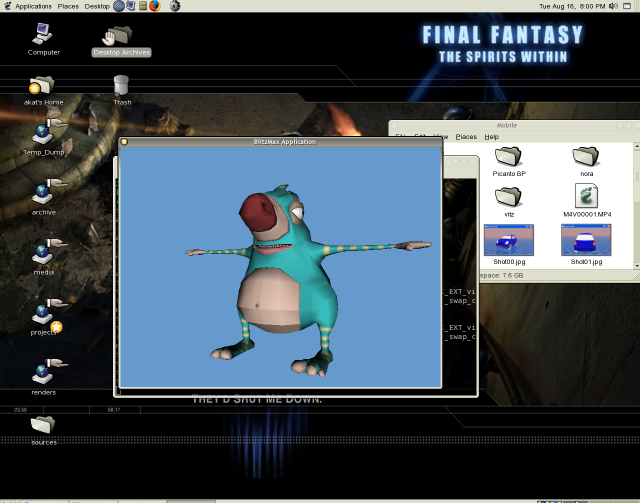
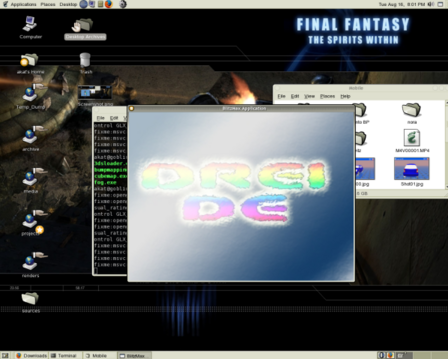
Screenshot:


Download:
Version 2.11 http://vertex.art-fx.org/dreide221.zip includes the example you have seen bellow.

mfg olli

Win32 too, right?
Looks nice :)

neat

Mr. Picklesworth: Yes ;)

http://vertex.art-fx.org/dreide222.zip <- new version with 3DS-Loader.

The loader support ambient-, diffuse- and specularcolor, shininess, uv-offset, uv-scale, rotation(texture) and multitexturing. It does not support smoothinggroup/normals and animation. So planned support for this and maskmaps, reflectionmaps and bumpmaps.


cu olli

Hi Vertex,

The textures supplied with your model make the 3DS Loader very slow because they have to be resized.

- Resize the original textures to power-of-two images
- Add a FlushMem at the end of the main while loop in T3DSLoader.Load

Original Loading Time: 1451ms
Loading Time After Changes: 276ms

Thank you!
I have done http://vertex.art-fx.org/dreide222.zip .

Before: 926 ms
Now: 76 ms

cu olli

Hey Vertex... still going at it with DreiDe I see..
How's the progress coming along?!
Have you tested this with a larger project?
Any clues on the performance of the engine?

This is an ugly 3ds object vertex !!!! :)

Is there plans to add in Cell Shading I was wanted to make a game using it.

Also I can seem to get the mod to work Im getting a error.
Can't find interface "pub.dreide"

Panno: tzzzz :)

FBEpyon: Cell shading is easy as Blitz3D, but with supported VertexShader (a.k.a VertexPrograms) it runs faster.

You must copy the dreide.mod in the pub.mod directory, than open the BlitzMaxIDE and press Alt+D for build modules. I don't upload the compiled version, becouse other platforms as Windows.


This is the new version with SmoothNormal function, and fixed bug in the texturemodule.

I have found the bug in multitetxuring, but there are any complications. If I will fix this bug, then I will upload a new version of DreiDe.

cu olli

New version http://vertex.art-fx.org/dreide230.zip .

- Multitexturing works correct
- Dot3 Bumppaing too I thing(I must make a example)
- New method "SmoothNormals" in the TSurface-Module
- Fixed bug in the TMaterial-Module

Example for Multitexturing:
Strict

Framework Pub.DreiDe
Import Brl.FileSystem
Import Brl.PNGLoader
Import Brl.Pixmap
Import Brl.System

Global Pixmap   : TPixmap
Global Texture  : TTexture[2]
Global Material : TMaterial

Global Mesh    : TMesh
Global Surface : TSurface
Global Camera  : TCamera

TDreiDe.Graphics3D(640, 480, 0, 0, False)

Pixmap = LoadPixmap("Layer0.png")
Texture[0] = New TTexture
Texture[0].SetPixmap(Pixmap)
Texture[0].SetBlendMode(DDD_TEXTURE_REPLACE)

Pixmap = LoadPixmap("Layer1.png")
Texture[1] = New TTexture
Texture[1].SetPixmap(Pixmap)
Texture[1].SetBlendMode(DDD_TEXTURE_ADD)

Pixmap = Null
FlushMem()

Material = New TMaterial
Material.SetTexture(Texture[0], 0)
Material.SetTexture(Texture[1], 1)

Mesh = New TMesh
Surface = Mesh.CreateSurface()

Surface.CreateVertex(-0.5,  0.5, 0.0, 0.0, 0.0)
Surface.CreateVertex( 0.5,  0.5, 0.0, 1.0, 0.0)
Surface.CreateVertex( 0.5, -0.5, 0.0, 1.0, 1.0)
Surface.CreateVertex(-0.5, -0.5, 0.0, 0.0, 1.0)

Surface.CreateTriangle(2, 1, 0)
Surface.CreateTriangle(0, 3, 2)

Surface.UpdateVertices()
Surface.UpdateTriangles()

Surface.SetMaterial(Material)

Camera = New TCamera
Camera.SetPosition(0.0, 0.0, 2.0)

While Not KeyDown(KEY_ESCAPE)
	Texture[0].Turn(0.1)
	Texture[1].Translate(0.001, 0.0)
	
	Camera.Render()
	TDreiDe.Flip()
	FlushMem()
Wend

TDreiDe.EndGraphics()
End


Layer0.png:


Layer1.png


this engine is really coming along very well.... I like it..

Vertex: do you think you could perhaps find the time to make some more examples?
It seems like there's quite alot to this engine now, but you're only showing one or two examples..
I'm sure it would be enough to supply the sourcecode for the examples.. (and a shared media directory or something)
shouldn't add too much to the archive?!?

Very good Vertex!

I added Modulate2X blendmode to the texture mod:
Strict

Import Pub.Glew
?Linux
Import "-lX11"
Import "-lXxf86vm"
? 
Import Brl.BlitzGL
Import Brl.LinkedList
Import Brl.Pixmap
Import "Error.bmx"
Import "HardwareInfo.bmx"

' Cube-Faces
Const DDD_TEXTURE_POSX = 1 ' Positive X = Right
Const DDD_TEXTURE_NEGX = 2 ' Negative X = Left
Const DDD_TEXTURE_POSY = 3 ' Positive Y = Top
Const DDD_TEXTURE_NEGY = 4 ' Negative Y = Bottom
Const DDD_TEXTURE_POSZ = 5 ' Positive Z = Back
Const DDD_TEXTURE_NEGZ = 6 ' Negative Z = Front

' Rendering-Modes
Const DDD_TEXTURE_TRANSFORM = %00000001
Const DDD_TEXTURE_MIPMAP    = %00000010
Const DDD_TEXTURE_SPHEREMAP = %00000100
Const DDD_TEXTURE_CUBEMAP   = %00001000

' Cube-Modes
Const DDD_TEXTURE_REFLECTION = 1
Const DDD_TEXTURE_NORMAL     = 2

' Filter
Const DDD_TEXTURE_SHARP   = 1
Const DDD_TEXTURE_BLURRED = 2

' Clamp-Modes
Const DDD_TEXTURE_CLAMP  = 1
Const DDD_TEXTURE_REPEAT = 2

' Blending-Modes
Const DDD_TEXTURE_REPLACE     = 1
Const DDD_TEXTURE_MODULATE    = 2
Const DDD_TEXTURE_DECAL       = 3
Const DDD_TEXTURE_BLEND       = 4
Const DDD_TEXTURE_ADD         = 5
Const DDD_TEXTURE_SUBTRACT    = 6
Const DDD_TEXTURE_INTERPOLATE = 7
Const DDD_TEXTURE_DOT3        = 8
Const DDD_TEXTURE_MODULATE2X  = 9

Type TTexture
	Global List : TList

	Field Name        : String
	Field Filename    : String

	Field TextureID   : Int
	Field CubeFace    : Int

	Field RenderMode  : Int
	Field BlendMode   : Int
	Field CubeMode    : Int

	Field Position    : Float[2]
	Field Rotation    : Float
	Field Scale       : Float[2]

	Method SetName(Name:String)
		Self.Name = Name
	End Method

	Method GetName:String()
		Return Self.Name
	End Method

	Method SetFilename(Name:String)
		Self.Filename = Filename
	End Method

	Method GetFilename:String()
		Return Self.Filename
	End Method

	Method SetPixmap(Pixmap:TPixmap)
		Local Target:Int, Width:Int, Height:Int

		If Pixmap = Null Then TDreiDeError.DisplayError("Pixmap does not exist!")

		If Self.RenderMode & DDD_TEXTURE_CUBEMAP Then
			Target = GL_TEXTURE_CUBE_MAP_POSITIVE_X_EXT+Self.CubeFace-1
		Else
			Target = GL_TEXTURE_2D
		EndIf
		glBindTexture(Target, Self.TextureID)

		' Has Pixmap the Pixelformat RGBA8888?
		If Pixmap.Format <> PF_RGBA8888 Then Pixmap = Pixmap.Convert(PF_RGBA8888)

		' Get supported TextureSize
		Width  = Pixmap.Width
		Height = Pixmap.Height
		bglAdjustTexSize width,height
		If (Width <> Pixmap.Width) Or (Height <> Pixmap.Height) Then
			Pixmap = ResizePixmap(Pixmap, Width, Height)
		EndIf

		If Self.RenderMode & DDD_TEXTURE_MIPMAP Then
			gluBuild2DMipmaps(Target, 4, Width, Height, GL_RGBA, GL_UNSIGNED_BYTE, ..
			                  Pixmap.Pixels)
		Else
			glTexImage2D(Target, 0, 4, Width, Height, 0, GL_RGBA, GL_UNSIGNED_BYTE, ..
			             Pixmap.Pixels)
		EndIf
	End Method

	Method SetCubeFace(Face:Int)
		If (Face > 0) Or (Face < 6) Then
			Self.CubeFace = Face
		Else
			TDreiDeError.DisplayError("Cubeface is not supported!")
		EndIf
	End Method

	Method GetCubeFace:Int()
		Return Self.CubeFace
	End Method

	Method SetRenderMode(Mode:Int)
		If (Mode & DDD_TEXTURE_CUBEMAP) And (THardwareInfo.CubemapSupport = False) Then
			TDreiDeError.DisplayError("Cubemapping is not supported!")
		EndIf
		Self.RenderMode = Mode
	End Method

	Method AddRenderMode(Mode:Int)
		If (Mode & DDD_TEXTURE_CUBEMAP) And (THardwareInfo.CubemapSupport = False) Then
			TDreiDeError.DisplayError("Cubemapping is not supported!")
		EndIf
		Self.RenderMode :| Mode
	End Method

	Method RemoveRenderMode(Mode:Int)
		Self.RenderMode :& (~Mode)
	End Method

	Method GetRenderMode:Int()
		Return Self.RenderMode
	End Method

	Method SetBlendMode(Mode:Int)
		If (Mode > 0) And (Mode < 10) Then
			Self.BlendMode = Mode
		Else
			TDreiDeError.DisplayError("Blendmode is not supported!")
		EndIf
	End Method

	Method GetBlendMode:Int()
		Return Self.BlendMode
	End Method

	Method SetCubeMode(Mode:Int)
		If (Mode > 0) And (Mode < 3) Then
			Self.CubeMode = Mode
		Else
			TDreiDeError.DisplayError("Cubemode is not supported!")
		EndIf
	End Method

	Method GetCubeMode:Int()
		Return Self.CubeMode
	End Method

	Method SetFilter(MinFilter:Int, MagFilter:Int)
		Local Filter:Int

		If Self.RenderMode & DDD_TEXTURE_CUBEMAP Then
			glBindTexture(GL_TEXTURE_2D, 0)
		Else
			glBindTexture(GL_TEXTURE_2D, Self.TextureID)
		EndIf

		' Setting Minificant Filter
		If Self.RenderMode & DDD_TEXTURE_MIPMAP Then
			If MinFilter = DDD_TEXTURE_SHARP Then
				Filter = GL_NEAREST_MIPMAP_NEAREST
			Else
				Filter = GL_LINEAR_MIPMAP_LINEAR
			EndIf
		Else
			If MinFilter = DDD_TEXTURE_SHARP Then
				Filter = GL_NEAREST
			Else
				Filter = GL_LINEAR
			EndIf
		EndIf

		If Self.RenderMode & DDD_TEXTURE_CUBEMAP Then
			glTexParameteri(GL_TEXTURE_CUBE_MAP, GL_TEXTURE_MIN_FILTER, Filter)
		Else
			glTexParameteri(GL_TEXTURE_2D, GL_TEXTURE_MIN_FILTER, Filter)
		EndIf

		' Setting Magnificant Filter
		If MagFilter = DDD_TEXTURE_SHARP Then
			Filter = GL_NEAREST
		Else
			Filter = GL_LINEAR
		EndIf
		If Self.RenderMode & DDD_TEXTURE_CUBEMAP Then
			glTexParameteri(GL_TEXTURE_CUBE_MAP, GL_TEXTURE_MAG_FILTER, Filter)
		Else
			glTexParameteri(GL_TEXTURE_2D, GL_TEXTURE_MAG_FILTER, Filter)
		EndIf
	End Method

	Method SetClamp(UClamp:Int, VClamp:Int)
		Local Target:Int
		If Self.RenderMode & DDD_TEXTURE_CUBEMAP Then
			glBindTexture(GL_TEXTURE_2D, 0)
			Target = GL_TEXTURE_CUBE_MAP
		Else
			glBindTexture(GL_TEXTURE_2D, Self.TextureID)
			Target = GL_TEXTURE_2D
		EndIf

		If UClamp = DDD_TEXTURE_CLAMP Then
			glTexParameteri(Target, GL_TEXTURE_WRAP_S, GL_CLAMP)
		Else
			glTexParameteri(Target, GL_TEXTURE_WRAP_S, GL_REPEAT)
		EndIf

		If VClamp = DDD_TEXTURE_CLAMP Then
			glTexParameteri(Target, GL_TEXTURE_WRAP_T, GL_CLAMP)
		Else
			glTexParameteri(Target, GL_TEXTURE_WRAP_T, GL_REPEAT)
		EndIf
	End Method

	Method SetPosition(U:Float, V:Float)
		Self.Position[0] = U
		Self.Position[1] = V
	End Method

	Method Translate(U:Float, V:Float)
		Self.Position[0] :+ U
		Self.Position[1] :+ V
	End Method

	Method GetPosition(U:Float Var, V:Float Var)
		U = Self.Position[0]
		V = Self.Position[1]
	End Method

	Method GetU:Float()
		Return Self.Position[0]
	End Method

	Method GetV:Float()
		Return Self.Position[0]
	End Method

	Method SetRotation(Roll:Float)
		Self.Rotation = Roll
	End Method

	Method Turn(Roll:Float)
		Self.Rotation :+ Roll
	End Method

	Method GetRotation:Float()
		Return Self.Rotation
	End Method

	Method SetScale(U:Float, V:Float)
		Self.Scale[0] = U
		Self.Scale[1] = V
	End Method

	Method GetScale(U:Float Var, V:Float Var)
		U = Self.Scale[0]
		V = Self.Scale[1]
	End Method

	Method GetScaleU:Float()
		Return Self.Scale[0]
	End Method

	Method GetScaleV:Float()
		Return Self.Scale[1]
	End Method

	Method Render()
		Local Matrix:Int

		If Self.RenderMode & DDD_TEXTURE_TRANSFORM Then
			glGetIntegerv(GL_MATRIX_MODE, Varptr(Matrix))

			glMatrixMode(GL_TEXTURE)
			glLoadIdentity()

			glTranslatef(Self.Position[0], Self.Position[1], 0.0)
			glRotatef(Self.Rotation, 0.0, 0.0, 1.0)
			glScalef(Self.Scale[0], Self.Scale[1], -1.0)

			glMatrixMode(Matrix)
		EndIf

		If Self.RenderMode & DDD_TEXTURE_SPHEREMAP Then
			glEnable(GL_TEXTURE_2D)
			glEnable(GL_TEXTURE_GEN_S)
			glEnable(GL_TEXTURE_GEN_T)

			glTexGeni(GL_S, GL_TEXTURE_GEN_MODE, GL_SPHERE_MAP)
			glTexGeni(GL_T, GL_TEXTURE_GEN_MODE, GL_SPHERE_MAP)

		ElseIf Self.RenderMode & DDD_TEXTURE_CUBEMAP Then
			glEnable(GL_TEXTURE_CUBE_MAP)
			
			' Bind all Sides of the CubeMap
			glBindTexture(GL_TEXTURE_CUBE_MAP_POSITIVE_X, Self.TextureID)
			glBindTexture(GL_TEXTURE_CUBE_MAP_NEGATIVE_X, Self.TextureID)
			glBindTexture(GL_TEXTURE_CUBE_MAP_POSITIVE_Y, Self.TextureID)
			glBindTexture(GL_TEXTURE_CUBE_MAP_NEGATIVE_Y, Self.TextureID)
			glBindTexture(GL_TEXTURE_CUBE_MAP_POSITIVE_Z, Self.TextureID)
			glBindTexture(GL_TEXTURE_CUBE_MAP_NEGATIVE_Z, Self.TextureID)

			glEnable(GL_TEXTURE_GEN_S)
			glEnable(GL_TEXTURE_GEN_T)
			glEnable(GL_TEXTURE_GEN_R)

			If Self.CubeMode = DDD_TEXTURE_REFLECTION Then
				glTexGeni(GL_S, GL_TEXTURE_GEN_MODE, GL_REFLECTION_MAP_ARB)
				glTexGeni(GL_T, GL_TEXTURE_GEN_MODE, GL_REFLECTION_MAP_ARB)
				glTexGeni(GL_R, GL_TEXTURE_GEN_MODE, GL_REFLECTION_MAP_ARB)
			Else
				glTexGeni(GL_S, GL_TEXTURE_GEN_MODE, GL_NORMAL_MAP_ARB)
				glTexGeni(GL_T, GL_TEXTURE_GEN_MODE, GL_NORMAL_MAP_ARB)
				glTexGeni(GL_R, GL_TEXTURE_GEN_MODE, GL_NORMAL_MAP_ARB)
			EndIf

		Else
			glDisable(GL_TEXTURE_CUBE_MAP)
			glDisable(GL_TEXTURE_GEN_S)
			glDisable(GL_TEXTURE_GEN_T)
			glDisable(GL_TEXTURE_GEN_R)

			glEnable(GL_TEXTURE_2D)
			glBindTexture(GL_TEXTURE_2D, Self.TextureID)
		EndIf

		If THardwareInfo.TexBlendSupport Then
			Select Self.BlendMode
				Case DDD_TEXTURE_REPLACE
					glTexEnvf(GL_TEXTURE_ENV, GL_TEXTURE_ENV_MODE, GL_REPLACE)

				Case DDD_TEXTURE_MODULATE
					glTexEnvf(GL_TEXTURE_ENV, GL_TEXTURE_ENV_MODE, GL_MODULATE)

				Case DDD_TEXTURE_MODULATE2X
					glTexEnvf(GL_TEXTURE_ENV, GL_TEXTURE_ENV_MODE, GL_COMBINE)
					glTexEnvi(GL_TEXTURE_ENV, GL_COMBINE_RGB, GL_MODULATE)
					glTexEnvi(GL_TEXTURE_ENV, GL_SOURCE0_RGB, GL_PREVIOUS)
					glTexEnvi(GL_TEXTURE_ENV, GL_SOURCE1_RGB, GL_TEXTURE)
					glTexEnvf(GL_TEXTURE_ENV, GL_RGB_SCALE, 2.0)

				Case DDD_TEXTURE_DECAL
					glTexEnvf(GL_TEXTURE_ENV, GL_TEXTURE_ENV_MODE, GL_DECAL)

				Case DDD_TEXTURE_MODULATE
					glTexEnvf(GL_TEXTURE_ENV, GL_TEXTURE_ENV_MODE, GL_BLEND)

				Case DDD_TEXTURE_ADD
					glTexEnvf(GL_TEXTURE_ENV, GL_TEXTURE_ENV_MODE, GL_ADD)

				Case DDD_TEXTURE_SUBTRACT
					glTexEnvf(GL_TEXTURE_ENV, GL_TEXTURE_ENV_MODE, GL_SUBTRACT_ARB)

				Case DDD_TEXTURE_INTERPOLATE
					glTexEnvf(GL_TEXTURE_ENV, GL_TEXTURE_ENV_MODE, GL_INTERPOLATE_ARB)

				Case DDD_TEXTURE_DOT3
					glTexEnvi(GL_TEXTURE_ENV, GL_TEXTURE_ENV_MODE, GL_COMBINE)
					glTexEnvi(GL_TEXTURE_ENV, GL_COMBINE_RGB, GL_DOT3_RGB)
					glTexEnvi(GL_TEXTURE_ENV, GL_SOURCE0_RGB, GL_PREVIOUS)
					glTexEnvi(GL_TEXTURE_ENV, GL_SOURCE1_RGB, GL_TEXTURE)
			End Select
		EndIf
	End Method

	Method New()
		glGenTextures(1, Varptr(Self.TextureID))

		Self.Name        = "Unnamed Texture"
		Self.Filename    = ""
		Self.CubeFace    = DDD_TEXTURE_POSX
		Self.RenderMode  = DDD_TEXTURE_TRANSFORM
		Self.BlendMode   = DDD_TEXTURE_MODULATE
		Self.CubeMode    = DDD_TEXTURE_REFLECTION
		Self.Position    = [0.0, 0.0]
		Self.Rotation    = 0.0
		Self.Scale       = [1.0, 1.0]

		Self.SetFilter(DDD_TEXTURE_BLURRED, DDD_TEXTURE_BLURRED)

		TTexture.List.AddLast(Self)
	End Method

	Method Delete()
		glDeleteTextures(1, Varptr(Self.TextureID))
	End Method
End Type


Looking good!

Thx!

Fredborg: thank you! Thats a good blendmode for lightmaps.

http://vertex.art-fx.org/dreide231.zip
with fixed simple bug in the 3ds loader and added DDD_TEXTURE_MODULATE2X from Fredborg

http://vertex.art-fx.org/dreide_examples.zip
with media, show you how to use:
- 3ds loader
- cubemap
- fog
- info
- multitexturing
- parent-child
- spheremap
- surface

cu olli

I have problem installing Dreide module.

I copy the mod on the pub.mod folder but when i pres Alt+D the Ide show this message:

Building Modules
Compiling:blitz_app.c

Process complete


And when i see on the Dreide folder, no compiled files apear on it.

I have the lastest version of BMax.

you've got MingW installed?

Nop, then when i post the message i supose that.

hehe... take a look at Mark's installation instructions..

http://www.blitzbasic.com/Community/posts.php?topic=44537&hl=mingw

Vertex, it seems the multitexturing is broken in the new version... In the example I get a black box which flashes.

yap multitexturing is broken .. same black box here

but the Pissvogel looks now much better :)


good work

Hi,

Ok, found the problem with multitexuring.

- Fixed Multitexturing error (it was in TSurface.Render)
- Fixed DDD_TEXTURE_BLEND error in TTexture.Render()
- Added TTexture.SetCoordset() and TTexture.GetCoordset()

TTexture.SetCoordset allows you to set which uv set a texture uses. Same as Blitz3D TextureCoords. Only uvset 0 (default) and 1 is available (just like in Blitz3D)

Below is the code update:

Texture.bmx:
Strict

Import Pub.Glew
?Linux
Import "-lX11"
Import "-lXxf86vm"
? 
Import Brl.BlitzGL
Import Brl.LinkedList
Import Brl.Pixmap
Import "Error.bmx"
Import "HardwareInfo.bmx"

' Cube-Faces
Const DDD_TEXTURE_POSX = 1 ' Positive X = Right
Const DDD_TEXTURE_NEGX = 2 ' Negative X = Left
Const DDD_TEXTURE_POSY = 3 ' Positive Y = Top
Const DDD_TEXTURE_NEGY = 4 ' Negative Y = Bottom
Const DDD_TEXTURE_POSZ = 5 ' Positive Z = Back
Const DDD_TEXTURE_NEGZ = 6 ' Negative Z = Front

' Rendering-Modes
Const DDD_TEXTURE_TRANSFORM = %00000001
Const DDD_TEXTURE_MIPMAP    = %00000010
Const DDD_TEXTURE_SPHEREMAP = %00000100
Const DDD_TEXTURE_CUBEMAP   = %00001000

' Cube-Modes
Const DDD_TEXTURE_REFLECTION = 1
Const DDD_TEXTURE_NORMAL     = 2

' Filter
Const DDD_TEXTURE_SHARP   = 1
Const DDD_TEXTURE_BLURRED = 2

' Clamp-Modes
Const DDD_TEXTURE_CLAMP  = 1
Const DDD_TEXTURE_REPEAT = 2

' Blending-Modes
Const DDD_TEXTURE_REPLACE     = 1
Const DDD_TEXTURE_MODULATE    = 2
Const DDD_TEXTURE_MODULATE2X  = 3
Const DDD_TEXTURE_DECAL       = 4
Const DDD_TEXTURE_BLEND       = 5
Const DDD_TEXTURE_ADD         = 6
Const DDD_TEXTURE_SUBTRACT    = 7
Const DDD_TEXTURE_INTERPOLATE = 8
Const DDD_TEXTURE_DOT3        = 9

Type TTexture
	Global List : TList

	Field Name        : String
	Field Filename    : String

	Field TextureID   : Int
	Field CubeFace    : Int

	Field RenderMode  : Int
	Field BlendMode   : Int
	Field CubeMode    : Int

	Field Coordset    : Int

	Field Position    : Float[2]
	Field Rotation    : Float
	Field Scale       : Float[2]

	Method SetName(Name:String)
		Self.Name = Name
	End Method

	Method GetName:String()
		Return Self.Name
	End Method

	Method SetFilename(Name:String)
		Self.Filename = Filename
	End Method

	Method GetFilename:String()
		Return Self.Filename
	End Method

	Method SetPixmap(Pixmap:TPixmap)
		Local Target:Int, Width:Int, Height:Int

		If Pixmap = Null Then TDreiDeError.DisplayError("Pixmap does not exist!")

		If Self.RenderMode & DDD_TEXTURE_CUBEMAP Then
			Target = GL_TEXTURE_CUBE_MAP_POSITIVE_X_EXT+Self.CubeFace-1
		Else
			Target = GL_TEXTURE_2D
		EndIf
		glBindTexture(Target, Self.TextureID)

		' Has Pixmap the Pixelformat RGBA8888?
		If Pixmap.Format <> PF_RGBA8888 Then Pixmap = Pixmap.Convert(PF_RGBA8888)

		' Get supported TextureSize
		Width  = Pixmap.Width
		Height = Pixmap.Height
		bglAdjustTexSize width,height
		If (Width <> Pixmap.Width) Or (Height <> Pixmap.Height) Then
			Pixmap = ResizePixmap(Pixmap, Width, Height)
		EndIf

		If Self.RenderMode & DDD_TEXTURE_MIPMAP Then
			gluBuild2DMipmaps(Target, 4, Width, Height, GL_RGBA, GL_UNSIGNED_BYTE, ..
			                  Pixmap.Pixels)
		Else
			glTexImage2D(Target, 0, 4, Width, Height, 0, GL_RGBA, GL_UNSIGNED_BYTE, ..
			             Pixmap.Pixels)
		EndIf
	End Method

	Method SetCubeFace(Face:Int)
		If (Face > 0) Or (Face < 6) Then
			Self.CubeFace = Face
		Else
			TDreiDeError.DisplayError("Cubeface is not supported!")
		EndIf
	End Method

	Method GetCubeFace:Int()
		Return Self.CubeFace
	End Method

	Method SetRenderMode(Mode:Int)
		If (Mode & DDD_TEXTURE_CUBEMAP) And (THardwareInfo.CubemapSupport = False) Then
			TDreiDeError.DisplayError("Cubemapping is not supported!")
		EndIf
		Self.RenderMode = Mode
	End Method

	Method AddRenderMode(Mode:Int)
		If (Mode & DDD_TEXTURE_CUBEMAP) And (THardwareInfo.CubemapSupport = False) Then
			TDreiDeError.DisplayError("Cubemapping is not supported!")
		EndIf
		Self.RenderMode :| Mode
	End Method

	Method RemoveRenderMode(Mode:Int)
		Self.RenderMode :& (~Mode)
	End Method

	Method GetRenderMode:Int()
		Return Self.RenderMode
	End Method

	Method SetBlendMode(Mode:Int)
		If (Mode => DDD_TEXTURE_REPLACE ) And (Mode <= DDD_TEXTURE_DOT3) Then
			Self.BlendMode = Mode
		Else
			TDreiDeError.DisplayError("Blendmode is not supported!")
		EndIf
	End Method

	Method GetBlendMode:Int()
		Return Self.BlendMode
	End Method

	Method SetCubeMode(Mode:Int)
		If (Mode > 0) And (Mode < 3) Then
			Self.CubeMode = Mode
		Else
			TDreiDeError.DisplayError("Cubemode is not supported!")
		EndIf
	End Method

	Method GetCubeMode:Int()
		Return Self.CubeMode
	End Method

	Method SetFilter(MinFilter:Int, MagFilter:Int)
		Local Filter:Int

		If Self.RenderMode & DDD_TEXTURE_CUBEMAP Then
			glBindTexture(GL_TEXTURE_2D, 0)
		Else
			glBindTexture(GL_TEXTURE_2D, Self.TextureID)
		EndIf

		' Setting Minificant Filter
		If Self.RenderMode & DDD_TEXTURE_MIPMAP Then
			If MinFilter = DDD_TEXTURE_SHARP Then
				Filter = GL_NEAREST_MIPMAP_NEAREST
			Else
				Filter = GL_LINEAR_MIPMAP_LINEAR

			EndIf
		Else
			If MinFilter = DDD_TEXTURE_SHARP Then
				Filter = GL_NEAREST
			Else
				Filter = GL_LINEAR
			EndIf
		EndIf

		If Self.RenderMode & DDD_TEXTURE_CUBEMAP Then
			glTexParameteri(GL_TEXTURE_CUBE_MAP, GL_TEXTURE_MIN_FILTER, Filter)
		Else
			glTexParameteri(GL_TEXTURE_2D, GL_TEXTURE_MIN_FILTER, Filter)
		EndIf

		' Setting Magnificant Filter
		If MagFilter = DDD_TEXTURE_SHARP Then
			Filter = GL_NEAREST
		Else
			Filter = GL_LINEAR
		EndIf
		If Self.RenderMode & DDD_TEXTURE_CUBEMAP Then
			glTexParameteri(GL_TEXTURE_CUBE_MAP, GL_TEXTURE_MAG_FILTER, Filter)
		Else
			glTexParameteri(GL_TEXTURE_2D, GL_TEXTURE_MAG_FILTER, Filter)
		EndIf
	End Method

	Method SetClamp(UClamp:Int, VClamp:Int)
		Local Target:Int
		If Self.RenderMode & DDD_TEXTURE_CUBEMAP Then
			glBindTexture(GL_TEXTURE_2D, 0)
			Target = GL_TEXTURE_CUBE_MAP
		Else
			glBindTexture(GL_TEXTURE_2D, Self.TextureID)
			Target = GL_TEXTURE_2D
		EndIf

		If UClamp = DDD_TEXTURE_CLAMP Then
			glTexParameteri(Target, GL_TEXTURE_WRAP_S, GL_CLAMP)
		Else
			glTexParameteri(Target, GL_TEXTURE_WRAP_S, GL_REPEAT)
		EndIf

		If VClamp = DDD_TEXTURE_CLAMP Then
			glTexParameteri(Target, GL_TEXTURE_WRAP_T, GL_CLAMP)
		Else
			glTexParameteri(Target, GL_TEXTURE_WRAP_T, GL_REPEAT)
		EndIf
	End Method

	Method SetPosition(U:Float, V:Float)
		Self.Position[0] = U
		Self.Position[1] = V
	End Method

	Method Translate(U:Float, V:Float)
		Self.Position[0] :+ U
		Self.Position[1] :+ V
	End Method

	Method GetPosition(U:Float Var, V:Float Var)
		U = Self.Position[0]
		V = Self.Position[1]
	End Method

	Method GetU:Float()
		Return Self.Position[0]
	End Method

	Method GetV:Float()
		Return Self.Position[0]
	End Method

	Method SetRotation(Roll:Float)
		Self.Rotation = Roll
	End Method

	Method Turn(Roll:Float)
		Self.Rotation :+ Roll
	End Method

	Method GetRotation:Float()
		Return Self.Rotation
	End Method

	Method SetScale(U:Float, V:Float)
		Self.Scale[0] = U
		Self.Scale[1] = V
	End Method

	Method GetScale(U:Float Var, V:Float Var)
		U = Self.Scale[0]
		V = Self.Scale[1]
	End Method

	Method GetScaleU:Float()
		Return Self.Scale[0]
	End Method

	Method GetScaleV:Float()
		Return Self.Scale[1]
	End Method

	Method SetCoordset(uvset:Int)
		If uvset=>0 And uvset<=1
			self.Coordset = uvset
		Else
			TDreiDeError.DisplayError("Coordset not supported!")
		EndIf
	EndMethod

	Method GetCoordset()
		Return self.Coordset
	EndMethod

	Method Render()
		Local Matrix:Int

		If Self.RenderMode & DDD_TEXTURE_TRANSFORM Then
			glGetIntegerv(GL_MATRIX_MODE, Varptr(Matrix))

			glMatrixMode(GL_TEXTURE)
			glLoadIdentity()

			glTranslatef(Self.Position[0], Self.Position[1], 0.0)
			glRotatef(Self.Rotation, 0.0, 0.0, 1.0)
			glScalef(Self.Scale[0], Self.Scale[1], -1.0)


			glMatrixMode(Matrix)
		EndIf

		If Self.RenderMode & DDD_TEXTURE_SPHEREMAP Then
			glEnable(GL_TEXTURE_2D)
			glDisable(GL_TEXTURE_CUBE_MAP)
			glEnable(GL_TEXTURE_GEN_S)
			glEnable(GL_TEXTURE_GEN_T)
			glDisable(GL_TEXTURE_GEN_R)
			
			glTexGeni(GL_S, GL_TEXTURE_GEN_MODE, GL_SPHERE_MAP)
			glTexGeni(GL_T, GL_TEXTURE_GEN_MODE, GL_SPHERE_MAP)

		ElseIf Self.RenderMode & DDD_TEXTURE_CUBEMAP Then
			glEnable(GL_TEXTURE_CUBE_MAP)
			
			' Bind all Sides of the CubeMap
			glBindTexture(GL_TEXTURE_CUBE_MAP_POSITIVE_X, Self.TextureID)
			glBindTexture(GL_TEXTURE_CUBE_MAP_NEGATIVE_X, Self.TextureID)
			glBindTexture(GL_TEXTURE_CUBE_MAP_POSITIVE_Y, Self.TextureID)
			glBindTexture(GL_TEXTURE_CUBE_MAP_NEGATIVE_Y, Self.TextureID)
			glBindTexture(GL_TEXTURE_CUBE_MAP_POSITIVE_Z, Self.TextureID)
			glBindTexture(GL_TEXTURE_CUBE_MAP_NEGATIVE_Z, Self.TextureID)

			glEnable(GL_TEXTURE_GEN_S)
			glEnable(GL_TEXTURE_GEN_T)
			glEnable(GL_TEXTURE_GEN_R)

			If Self.CubeMode = DDD_TEXTURE_REFLECTION Then
				glTexGeni(GL_S, GL_TEXTURE_GEN_MODE, GL_REFLECTION_MAP_ARB)
				glTexGeni(GL_T, GL_TEXTURE_GEN_MODE, GL_REFLECTION_MAP_ARB)
				glTexGeni(GL_R, GL_TEXTURE_GEN_MODE, GL_REFLECTION_MAP_ARB)
			Else
				glTexGeni(GL_S, GL_TEXTURE_GEN_MODE, GL_NORMAL_MAP_ARB)
				glTexGeni(GL_T, GL_TEXTURE_GEN_MODE, GL_NORMAL_MAP_ARB)
				glTexGeni(GL_R, GL_TEXTURE_GEN_MODE, GL_NORMAL_MAP_ARB)
			EndIf

		Else
			glDisable(GL_TEXTURE_CUBE_MAP)
			glDisable(GL_TEXTURE_GEN_S)
			glDisable(GL_TEXTURE_GEN_T)
			glDisable(GL_TEXTURE_GEN_R)

			glEnable(GL_TEXTURE_2D)
			glBindTexture(GL_TEXTURE_2D, Self.TextureID)
		EndIf

		If THardwareInfo.TexBlendSupport Then
			Select Self.BlendMode
				Case DDD_TEXTURE_REPLACE
					glTexEnvf(GL_TEXTURE_ENV, GL_TEXTURE_ENV_MODE, GL_REPLACE)

				Case DDD_TEXTURE_MODULATE
					glTexEnvf(GL_TEXTURE_ENV, GL_TEXTURE_ENV_MODE, GL_MODULATE)
	
				Case DDD_TEXTURE_DECAL
					glTexEnvf(GL_TEXTURE_ENV, GL_TEXTURE_ENV_MODE, GL_DECAL)

				Case DDD_TEXTURE_BLEND
					glTexEnvf(GL_TEXTURE_ENV, GL_TEXTURE_ENV_MODE, GL_BLEND)
					
				Case DDD_TEXTURE_MODULATE2X
					glTexEnvf(GL_TEXTURE_ENV, GL_TEXTURE_ENV_MODE, GL_COMBINE)
					glTexEnvi(GL_TEXTURE_ENV, GL_COMBINE_RGB, GL_MODULATE)
					glTexEnvi(GL_TEXTURE_ENV, GL_SOURCE0_RGB, GL_PREVIOUS)
					glTexEnvi(GL_TEXTURE_ENV, GL_SOURCE1_RGB, GL_TEXTURE)
					glTexEnvf(GL_TEXTURE_ENV, GL_RGB_SCALE, 2.0)

				Case DDD_TEXTURE_ADD
					glTexEnvf(GL_TEXTURE_ENV, GL_TEXTURE_ENV_MODE, GL_ADD)

				Case DDD_TEXTURE_SUBTRACT
					glTexEnvf(GL_TEXTURE_ENV, GL_TEXTURE_ENV_MODE, GL_SUBTRACT_ARB)

				Case DDD_TEXTURE_INTERPOLATE
					glTexEnvf(GL_TEXTURE_ENV, GL_TEXTURE_ENV_MODE, GL_INTERPOLATE_ARB)

				Case DDD_TEXTURE_DOT3
					glTexEnvi(GL_TEXTURE_ENV, GL_TEXTURE_ENV_MODE, GL_COMBINE)
					glTexEnvi(GL_TEXTURE_ENV, GL_COMBINE_RGB, GL_DOT3_RGB)
					glTexEnvi(GL_TEXTURE_ENV, GL_SOURCE0_RGB, GL_PREVIOUS)
					glTexEnvi(GL_TEXTURE_ENV, GL_SOURCE1_RGB, GL_TEXTURE)
			End Select
		EndIf
	End Method

	Method New()
		glGenTextures(1, Varptr(Self.TextureID))

		Self.Name        = "Unnamed Texture"
		Self.Filename    = ""
		Self.CubeFace    = DDD_TEXTURE_POSX
		Self.RenderMode  = DDD_TEXTURE_TRANSFORM
		Self.BlendMode   = DDD_TEXTURE_MODULATE
		Self.CubeMode    = DDD_TEXTURE_REFLECTION
		Self.Position    = [0.0, 0.0]
		Self.Rotation    = 0.0
		Self.Scale       = [1.0, 1.0]

		Self.SetFilter(DDD_TEXTURE_BLURRED, DDD_TEXTURE_BLURRED)

		TTexture.List.AddLast(Self)
	End Method

	Method Delete()
		glDeleteTextures(1, Varptr(Self.TextureID))
	End Method
End Type


Surface.bmx:
Strict

Import Pub.Glew
Import Brl.LinkedList
Import Brl.Bank
Import "Error.bmx"
Import "HardwareInfo.bmx"
Import "Material.bmx"
Import "Camera.bmx"

Type TSurface
	Global List : TList

	Field Material       : TMaterial
	Field Dynamic        : Int
	Field VertexCount    : Int
	Field Vertices       : TBank[5]
	Field VertexBuffer   : Int[5]
	Field TriangleCount  : Int
	Field Triangles      : TBank
	Field TriangleBuffer : Int

	Method SetMaterial(Material:TMaterial)
		Self.Material = Material
	End Method

	Method GetMaterial:TMaterial()
		Return Self.Material
	End Method

	Method SetDynamic(Enable:Int)
		If Enable Then
			Self.Dynamic = True
		Else
			Self.Dynamic = False
		EndIf
	End Method

	Method GetDynamic:Int()
		Return Self.Dynamic
	End Method

	Method CountVertices:Int()
		Return Self.VertexCount
	End Method

	Method CreateVertex:Int(X:Float, Y:Float, Z:Float, U:Float=0.0, V:Float=0.0)		
		' Resize Vertex-, Noramal-, UV0-, UV1- and ColorBuffer
		Self.Vertices[0].Resize((Self.VertexCount+1)*12)
		Self.Vertices[1].Resize((Self.VertexCount+1)*12)
		Self.Vertices[2].Resize((Self.VertexCount+1)*8)
		Self.Vertices[3].Resize((Self.VertexCount+1)*8)
		Self.Vertices[4].Resize((Self.VertexCount+1)*16)
		
		Self.VertexCount :+ 1
		
		' Set Vertex-Defaults
		Self.SetVertexPosition(Self.VertexCount-1,  X, Y, Z)
		Self.SetVertexNormal(Self.VertexCount-1, 0.0, 0.0, 0.0)
		Self.SetVertexTexCoords(Self.VertexCount-1, U, V)
		Self.SetVertexTexCoords(Self.VertexCount-1, U, V, 1)
		Self.SetVertexColor(Self.VertexCount-1, 1.0, 1.0, 1.0)
		
		Return Self.VertexCount-1
	End Method

	Method SetVertexPosition(Vertex:Int, X:Float, Y:Float, Z:Float)
		If (Vertex => 0) And (Vertex < Self.VertexCount) Then
			Self.Vertices[0].PokeFloat(Vertex*12,   X)
			Self.Vertices[0].PokeFloat(Vertex*12+4, Y)
			Self.Vertices[0].PokeFloat(Vertex*12+8, Z)
		Else
			TDreiDeError.DisplayError("Vertex does not exist!")
		EndIf
	End Method

	Method GetVertexPosition(Vertex:Int, X:Float Var, Y:Float Var, Z:Float Var)
		If (Vertex => 0) And (Vertex < Self.VertexCount) Then
			X = Self.Vertices[0].PeekFloat(Vertex*12)
			Y = Self.Vertices[0].PeekFloat(Vertex*12+4)
			Z = Self.Vertices[0].PeekFloat(Vertex*12+8)
		Else
			TDreiDeError.DisplayError("Vertex does not exist!")
		EndIf
	End Method

	Method GetVertexX:Float(Vertex:Int)
		If (Vertex => 0) And (Vertex < Self.VertexCount) Then
			Return Self.Vertices[0].PeekFloat(Vertex*12)
		Else
			TDreiDeError.DisplayError("Vertex does not exist!")
		EndIf
	End Method

	Method GetVertexY:Float(Vertex:Int)
		If (Vertex => 0) And (Vertex < Self.VertexCount) Then
			Return Self.Vertices[0].PeekFloat(Vertex*12+4)
		Else
			TDreiDeError.DisplayError("Vertex does not exist!")
		EndIf
	End Method

	Method GetVertexZ:Float(Vertex:Int)
		If (Vertex => 0) And (Vertex < Self.VertexCount) Then
			Return Self.Vertices[0].PeekFloat(Vertex*12+8)
		Else
			TDreiDeError.DisplayError("Vertex does not exist!")
		EndIf
	End Method

	Method SetVertexNormal(Vertex:Int, X:Float, Y:Float, Z:Float)
		If (Vertex => 0) And (Vertex < Self.VertexCount) Then
			Self.Vertices[1].PokeFloat(Vertex*12,   X)
			Self.Vertices[1].PokeFloat(Vertex*12+4, Y)
			Self.Vertices[1].PokeFloat(Vertex*12+8, Z)
		Else
			TDreiDeError.DisplayError("Vertex does not exist!")
		EndIf
	End Method

	Method GetVertexNormal(Vertex:Int, X:Float Var, Y:Float Var, Z:Float Var)
		If (Vertex => 0) And (Vertex < Self.VertexCount) Then
			X = Self.Vertices[1].PeekFloat(Vertex*12)
			Y = Self.Vertices[1].PeekFloat(Vertex*12+4)
			Z = Self.Vertices[1].PeekFloat(Vertex*12+8)
		Else
			TDreiDeError.DisplayError("Vertex does not exist!")
		EndIf
	End Method

	Method GetVertexNX:Float(Vertex:Int)
		If (Vertex => 0) And (Vertex < Self.VertexCount) Then
			Return Self.Vertices[1].PeekFloat(Vertex*12)
		Else
			TDreiDeError.DisplayError("Vertex does not exist!")
		EndIf
	End Method

	Method GetVertexNY:Float(Vertex:Int)
		If (Vertex => 0) And (Vertex < Self.VertexCount) Then
			Return Self.Vertices[1].PeekFloat(Vertex*12+4)
		Else
			TDreiDeError.DisplayError("Vertex does not exist!")
		EndIf
	End Method

	Method GetVertexNZ:Float(Vertex:Int)
		If (Vertex => 0) And (Vertex < Self.VertexCount) Then
			Return Self.Vertices[1].PeekFloat(Vertex*12+8)
		Else
			TDreiDeError.DisplayError("Vertex does not exist!")
		EndIf
	End Method

	Method SetVertexTexCoords(Vertex:Int, U:Float, V:Float, UVSet:Int=0)
		If (Vertex => 0) And (Vertex < Self.VertexCount) Then
			If UVSet = 0 Then
				Self.Vertices[2].PokeFloat(Vertex*8,   U)
				Self.Vertices[2].PokeFloat(Vertex*8+4, V)
			ElseIf UVSet = 1
				Self.Vertices[3].PokeFloat(Vertex*8,   U)
				Self.Vertices[3].PokeFloat(Vertex*8+4, V)
			Else
				Notify("UV-Set not avariable!", True)
			EndIf
		Else
			TDreiDeError.DisplayError("Vertex does not exist!")
		EndIf
	End Method

	Method GetVertexTexCoords(Vertex:Int, U:Float Var, V:Float Var, UVSet:Int=0)
		If (Vertex => 0) And (Vertex < Self.VertexCount) Then
			If UVSet = 0 Then
				U = Self.Vertices[2].PeekFloat(Vertex*8)
				V = Self.Vertices[2].PeekFloat(Vertex*8+4)
			ElseIf UVSet = 1
				U = Self.Vertices[3].PeekFloat(Vertex*8)
				V = Self.Vertices[3].PeekFloat(Vertex*8+4)
			Else
				TDreiDeError.DisplayError("UV-Set is not avariable!")
			EndIf
		Else
			TDreiDeError.DisplayError("Vertex does not exist!")
		EndIf
	End Method

	Method GetVertexU:Float(Vertex:Int, UVSet:Int=0)
		If (Vertex => 0) And (Vertex < Self.VertexCount) Then
			If UVSet = 0 Then
				Return Self.Vertices[2].PeekFloat(Vertex*8)
			ElseIf UVSet = 1
				Return Self.Vertices[3].PeekFloat(Vertex*8)
			Else
				TDreiDeError.DisplayError("UV-Set is not avariable!")
			EndIf
		Else
			TDreiDeError.DisplayError("Vertex does not exist!")
		EndIf
	End Method

	Method GetVertexV:Float(Vertex:Int, UVSet:Int=0)
		If (Vertex => 0) And (Vertex < Self.VertexCount) Then
			If UVSet = 0 Then
				Return Self.Vertices[2].PeekFloat(Vertex*8+4)
			ElseIf UVSet = 1
				Return Self.Vertices[3].PeekFloat(Vertex*8+4)
			Else
				TDreiDeError.DisplayError("UV-Set is not avariable!")
			EndIf
		Else
			TDreiDeError.DisplayError("Vertex does not exist!")
		EndIf
	End Method

	Method SetVertexColor(Vertex:Int, Red:Float, Green:Float, Blue:Float, Alpha:Float=1.0)
		If (Vertex => 0) And (Vertex < Self.VertexCount) Then
			Self.Vertices[4].PokeFloat(Vertex*16,    Red)
			Self.Vertices[4].PokeFloat(Vertex*16+4,  Green)
			Self.Vertices[4].PokeFloat(Vertex*16+8,  Blue)
			Self.Vertices[4].PokeFloat(Vertex*16+12, Alpha)
		Else
			TDreiDeError.DisplayError("Vertex does not exist!")
		EndIf
	End Method

	Method GetVertexColor(Vertex:Int, Red:Float Var, Green:Float Var, Blue:Float Var, Alpha:Float Var)
		Red   = Self.Vertices[4].PeekFloat(Vertex*16)
		Green = Self.Vertices[4].PeekFloat(Vertex*16+4)
		Blue  = Self.Vertices[4].PeekFloat(Vertex*16+8)
		Alpha = Self.Vertices[4].PeekFloat(Vertex*16+12)
	End Method

	Method GetVertexRed:Float(Vertex:Int)
		If (Vertex => 0) And (Vertex < Self.VertexCount) Then
			Return Self.Vertices[4].PeekFloat(Vertex*16)
		Else
			TDreiDeError.DisplayError("Vertex does not exist!")
		EndIf
	End Method

	Method GetVertexGreen:Float(Vertex:Int)
		If (Vertex => 0) And (Vertex < Self.VertexCount) Then
			Return Self.Vertices[4].PeekFloat(Vertex*16+4)
		Else
			TDreiDeError.DisplayError("Vertex does not exist!")
		EndIf
	End Method

	Method GetVertexBlue:Float(Vertex:Int)
		If (Vertex => 0) And (Vertex < Self.VertexCount) Then
			Return Self.Vertices[4].PeekFloat(Vertex*16+8)
		Else
			TDreiDeError.DisplayError("Vertex does not exist!")
		EndIf
	End Method

	Method GetVertexAlpha:Float(Vertex:Int)
		If (Vertex => 0) And (Vertex < Self.VertexCount) Then
			Return Self.Vertices[4].PeekFloat(Vertex*16+12)
		Else
			TDreiDeError.DisplayError("Vertex does not exist!")
		EndIf
	End Method

	Method UpdateVertices(Position:Int=True, Normal:Int=True, UV0:Int=True, UV1:Int=True, ..
	       Color:Int=True)
		Local Flag:Int

		' Check, if there VertexBufferObject-Support
		If Not THardwareInfo.VBOSupport Then Return

		If Self.Dynamic Then
			Flag = GL_DYNAMIC_DRAW
		Else
			Flag = GL_STATIC_DRAW
		EndIf

		' Transfer Buffer(s) from WorkRAM into VideoRAM
		If Position Then
			glBindBufferARB(GL_ARRAY_BUFFER, Self.VertexBuffer[0])
			glBufferDataARB(GL_ARRAY_BUFFER, Self.VertexCount*12, Self.Vertices[0].Buf(), Flag)
		EndIf

		If Normal Then
			glBindBufferARB(GL_ARRAY_BUFFER, Self.VertexBuffer[1])
			glBufferDataARB(GL_ARRAY_BUFFER, Self.VertexCount*12, Self.Vertices[1].Buf(), Flag)
		EndIf

		If UV0 Then
			glBindBufferARB(GL_ARRAY_BUFFER, Self.VertexBuffer[2])
			glBufferDataARB(GL_ARRAY_BUFFER, Self.VertexCount*8, Self.Vertices[2].Buf(), Flag)
		EndIf

		If UV1 Then
			glBindBufferARB(GL_ARRAY_BUFFER, Self.VertexBuffer[3])
			glBufferDataARB(GL_ARRAY_BUFFER, Self.VertexCount*8, Self.Vertices[3].Buf(), Flag)
		EndIf

		If Color Then
			glBindBufferARB(GL_ARRAY_BUFFER, Self.VertexBuffer[4])
			glBufferDataARB(GL_ARRAY_BUFFER, Self.VertexCount*16, Self.Vertices[4].Buf(), Flag)
		EndIf
	End Method

	Method CreateTriangle:Int(V0:Int, V1:Int, V2:Int)
		' Check, if vertices exists
		If (V0 < 0) Or (V0 => Self.VertexCount) Then ..
		   TDreiDeError.DisplayError("Vertex V0 does not exist!")

		If (V1 < 0) Or (V1 => Self.VertexCount) Then ..
		   TDreiDeError.DisplayError("Vertex V1 does not exist!")

		If (V2 < 0) Or (V2 => Self.VertexCount) Then ..
		   TDreiDeError.DisplayError("Vertex V2 does not exist!")

		' Resize TriangleBuffer
		Self.Triangles.Resize((Self.TriangleCount+1)*12)

		Self.TriangleCount :+1

		' Set Vertex-Indices
		Self.SetTriangle(Self.TriangleCount-1, V0, V1, V2)

		Return Self.TriangleCount-1
	End Method

	Method SetTriangle(Triangle:Int, V0:Int, V1:Int, V2:Int)
		If (Triangle < 0) Or (Triangle => Self.TriangleCount) Then ..
			TDreiDeError.DisplayError("Triangle does not exist!")
	
		If (V0 < 0) Or (V0 => Self.VertexCount) Then ..
		   TDreiDeError.DisplayError("Vertex V0 does not exist!")

		If (V1 < 0) Or (V1 => Self.VertexCount) Then ..
		   TDreiDeError.DisplayError("Vertex V1 does not exist!")

		If (V2 < 0) Or (V2 => Self.VertexCount) Then ..
		   TDreiDeError.DisplayError("Vertex V2 does not exist!")

		Self.Triangles.PokeInt(Triangle*12,   V0)
		Self.Triangles.PokeInt(Triangle*12+4, V1)
		Self.Triangles.PokeInt(Triangle*12+8, V2)
	End Method
	
	Method GetTriangle(Triangle:Int, V0:Int Var, V1:Int Var, V2:Int Var)
		If (Triangle < 0) Or (Triangle => Self.TriangleCount) Then ..
			TDreiDeError.DisplayError("Triangle does not exist!")
			
		V0 = Self.Triangles.PeekInt(Triangle*12)
		V1 = Self.Triangles.PeekInt(Triangle*12+4)
		V2 = Self.Triangles.PeekInt(Triangle*12+8)
	End Method
	
	Method UpdateTriangles()
		Local Flag:Int

		' Check, if there VertexBufferObject-Support
		If Not THardwareInfo.VBOSupport Then Return

		If Self.Dynamic Then
			Flag = GL_DYNAMIC_DRAW
		Else
			Flag = GL_STATIC_DRAW
		EndIf

		' Transfer TriangleBuffer from WorkRAM into VideoRAM
		glBindBufferARB(GL_ELEMENT_ARRAY_BUFFER, Self.TriangleBuffer)
		glBufferDataARB(GL_ELEMENT_ARRAY_BUFFER, Self.TriangleCount*12, Self.Triangles.Buf(), ..
		                Flag)
	End Method

	Method GetWidth:Float()
		Local Vertex:Int, X:Float, MinX:Float, MaxX:Float

		' Find the lowest and highest X-Coordinate
		For Vertex = 0 To Self.VertexCount-1
			X = Self.Vertices[0].PeekFloat(Vertex*12)
			If X < MinX Then MinX = X
			If X > MaxX Then MaxX = X
		Next

		Return MaxX-MinX
	End Method

	Method GetHeight:Float()
		Local Vertex:Int, Y:Float, MinY:Float, MaxY:Float

		' Find the lowest and highest Y-Coordinate
		For Vertex = 0 To Self.VertexCount-1
			Y = Self.Vertices[0].PeekFloat(Vertex*12+4)
			If Y < MinY Then MinY = Y
			If Y > MaxY Then MaxY = Y
		Next

		Return MaxY-MinY
	End Method

	Method GetDepth:Float()
		Local Vertex:Int, Z:Float, MinZ:Float, MaxZ:Float

		' Find the lowest and highest Z-Coordinate
		For Vertex = 0 To Self.VertexCount-1
			Z = Self.Vertices[0].PeekFloat(Vertex*12+8)
			If Z < MinZ Then MinZ = Z
			If Z > MaxZ Then MaxZ = Z
		Next

		Return MaxZ-MinZ
	End Method

	Method Invert(Normals:Int=True, Update:Int=True)
		Local Index:Int, V0:Int, V2:Int

		For Index = 0 To Self.TriangleCount-1
			V0 = Self.Triangles.PeekInt(Index*12)
			V2 = Self.Triangles.PeekInt(Index*12+8) 
			
			Self.Triangles.PokeInt(Index*12, V2)
			Self.Triangles.PokeInt(Index*12+8, V0)
		Next

		If Update Then Self.UpdateTriangles()

		If Normals Then
			For Index = 0 To Self.VertexCount-1
				Self.Vertices[1].PokeFloat(Index*12,   -Self.Vertices[1].PeekFloat(Index*12))
				Self.Vertices[1].PokeFloat(Index*12+4, -Self.Vertices[1].PeekFloat(Index*12+4))
				Self.Vertices[1].PokeFloat(Index*12+8, -Self.Vertices[1].PeekFloat(Index*12+8))
			Next

			If Update Then Self.UpdateVertices(False, True, False, False, False)
		EndIf
	End Method
	
	Method SmoothNormals(Update:Int=True)
		Local FaceNormals:Float[,], Index:Int, Index2:Float, Indices:Int[,]
		Local Vertices:Float[3, 3], Edges:Float[2, 3], Length:Float
		Local Normal:Float[3], Count:Int

		FaceNormals = New Float[Self.TriangleCount, 3]
		Indices = New Int[Self.TriangleCount, 3]
		
		' Calculate alle FaceNormals
		For Index = 0 To Self.TriangleCount-1
			' Get VertexIndices
			Indices[Index, 0] = Self.Triangles.PeekInt(Index*12)
			Indices[Index, 1] = Self.Triangles.PeekInt(Index*12+4)
			Indices[Index, 2] = Self.Triangles.PeekInt(Index*12+8)

			' Get VertexPositions
			Vertices[0, 0] = Self.Vertices[0].PeekFloat(Indices[Index, 0]*12)
			Vertices[0, 1] = Self.Vertices[0].PeekFloat(Indices[Index, 0]*12+4)
			Vertices[0, 2] = Self.Vertices[0].PeekFloat(Indices[Index, 0]*12+8)

			Vertices[1, 0] = Self.Vertices[0].PeekFloat(Indices[Index, 1]*12)
			Vertices[1, 1] = Self.Vertices[0].PeekFloat(Indices[Index, 1]*12+4)
			Vertices[1, 2] = Self.Vertices[0].PeekFloat(Indices[Index, 1]*12+8)

			Vertices[2, 0] = Self.Vertices[0].PeekFloat(Indices[Index, 2]*12)
			Vertices[2, 1] = Self.Vertices[0].PeekFloat(Indices[Index, 2]*12+4)
			Vertices[2, 2] = Self.Vertices[0].PeekFloat(Indices[Index, 2]*12+8)
			
			' Get EdgeVectors between Vertex1-Vertex0 and Vertex2-Vertex0
			Edges[0, 0] = Vertices[1, 0]-Vertices[0, 0]
			Edges[0, 1] = Vertices[1, 1]-Vertices[0, 1]
			Edges[0, 2] = Vertices[1, 2]-Vertices[0, 2]
			
			Edges[1, 0] = Vertices[2, 0]-Vertices[0, 0]
			Edges[1, 1] = Vertices[2, 1]-Vertices[0, 1]
			Edges[1, 2] = Vertices[2, 2]-Vertices[0, 2]
			
			' Calculate the FaceNormal by using the CrossProduct
			FaceNormals[Index, 0] = Edges[0, 1]*Edges[1, 2] - Edges[0, 2]*Edges[1, 1]
			FaceNormals[Index, 1] = Edges[0, 2]*Edges[1, 0] - Edges[0, 0]*Edges[1, 2]
			FaceNormals[Index, 2] = Edges[0, 0]*Edges[1, 1] - Edges[0, 1]*Edges[1, 0]
			
			' Caluclate the Length of this Vector
			Length = Sqr(FaceNormals[Index, 0]*FaceNormals[Index, 0] + ..
			             FaceNormals[Index, 1]*FaceNormals[Index, 1] + ..
			             FaceNormals[Index, 2]*FaceNormals[Index, 2])
			
			' Normalize this Vector
			FaceNormals[Index, 0] :/ Length
			FaceNormals[Index, 1] :/ Length
			FaceNormals[Index, 2] :/ Length
		Next

		' Interpolate all VertexNormals
		For Index = 0 To Self.VertexCount-1
			Count = 0
			Normal[0] = 0.0
			Normal[1] = 0.0
			Normal[2] = 0.0

			For Index2 = 0 To Self.TriangleCount-1
				If (Indices[Index2, 0] = Index) Or ..
				   (Indices[Index2, 1] = Index) Or ..
				   (Indices[Index2, 2] = Index) Then
					Normal[0] :+ FaceNormals[Index2, 0]
					Normal[1] :+ FaceNormals[Index2, 1]
					Normal[2] :+ FaceNormals[Index2, 2]
					Count :+ 1
				EndIf
			Next
			If Count > 0 Then
				Normal[0] :/ Count
				Normal[1] :/ Count
				Normal[2] :/ Count
				Self.SetVertexNormal(Index, Normal[0], Normal[1], Normal[2])
			EndIf
		Next
		
		If Update Then Self.UpdateVertices(False, True, False, False, False)
	End Method

	Method SetColor(Red:Float, Green:Float, Blue:Float, Alpha:Float=1.0, Update:Int=True)
		Local Index:Int

		For Index = 0 To Self.VertexCount-1
			Self.Vertices[4].PokeFloat(Index*16,    Red)
			Self.Vertices[4].PokeFloat(Index*16+4,  Green)
			Self.Vertices[4].PokeFloat(Index*16+8,  Blue)
			Self.Vertices[4].PokeFloat(Index*16+12, Alpha)
		Next

		If Update Then Self.UpdateVertices(False, False, False, False, True)
	End Method

	Method Render()
		' Check for Material
		If Self.Material Then
			Local Layer:Int
			Local UVSet:Int

			' Set Material specific OpenGL-Settings
			Self.Material.Render()

			' Go through all layers
			For Layer = 0 Until THardwareInfo.MaxTextures
				If Self.Material.TextureList[Layer] Then
					UVSet = 2 + Self.Material.TextureList[Layer].GetCoordset()
				
					glClientActiveTexture(GL_TEXTURE0+Layer)
					glEnableClientState(GL_TEXTURE_COORD_ARRAY)
					glActiveTexture(GL_TEXTURE0+Layer)
					If THardwareInfo.VBOSupport Then
						' Bind Texture-Coordinates 0
						glBindBufferARB(GL_ARRAY_BUFFER, Self.VertexBuffer[UVSet])
						glTexCoordPointer(2, GL_FLOAT, 0, Null)
					Else
						glTexCoordPointer(2, GL_FLOAT, 0, Self.Vertices[UVSet].Buf())
					EndIf
					Self.Material.TextureList[Layer].Render()
				EndIf
			Next
		Else
			' No Material -> Set defaults
			TMaterial.RenderDefault()
		EndIf

		' Check for VertexBufferObject-Support
		If THardwareInfo.VBOSupport Then
			' Render all Buffers of the VideoRAM

			' Bind Vertex-Color
			glBindBufferARB(GL_ARRAY_BUFFER, Self.VertexBuffer[4])
			glColorPointer(4, GL_FLOAT, 0, Null)

			' Bind Normals
			glBindBufferARB(GL_ARRAY_BUFFER, Self.VertexBuffer[1])
			glNormalPointer(GL_FLOAT, 0, Null)

			' Bind Vertices
			glBindBufferARB(GL_ARRAY_BUFFER, Self.VertexBuffer[0])
			glVertexPointer(3, GL_FLOAT, 0, Null)

			' Bind TriangleBuffer
			glBindBufferARB(GL_ELEMENT_ARRAY_BUFFER, Self.TriangleBuffer)

			' Display Triangles
			glDrawElements(GL_TRIANGLES, Self.TriangleCount*3, GL_UNSIGNED_INT, Null)
		Else
			' Render all Buffers of the WorkRAM
			glColorPointer(4, GL_FLOAT, 0, Self.Vertices[4].Buf())
			glNormalPointer(GL_FLOAT, 0, Self.Vertices[1].Buf())
			glVertexPointer(3, GL_FLOAT, 0, Self.Vertices[0].Buf())
			glDrawElements(GL_TRIANGLES, Self.TriangleCount*3, GL_UNSIGNED_INT, ..
			               Self.Triangles.Buf())
		EndIf
	End Method

	Method New()
		Local Index:Int

		Self.Material      = Null
		Self.Dynamic       = False
		Self.VertexCount   = 0
		' Create Vertex- and TriangleBuffer(s)
		For Index = 0 To 4
			Self.Vertices[Index] = CreateBank()
		Next
		Self.Triangles = CreateBank()
		If THardwareInfo.VBOSupport Then
			' Generate HardwareBuffers for Vertices and Traingles
			glGenBuffersARB(5, Self.VertexBuffer)
			glGenBuffersARB(1, Varptr(Self.TriangleBuffer))
		EndIf
		Self.TriangleCount = 0

		TSurface.List.AddLast(Self)
	End Method

	Method Delete()
		If THardwareInfo.VBOSupport Then
			' Delete HardwareBuffers for Vertices and Traingles
			glDeleteBuffers(5, Self.VertexBuffer)
			glDeleteBuffers(1, Varptr(Self.TriangleBuffer))
		EndIf
	End Method
End Type


I have some problem.

I install the MinGW, and then i set my path enviroment variable tha main MinGw path c:\MinGW and c:\MinGW\bin

When I see the menu, the options apear diabled, and when I press Alt+D has the same output.

Building Modules
Compiling:blitz_app.c

Process complete


And the module is not compiled.

this is looking great Vertex, im having problems with multitexturing example though, i just get a spinning black cube. im using latest drivers. my gfx is radeon 9550 256mb

*EDIT just seen other ppl also having this problem. fredborg code fixed it.

kev

Hi,

I added some funky stuff :) The ability to use the Max2D commands in combination with DreiD, very cool. Only change you need to make to your source code is to use Flip and EndGraphics instead of the TDreiDe equivalents.

Here's the modified DreiDe.bmx:
Strict

Module Pub.DreiDe

ModuleInfo "Version: 2.31 Edited"
ModuleInfo "Author: Oliver Skawronek"
ModuleInfo "Edited by: Mikkel Fredborg"
ModuleInfo "License: Public Domain"

Import Brl.Max2D
Import Brl.GLMax2D
Import Pub.Glew
?Linux
Import "-lX11"
Import "-lXxf86vm"
? 
Import Brl.BlitzGL
Import Brl.System
Import "HardwareInfo.bmx"
Import "Entity.bmx"
Import "Pivot.bmx"
Import "Camera.bmx"
Import "Mesh.bmx"
Import "Surface.bmx"
Import "Material.bmx"
Import "Texture.bmx"
Import "3DSLoader.bmx"

Type TDreiDe
	
	Function Graphics3D:Int(Width:Int, Height:Int, Depth:Int=0, Hertz:Int=60, ..
	                        Fullscreen:Int=True)
		Local Flags:Int

		' Create Window + RenderContext
		SetGraphicsDriver GLMax2DDriver(),GRAPHICS_BACKBUFFER|GRAPHICS_DEPTHBUFFER
		If Fullscreen
			Graphics(Width,Height,Depth,Hertz|NOSYNC)
		Else
			Graphics(Width,Height,0,Hertz|NOSYNC)
		EndIf

		' Init OpenGL
		GlewInit()

		' Save current Screen Resolution
		THardwareInfo.ScreenWidth  = Width
		THardwareInfo.ScreenHeight = Height
		THardwareInfo.ScreenDepth  = Depth
		THardwareInfo.Fullscreen   = Fullscreen

		' Init DreiDe
		TEntity.List   = CreateList()
		TPivot.List    = CreateList()
		TCamera.List   = CreateList()
		TMesh.List     = CreateList()
		TSurface.List  = CreateList()
		TMaterial.List = CreateList()
		TTexture.List  = CreateList()

		' Get HardwareExtensions- and Limits
		THardwareInfo.GetInfo()

		' Enable Vertex- And Elementarrays
		glEnableClientState(GL_VERTEX_ARRAY)
		glEnableClientState(GL_NORMAL_ARRAY)
		glEnableClientState(GL_COLOR_ARRAY)

		' Enable seperate Specularcolor
		glLightModeli(GL_LIGHT_MODEL_COLOR_CONTROL, GL_SEPARATE_SPECULAR_COLOR)

		' Display a blank screen
		glClear(GL_COLOR_BUFFER_BIT)
		
		Flip
		
		Return True
	End Function

	Function UseMax2D()

		Local x,y,w,h
		GetViewport(x,y,w,h)
		
		glDisable(GL_LIGHTING)
		glDisable(GL_DEPTH_TEST)
		glDisable(GL_SCISSOR_TEST)
		glDisable(GL_FOG)
		glDisable(GL_CULL_FACE)

		glMatrixMode GL_TEXTURE
		glLoadIdentity
		
		glMatrixMode GL_PROJECTION
		glLoadIdentity
		glOrtho 0,GraphicsWidth(),GraphicsHeight(),0,-1,1
		
		glMatrixMode GL_MODELVIEW
		glLoadIdentity
		
		SetViewport x,y,w,h

		'
		' Clear textures		
		For Local Layer = 0 Until THardwareInfo.MaxTextures
			glActiveTexture(GL_TEXTURE0+Layer)
				
			glDisable(GL_TEXTURE_CUBE_MAP)
			glDisable(GL_TEXTURE_GEN_S)
			glDisable(GL_TEXTURE_GEN_T)
			glDisable(GL_TEXTURE_GEN_R)

			glDisable(GL_TEXTURE_2D)
		Next
		
		'
		' Activate texture layer 0
		glActiveTexture(GL_TEXTURE0)

		'
		' To reset states!
		DrawRect -10,-10,5,5
				
	EndFunction

	Function DisplayStatus()
		Print "DreiDe Statusinfo:"
		Print ""

		' Display Screeninfo
		Print "Screeninfo: "
		Print " - Screen-Width:  "+THardwareInfo.ScreenWidth
		Print " - Screen-Height: "+THardwareInfo.ScreenHeight
		Print " - Screen-Depth:  "+THardwareInfo.ScreenDepth
		Print " - Fullscreen:    "+THardwareInfo.Fullscreen
		Print ""

		' Display Memoryinfo
		Print "Memoryinfo: "
		Print " - Allocated: "+MemAlloced()+" Bytes"
		Print " - Usage:     "+MemUsage()+" Bytes"
		Print ""

		' Display Number of Objects
		Print "Number of objects:"
		Print " - Entitys:   "+TEntity.List.Count()
		Print "  - Pivots:   "+TPivot.List.Count()
		Print "  - Cameras:  "+TCamera.List.Count()
		Print "  - Meshs:    "+TMesh.List.Count()
		Print " - Surfaces:  "+TSurface.List.Count()
		Print " - Materials: "+TMaterial.List.Count()
		Print " - Textures:  "+TTexture.List.Count()

		Print ""
		Print "- Ready -"
	End Function
End Type


And an example:
Strict

Rem
	Use Key-ESC to exit
End Rem

Framework Pub.DreiDe
Import Brl.JPGLoader
Import Brl.Random

Global Textures : TTexture[3]
Global Pixmap   : TPixmap
Global Material : TMaterial
Global Mesh     : TMesh
Global Camera   : TCamera

TDreiDe.Graphics3D(640, 480, 0, 0, False)

' Layer 0
Textures[0] = New TTexture
Textures[0].AddRenderMode(DDD_TEXTURE_MIPMAP)
Textures[0].SetBlendMode(DDD_TEXTURE_REPLACE)

Pixmap = LoadPixmap("media\layer0.jpg")
Textures[0].SetPixmap(Pixmap)

' Layer 1
Textures[1] = New TTexture
Textures[1].AddRenderMode(DDD_TEXTURE_MIPMAP)
Textures[1].SetBlendMode(DDD_TEXTURE_BLEND)

Pixmap = LoadPixmap("media\layer1.jpg")
Textures[1].SetPixmap(Pixmap)

' Layer 2
Textures[2] = New TTexture
Textures[2].AddRenderMode(DDD_TEXTURE_MIPMAP)
Textures[2].SetBlendMode(DDD_TEXTURE_ADD)

Pixmap = LoadPixmap("media\layer2.jpg")
Textures[2].SetPixmap(Pixmap)

Pixmap = Null
FlushMem()

Material = New TMaterial
Material.SetDiffuseColor(255,0,0)
Material.SetTexture(Textures[0], 0)
Material.SetTexture(Textures[1], 1)
Material.SetTexture(Textures[2], 2)

Mesh = T3DSLoader.Load("media\cube.3ds")
Mesh.SetMaterial(Material)

Camera = New TCamera
Camera.SetPosition(0.0, 0.0, 5.0)
Camera.SetClearColor(0.4, 0.6, 0.8)

' TLight-Module comming soon
glEnable(GL_LIGHTING)
glEnable(GL_LIGHT0)

Local a:Float = 0.0
While Not KeyDown(KEY_ESCAPE)

	Mesh.Turn(0.0, 0.002, 0.001)
	
	Textures[1].Translate(0.0001, 0.0001)
	Textures[1].Turn(0.001)
	Textures[2].Translate(-0.0002, 0.0)
	
	Camera.Render()
	
	TDreiDe.UseMax2D()
	
	a:+ 0.01
			
	SetScale 1,1
	SetRotation 0
	SetBlend ALPHABLEND
	SetColor 255,255,255
	SetAlpha 1
	DrawText "Hello from Max2D!!!",0,Sin(a)*200+240
	
	Flip()
	
	FlushMem()
Wend

EndGraphics()
End

I slowed down the example because it's much too fast on my machine :)

Wow, it's realy cool stuff Fredborg!

http://vertex.art-fx.org/dreide240.zip
http://vertex.art-fx.org/dreide_examples.zip

Whats new?
Fredborg:
- Fixed Multitexturing error (it was in TSurface.Render)
- Fixed DDD_TEXTURE_BLEND error in TTexture.Render()
- Added TTexture.SetCoordSet() and TTexture.GetCoordSet()

- TDreiDe.Flip() -> Flip()
- TDreiDe.EndGraphics() -> EndGraphics()
- Added TDreiDe.UseMax2D()

Vertex:
- New TVertexProgram Module
- Added some commands to TSurface for VertexAttributes to use in a VP
- Added SetVertexProgram(), GetVertexProgram() to TMaterial
- Just see the example in dreide_examples.zip

Toonshading:
!!ARBvp1.0

# Toonshader by Oliver Skawronek

# Matrices
PARAM ModelViewInv[4]        = { state.matrix.modelview.invtrans };
PARAM ModelViewProjection[4] = { state.matrix.mvp };

# Temporary variable
TEMP Position, EyeNormal, UVCoords, Cond, Result;

# Transform VertexPosition
DP4 Position.x, ModelViewProjection[0], vertex.position;
DP4 Position.y, ModelViewProjection[1], vertex.position;
DP4 Position.z, ModelViewProjection[2], vertex.position;
DP4 Position.w, ModelViewProjection[3], vertex.position;

# Transform VertexNormal
DP3 EyeNormal.x, ModelViewInv[0], vertex.normal;
DP3 EyeNormal.y, ModelViewInv[1], vertex.normal;
DP3 EyeNormal.z, ModelViewInv[2], vertex.normal;

# Copy VertexTexCoords in to UVCoords
MOV UVCoords, vertex.texcoord;

# U-Coord of Vertex = Dot Product between EyeNormal und LightDirection
DP3 UVCoords.x, EyeNormal, program.local[0];

# If UVCoord.x < 0.0 Then UVCoord.x = 0.0
MOV Cond.x, 0.0;
MOV Cond.y, UVCoords.y;
MOV Cond.z, UVCoords.z;
MOV Cond.w, UVCoords.w;

SGE Result, UVCoords, Cond;
MUL UVCoords, UVCoords, Result;

# Output the result
MOV result.position, Position;
MOV result.texcoord, UVCoords;
MOV result.color, vertex.color;
MOV result.color.w, 1.0;

END


Local Program Parameter 0 is the LightDirection see VertexProgram.SetLocalParameter().

Screenshot:


http://delphigl.com/script/do_show.php?name=gl_vertex_program_arb&action=2 <- german tutorial for VPs

Errors:
- Cubemapping does not work yet becouse Max2D(don't know why)

Bumpmap-VP and FragmentProgram-Support comming soon...

cu olli

Hi,

Download link doesn't work!

Are you working on adding lights? Otherwise I'll add them (already have them working)...

http://vertex.art-fx.org/dreide240.zip

Works now...

Tomorrow I will drive to my girlfriend for 4 days, than I will debug cubemapping and begin with the lightmodule becouse I have an old version of TLight.

Currently working on a Bumpmap-VP.

cu olli

http://vertex.art-fx.org/dreide_examples.zip

Width bumpmapping example!


VP:
!!ARBvp1.0

# Bumpshader by Oliver Skawronek

# Matrices
PARAM ModelViewInv[4]        = { state.matrix.modelview.invtrans };
PARAM ModelViewProjection[4] = { state.matrix.mvp };

# Temporary variable
TEMP Position, EyeNormal, Distance, Dot3, Color;

# TFormPoint
DP4 Position.x, ModelViewProjection[0], vertex.position;
DP4 Position.y, ModelViewProjection[1], vertex.position;
DP4 Position.z, ModelViewProjection[2], vertex.position;
DP4 Position.w, ModelViewProjection[3], vertex.position;

# TFormNormal
DP3 EyeNormal.x, ModelViewInv[0], vertex.normal;
DP3 EyeNormal.y, ModelViewInv[1], vertex.normal;
DP3 EyeNormal.z, ModelViewInv[2], vertex.normal;

# Distance = LightPosition-VertexPosition
SUB Distance, Position, program.local[0];

# Normalize
DP3 Distance.w, Distance, Distance;     # w = x*x+y*y+z*z
RSQ Distance.w, Distance.w;             # w = 1.0/sqrt(w)
MUL Distance.xyz, Distance, Distance.w; # x = x*w, y = y*w, z = z*w

# DotProduct
DP3 Dot3.x, EyeNormal, Distance;

# If DotProduct# < 0.0 Then DotProduct# = 0.0
SGE Dot3.y, Dot3.x, 0.0;
MUL Dot3.x, Dot3.x, Dot3.y;

# Calculate Color
MUL Color.x, Distance.x, Dot3.x;
MUL Color.y, Distance.y, Dot3.x;
MUL Color.z, Distance.z, Dot3.x;
MOV Color.w, vertex.color.w;

ADD Color.x, Color.x, 1.0;
ADD Color.y, Color.y, 1.0;
ADD Color.z, Color.z, 1.0;

MUL Color.x, Color.x, 0.5;
MUL Color.y, Color.y, 0.5;
MUL Color.z, Color.z, 0.5;

# Output the result
MOV result.position, Position;
MOV result.color, Color;
MOV result.texcoord, vertex.texcoord;
MOV result.texcoord[1], vertex.texcoord[1];

END

Lightposition ist VP Local Parameter 0.

cu olli

This is... happening fast.
How stable is it at the moment?

wow guys, awsome stuff !

Mr. Picklesworth: If it's run, it's stable :)

Deux: Thx!

http://vertex.art-fx.org/dreide241.zip
http://vertex.art-fx.org/dreide_examples.zip

Added FragmentProgram Support!
Added Plastic Example!


left DreiDe with ARBvp1.0 and ARBfp1.0, right RenderMonkey width VertexShader 2.0 and PixelShader 2.0.

http://www.devmaster.net/forums/index.php?showtopic=3570&pid=19079&st=0&
Water-Shader

cu olli

i second that... it really looks great guys...

question... what kind of visibility methodolgy are you using... is there any kinda scene graph... or is it totally GL occlusion stuff...

--Mike

danm! new version give me this error when I try to compile module:

"Compile Error: Identifier "VPSupport" not found

AAARGH!!

[edit]

I resolve it. I've deleted the Dreide.mod and reinstalled the last version. It works!!!
Very good mod!!!

Can't find interface for "module" "pub.dreide"

my problem

thanks

i copy a dir/
dreide.mod in
C:\BlitzMax\mod\pub.mod

mongia2

mongia2 you need to press Alt+D to build the modules.

i press a alt+d and:
Building Modules
Compiling:blitz_app.c

Process complete


but
Can't find interface for "module" "pub.dreide"

and if i compiled a:

print 10+10
waitkey


Building untitled2
Compiling:untitled2.bmx
flat assembler version 1.51
3 passes, 1924 bytes.
Linking:untitled2.exe
C:/Programmi/BlitzMax/bin/ld.exe: cannot find C:/Programmi/BlitzMax/mod/pub.mod/dreide.mod/dreide.release.win32.a

Process complete

@mongia

www.blitzbasic.com/Community/posts.php?topic=44537&hl=mingw

I have the same problem like mongia with dreide 241

thanks panno
it work fine!!

Please some one can help me.

I have problem compiling the dreide module. I have actualy the same problema than mongia2, I install the MinGW and then set the enviroment path in this way.

SET PATH:.......;C:\MinGW;C:\MinGW\bin;

The ...... is the previous defined path by windows.

Some solution?

P.D. I have the 1.10 version.

Awesome work... this topic should be pinned!

copy C:\MinGW\bin

in blitzmax\bin

and alt+d
compiled modules

it work fine!!

mongia2

this engine is awesome...super easy to use

When I load a 3ds it will not load the texture if it's a TGA ive only managed to get jpg to work with it.

EDIT: figured out that you have to change
Import Brl.JPGLoader

to
Import Brl.TGALoader

hope this project isnt dead:(

No, but the features I have worked, does not work.

http://vertex.art-fx.org/dreide252.zip
http://vertex.art-fx.org/dreide_examples252.zip

Whats new?
- Speed up rendering
- Render to texture with MyTexture.GrabBackBuffer(X, Y)
- MyCamera.Project
- Fixed bug with cubemapping (now it works perfect)
- Fixed some little bugs

I will code a pixel/vertexshader with combine reflection, refraction (and dispersion) to show new cubemap and render to texture feature.

If projective texturing with MyTexture.AddRenderMode(DDD_TEXTURE_PROJECTIVE) works fine, than I can add DDD_TEXTURE_DEPTH to produce hardware Shadows!

The MD2 and B3D Loader does not work! Experimental for me only!

cu olli

Wow this is looking awesome Vertex. Cant wait to try it out!

Yeah its great! All I wanted was to display a planet map on a sphere, and wow! You made it easy! AND I'm able to blend it with the max2d as per the above example (somewhere above I meant) Thanks guys!! Your work is appreciated!

http://vertex.art-fx.org/dreide255.zip
http://vertex.art-fx.org/dreide_examples255.zip
http://vertex.art-fx.org/dreide_examples255bin.zip (Win32)

With OpenGL Shading Language(glSlang) Support. The big Problem, my graphicscard does not support glSlang, so I can't test self.

glSlang works good, but testers say, that the uniform handshake does not work.

Just test glsl_test

cu olli

The GlSl_Test dosn't work on my computer
excellent work though

GlSl_Test doesnt work on mine neither, only because my graphics card is not uber enough. ;) The rest of the stuff is great. Im happy with it! Thanks Vertex!

working on linux just fine... btw, im just using wine, but it seems really2 fast:


glsl test does not work here either on a 9700 ...
So perhaps something wrong on source side?

Thanks for testing!

Whats wrong Dreamora? Did you haven't the following extensions?:
- GL_ARB_shader_objects
- GL_ARB_vertex_shader
- GL_ARB_fragment_shader
- GL_ARB_shading_language_100
Just use THardwareInfo.DisplayInfo() to list your extensions.


Documentation will begin with Release v3.00, but firstly in german(you know, my english grammar is bad ;)) Maybe, I will pay for a english translation, but maybe :)

cu olli

Edit: If anyone can test glsl_test.bmx, can you say me, is the Quad white or colored? If is white, can you print out for me the var "Location" ?

Vertex... you really are into this, aren't you... :)

looks really good so far...

can i ask again... have you introduced any sort of scene graph or other code for determining the potential visibility set on a large 'level...

... andything beyond the default OpenGL culling?

thx

--Mike

hvae you got all the standard blitz3D commands yet?

slenker: no and I dont think he means to. The commands are very easy to use even i figured it out :P

Vertex this is coming along very well any plans on adding Terrain support?

No it does not have. It has a different way of working, it is OO not procedural as Blitz3D

Vertex , I have the extensions and I tested it. The screen is white to me, so i think it is the quad. When it crash in debug mode ("Unhandled Exception: Unhandled Memory Exception Error" at line 57), Location value is 0.

If you want I can give you screenshots; My email is garred205-a-hotmail

You have done a excelent work, thank you!

all the examples work here

Sheesh, awsome works as usual Vertex !

how do you show fps? is'nt there some command?

with an ATI, you have an option for that in your driver, that is normally much more precise when it comes to real FPS
And that at no cost at all :-)

Hi!

Red Ocktober: I just use OpenGL, GLEW(to have access to new commands like glUniform) and GLUT(just use for creation projective matrix).

Slenkar: DreiDe != Blitz3D. It is Blitz3D orientaded, but not compatible.

ckob: Terrains are the things, they are at the last of my to do list :) But I have a list with documentations of LOD based terrains algorithms like ROAMing.

http://vertex.art-fx.org/dreide256.zip
http://vertex.art-fx.org/dreide_examples256.zip
http://vertex.art-fx.org/dreide_examples256bin.zip

Please test again. My false was, that I have forgot to use a shader with a material :)

But fixed a little bug in GLSlang Module, now you can use transposed matrices with MyUniform.SetMatrixNxN.

cu olli

Got an error when rebuilding modules.


Any ideas???

Sveinung

Please delete dreide.mod and copy the new version into.

cu olli

what are the FPS for these demos?

Yes, FPS, next examples update :)

http://vertex.art-fx.org/dreide257.zip

- All Types have a Remove-Function
- MyTexture.SetClamp is now known as MyTexture.SetWrap
- MyTexture.AddRenderMode(DDD_TEXTURE_COMPRESSED) now supported
- DDS Loader support uncompressed, compressed(DXT1, DXT3 and DXT5) textures with or without MIPMaps, with or without Cubemaps -> MyTexture = DDSLoader.Load("test.dds") ; MyTetxure.SetFilter(..., ...)
- Fixed bug in AdjustTexSize
- Fixed little bugs

The new DDS Loader is beta only!

cu olli

Damn this is really progressing very nicely, I love it! Keep up the awesome work Vertex :P

Hi,

In the Surface.bmx, I try to calculate the Normal of the Triangle. I code my own Vector3D type. But I always have an error at this line. I'd like to know where is the error?

Vertex1.Vector[0] = Self.GetVertexX( GetTriangleVertex( Triangle, 0))


MY FUNCTION

Method GetTriangleNormal:Vector3D(Triangle:Int)
If (Triangle < 0) Or (Triangle => Self.TriangleCount) Then
TDreiDeError.DisplayError("Triangle does not exist!")
Else

Local Normal:Vector3D, Vertex1 : Vector3D, Vertex2 : Vector3D, Vertex3 : Vector3D
Local Edge1 : Vector3D, Edge2 : Vector3D

' Calculate FaceNormal

' Get VertexPositions
Vertex1.Vector[0] = Self.GetVertexX( GetTriangleVertex( Triangle, 0))
Vertex1.Vector[1] = Self.GetVertexY( GetTriangleVertex( Triangle, 0))
Vertex1.Vector[2] = Self.GetVertexZ( GetTriangleVertex( Triangle, 0))

Vertex2.Vector[0] = Self.GetVertexX( GetTriangleVertex( Triangle, 1))
Vertex2.Vector[1] = Self.GetVertexY( GetTriangleVertex( Triangle, 1))
Vertex2.Vector[2] = Self.GetVertexZ( GetTriangleVertex( Triangle, 1))

Vertex3.Vector[0] = Self.GetVertexX( GetTriangleVertex( Triangle, 2))
Vertex3.Vector[1] = Self.GetVertexY( GetTriangleVertex( Triangle, 2))
Vertex3.Vector[2] = Self.GetVertexZ( GetTriangleVertex( Triangle, 2))

' Get EdgeVectors between Vertex1-Vertex0 and Vertex2-Vertex0
Edge1 = Vertex2.Substraction( Vertex1)
Edge2 = Vertex3.Substraction( Vertex2)

' Calculate the Normal by using the CrossProduct
Normal = Edge1.CrossProduct(Edge2)

'Normalize vector
Normal = Normal.Normalized()

Return Normal
EndIf
End Method

You should at least try to initialize your vectors before using them ... I assume that the error is a "null object access error" error in debug?

Vertex: in my freetime ive been using your engine to make a terrain system and it's coming along nicely once im finished with it I will gladly donate to your cause.

Hum Hum...thank you Dreamora ;-)

nice. Is there a reason the Vectors are an array and not a type? Just seems a bit weird giong vector[0] for x and not vector.x :)

It's a type Vector3D. I put the position of the vertex into a vector.

I use an array because it's more easy to use with matrix.

Here his my type Vector3D. If you have suggestion for a nicer code. I'm interested :-)

Type Vector3D

Field Vector : Float[3]

Method SetVector3D( x : Float, y : Float, z : Float)
Self.vector[0] = x
Self.vector[1] = y
Self.vector[2] = z
End Method

Method GetVectorX:Float()
Return Self.Vector[0]
End Method

Method GetVectorY:Float()
Return Self.Vector[1]
End Method

Method GetVectorZ:Float()
Return Self.Vector[2]
End Method

Method SetVectorX( X : Float)
Self.Vector[0] = X
End Method

Method SetVectorY( Y : Float)
Self.Vector[0] = Y
End Method

Method SetVectorZ( Z : Float)
Self.Vector[0] = Z
End Method

Method Addition:Vector3D( vector : Vector3D)
Self.Vector[0] = Self.Vector[0] + vector.Vector[0]
Self.Vector[1] = Self.Vector[1] + vector.Vector[1]
Self.Vector[2] = Self.Vector[2] + vector.Vector[2]
Return Self
End Method

Method Substraction:Vector3D( vector : Vector3D)
Self.Vector[0] = Self.Vector[0] - vector.Vector[0]
Self.Vector[1] = Self.Vector[1] - vector.Vector[1]
Self.Vector[2] = Self.Vector[2] - vector.Vector[2]
Return Self
End Method

Method Multiply:Vector3D( k : Float)
Self.Vector[0] = Self.Vector[0] * k
Self.Vector[1] = Self.Vector[1] * k
Self.Vector[2] = Self.Vector[2] * k
Return Self
End Method

Method Divide:Vector3D( k : Float)
Self.Vector[0] = Self.Vector[0] / k
Self.Vector[1] = Self.Vector[1] / k
Self.Vector[2] = Self.Vector[2] / k
Return Self
End Method

Method Equal:Byte( vector : Vector3D)
If (Self=vector) Return True
End Method

Method Negative:Vector3D( )
Self.Vector[0] = -Self.Vector[0]
Self.Vector[1] = -Self.Vector[1]
Self.Vector[2] = -Self.Vector[2]
Return Self
End Method

Method SquareMagnitude:Float()
Local Magnitude : Float
Magnitude = Self.Vector[0]*Self.Vector[0] + Self.Vector[1]*Self.Vector[1] + Self.Vector[2]*Self.Vector[2]
Return Magnitude
End Method

Method Magnitude:Float()
Return (sqr ( Self.SquareMagnitude()))
End Method

Method Normalized:Vector3D()
Return ( Self.divide (Self.Magnitude()))
End Method

Method CrossProduct:Vector3D( Vector1 : Vector3D)
Local result : Vector3D
result = New Vector3D
result.Vector[0] = Self.Vector[1]*Vector1.Vector[2] - Self.Vector[2]*Vector1.Vector[1]
result.Vector[1] = Self.Vector[2]*Vector1.Vector[0] - Self.Vector[0]*Vector1.Vector[2]
result.Vector[2] = Self.Vector[0]*Vector1.Vector[1] - Self.Vector[1]*Vector1.Vector[2]
Return result
End Method

Method DotProduct: Float( Vector1 : Vector3D)
Local result : Float
result = Self.Vector[0]*Vector1.Vector[0] + Self.Vector[1]*Vector1.Vector[1] + Self.Vector[2]*Vector1.Vector[2]
Return result
End Method

End type

Hi,
I'd like to display Line and Point in Dreide 3D

I use simple code, like that :

glColor3f(1,1,1)
glPointSize( 10)
glBegin(GL_POINTS)
GlVertex3f(0,0,0)
glEnd

But It didn't work. I have to configure something to draw line ?

sorry, it works

wesh: can't is just be

Type Vector3D
Field x#,y#,z#

? :)

Yes, but as i say. it's more easy to use with matrix. We can index our vector with Matrix

I found a possible bug...

When you translate the camera back 20 units and rotate it, the camera appears to rotate around the world center point (0,0,0) instead of the camera's position in the 3d world.

Needed Feature:

The one thing DreiDe is missing for me is the MoveEntity command like in Blitz3D. That would be nice to have in DreiDe ;)

bob: Setposition is the command I use to move stuff.

If glTranslatef and so on are not hardware optimized, I will write a little mathmodule for DreiDe. Very bad to use like glGetFloatv(GL_MODELVIW_MATRIX, ...).

Bob Willis: I'am very confused now with the OpenGL Coordsystem. From view of a simple camera with no rotation, I can't see a triangle in counter clock wise.
Normaly, MyEntity.Move(X, Y, F) must be computed so: (X Y Z) x MyEntity.LocalMatrix. But from a standard camera, I must use the local inverse Matrix to let it looks right.

So my result is, that a standard camera must be turned about 180° of the y axis. But I have no possibility reasons for this.

The MD2 Loader will be replaced with an MD3 Loader. MD3 has easyer Mesh structure, becouse vertices have sepperate texcoords and sepperate normalcoords. Also the normaltable I don't must load from a file such as I can compute it self.

cu olli

How is this going vertex, any progress with that weird Opengl inverted matrix for camera crap?

Mathmodule comming soon.

I working actutally on the MD3 Loader:


I will not support complete Models with upper-, lower- and head.md3. Only loading animated MD3 Meshs. Maybe load skin files.

MyModel = TMD3Model.Load("test.md3", "test.skin")
or
MyModel = TMD3Model.Load("test.md3")
or
MyModel = TMD3Loader.Load("test.md3")

Animation with MyModel.CountFrames() and MyModel.SetFrame(Frame).

Cliff "PAPA LAZAROU" Harman has send me some code for creating primitives. I must convert to oop and DreiDe code style.

Dreamora have begun first steps for a SceneGraph Manager with Octrees and so on.

cu olli

Did you get the sphere email vertex? (just incase it got binned again.)

I was having a look at your surface code, and noticed you're using VBOs (very fast) but did you know that VBOs inside display lists are even faster?

Papa Lazarou, yes, I have became... I must make a compare between static VBOs and DisplayLists.

http://vertex.art-fx.org/dreide258.zip
http://vertex.art-fx.org/dreide_examples258.zip
http://vertex.art-fx.org/dreide_examples258bin.zip

New Version with Quake3 MD3 Support:


MyModel = TMD3Model.Load("MyModel.md3", "MyModel.skin") (skin ist optional)

MyModel.CountFrames() returns the number of frames.

Mymodel.SetFrame() set current frame. Frames are linear interpolated, so you can set frames like 3.8 that use frame 3 and 4 but with more weighting on frame 4.

Sorry, I haven't time for the primitves, next update...

cu olli

Ohh MD3'ness I likes! How is the scenegraph coming, will it feature node hierarchy rendering? What about the camera problem, hows that goin? :D

At first I think, you have for example a class named by TBoundingVolume that can be a boundingsphere or a boundingbox (or a bounding cylinder). This bounding volume you can set to a parent or a child of another bounding volume. If the parent is out of the viewfrustum, then the childs(i.e. entitys or other bounding volumes) will not rendered or tested.

The camera problem is not solved. I haven't spend time in the last for DreiDe.

cu olli

Ohhh scenegraph sounds awesome :D Keep up excellent work!

@Vertex
Hey man are you going to add in a terrain matrix system with this engine..? and if so how easy is it goign to be to use??

I had a look at the examples and they are awesome! great work!

However I can't manage to install the mod. I'm on Windows 2k, 1.10, mingW installed, DreiDe 2.58, AMD Duron 800, Radeon 9600Pro...
When building modules I get this error:

Compile Error: Identifier 'glGetUniformLocation' not found
[C:/PROGS/blitzmax/mod/pub.mod/dreide.mod/GlSlang.bmx;171;4]

however, glsl_test.exe works (I see a square fading from black to white)...

(woah! post n. 10000)

FBEpyon: Firstly I need a functionality Mathmodule. The Terrainsystem will be easy as Blitz3D. Creating a Terrian from a Highmap - Pixmap and so on.

Ferminho: You need the newest version of BMax. glGetUniformLocation is defined in pub.mod\glew.mod\glew.bmx as Global glGetUniformLocation:Int(programObj_:Int,name_:Byte Ptr)="__glewGetUniformLocation"

I'am currently working on the Mathmodule. I hope that is faster than the actually system.

If there is interests:
edited

(code will delete with new update of DreiDe)

cu olli

true, apparently my installation of bmax was somehow corrupted. Reinstalled and updated and worked fine. Thanks!

Heya Vertex, how is DreiDe progressing, havn't heard much from ya in the last week :)

Olli,

your code might be way more efficient using basic fields instead of arrays for you structure components.

Using arrays in types, even for basic types like int or float and even if declared in the type with a constant size does generate an extra object for the array part. It is not embedded in the structure like for instance in C/C++.

The result is negative in several ways:
- your methods might be slower than possible because accessing each component needs reading the address of the components array followed by the final read of the component. That's more instructions than necessary *and* it has to read from another memory address which may lead to cache misses which easily may cost more cycles than the calculations.

- Alloc/Free of the types will be slower than necessary because of the additional array object used.

- Memory usage will be higher than necessary. BlitzMax' per alloc overhead is 8 byte, using for instance a TVector3 using 3 float fields x, y, z allocates 20bytes (3*4+8), using a float[3] field allocates 32bytes (2*8 +3*4 + 4 - the last used by the field pointing to the array)

Lord Humongous: I'am working only on the Mathmodule. My method of transformation need only 6% of calculating.

Nelvin: Hmm, thats not good :(

The current mathmodule:
(OrthoNormalize and SetPerspective/SetOrtho does not work)

edited


cu olli

Wow that is looking really clean Vertex, awesome work :D

I think I have run into a bit of a problem on mac os, I keep getting "Attempt to access field or method of Null object" errors when trying to SetPosition,Turn,Move (or anything realy) an object.

Each time the error will take place right after the object has ment to be loaded i.e. after T3DSLoader.Load("media\dreezle\dreezle.3ds") or TMD3Model.Load("media\lara\lara_upper.md3", ..("media\lara\lara_upper.skin")

Any help?

Ledo: Thx :)

GA: Sorry, I don't have a Mac :( Is there the same problem in the surface.bmx example? If not, then I think, there is a problem with the filesystem. Please use DebugStop() before T3DSLoader.Load(...) and stept in to the function until you find a call to "Return Null".

At all: I hate it :) The Math Module is ready and does work, but I must transform all parents of a child too. I didn't make any speedtests, but I think, the Math Module is fast like OpenGL self.

But to the problem of 180° turned camera()about the yaw angle): I think, the best way where to use the Direct3D Projection Matrix ?or.

3D coordinates where in OpenGL projected into window coordinates by:
(Xo Yo Zo Wo) x ModelViewMatrix = (Xe Ye Ze We)
(Xe Ye Ze We) x ProjectionMatrix = (Xc Yc Zc Wc)
(Xd Yd Zd) = (Xc/Wc Yc/Wc Zc/Wc)
Xw = ViewportWidth/2*Xd+(ViewportX+ViewportWidth/2)
Yw = ViewportHeight/2*Yd+(ViewportY+ViewportHeight/2)
Zw = ((f-n)/2)*Zd+(n+f)/2

Where Xo, Yo, Zo and Wo the object coordinates(local coordinates), Xe, Ye, Ze and We the eye coordinates(global coordinates), Xc, Yc, Zc and Wc the clipping coordinates, Xd, Yd, and Zd the normalized device coordinates, Xw, Yw and Zw the window coordinates, f the far and n the near position of viewfrustum.

I don't know, if Direct3D use the same windows coordinate projection.

cu olli

one thing I noticed is that if I load a 3DS file in, I get the model but it has 1 texture applied to the entire thing.

Ok, done a little testing, the surface example works in Mac OS indicating the filesystem problem.

For the 3DS example, the error takes place at

Loader.ReadChunk()
If (Loader.ChunkID <> DDD_3DS_MAIN) Or (Loader.ChunkSize <> Size) Then
Loader.Stream.Close()
Return Null
EndIf

When CheckID = 19789 and chunksize = -752352512

In the md3 example, the error takes place at:

' Check Header
If Not Header.Check() Then
Stream.Close()
Return Null
EndIf

Hope this helps.

To make it work on the Mac, replace all the calls to ReadFile(...) in the loaders by LittleEndianStream(ReadFile(...)). Remember to import the BRL.EndianStream module and everything will work :)

Ahh, ok Mac uses Big Endian.

So, math module works correct. I use the OpenGL Coordinatesystem but with flipped faces.

I habe working actually on the primitive system:
...


I must only optimize something and add CreateCone.
This code is translated from Papa Lazarou's code for primitives. Hardest work was CreateSphere.

Here some screenshots:


cu olli

Vertex: Hey going good when do you think you'll be adding terrain support? I also have a problem with meshes loading them in as 3DS they only have one texture instead of all the textures they should have.

Sounds awesome, how far away is the new version with the latest math module and primitive stuff implemented. Keep up the good work.

howdy, just thought you'd be interested to know I'm using this in a game development class I teach :)
It's a begginer class so I chose blitz and thankfully this engine fits in very well and is very neat! Unlike the Irrlicht wrapper which is powerful but messy (are the simple blitz wrappers still being worked on?)
A few suggestions. Things I'd like to see are simple 3ds animation. Simple bounding box collision tests and a cleaner way of using parent/child stuff. Good work!

Hi,

I made some changes to THardwareInfo. THardwareInfo.DisplayInfo() now takes two boolean options. The first one tells DisplayInfo() to print the information to the console, and the seccond tells DisplayInfo() to print the information to a text file called "DreiDeLog.txt". I thought this was a good idea because people can then paste their system capabilities easier from a file. I also made some small changes to the syntax the information is printed in to make it more clearer.

Here is updated file:
   changed.


ckob: I will debug the 3ds loader later...
Ledo: Hmm maybe, I will upload today, but there is no feature etc.
Vectrex: Year that sounds cool :) 3DS animation coming with key frameanimation support, collisiondetection with ODE Module but what you mean ist cleaner as MyEntity.SetParent(MyParent)?
Ledo: Ok, comming with the next update...


The first steps for loading Quake3 BSP Maps. (You see q3dm17.bsp) :) In the background all textures and lightmaps are allready loaded.

cu olli

Many peaople quest about an update:
http://vertex.art-fx.org/dreide259.zip
http://vertex.art-fx.org/dreide_examples259.zip
http://vertex.art-fx.org/dreide_examples259bin.zip

- New mathmodule with flipped triangles but the same z axis.
- TPrimitive with CreateQuad, CreateDisc, CreateCube, CreateSphere, CreateCone and CreateCylinder
- Changes MyTexture.SetFilter(Min, Mag) to MyTexture.SetFilter(Filter) with new constants DDD_TEXTURE_POINTSAMPLING, DDD_TEXTURE_BILINEAR, DDD_TEXTURE_TRIILINEAR and DDD_TEXTURE_ANISOTROPIC
- THardware.DisplayInfo you can select if you print to console or into DreiDeLog.txt
- LittleEndian for all Platforms(please tell me, if it work)

cu olli

Great stuff. Everything works fine here except for the GLSL test: it just exits silently after opening its window. In debug mode I get "Unhandled Memory Exception Error" on this line:

Location = Shader.GetUniformLocation("SzeneColor")


Seems to be working fine here too :)

A small problem, I tried out the move method in the 3ds example with the following addition, removing the turn command:

If KeyDown(KEY_right)
Mesh.Turn(0.0, -0.2, 0.0)
EndIf

If KeyDown(KEY_left)
Mesh.Turn(0.0, 0.2, 0.0)
EndIf

If KeyDown(KEY_1)
Mesh.Turn(-0.2, 0.0, 0.0)
EndIf

If KeyDown(KEY_2)
Mesh.Turn(0.2, 0.0, 0.0)
EndIf

If KeyDown(KEY_Up)
Mesh.Move(0.0, 0.0, 0.5)
EndIf

If KeyDown(KEY_down)
Mesh.Move(0.0, 0.0, -0.5)
EndIf

It does seem that the move command stop working correctly after a while, I did try to make a move command in the last version and ran into similar problems.

BlitzSupport: Hmm ok, I will test this...
GA: Yes, I have see, that my transformation not work correctly :(


BSP Loader(without PVS actual, I must write the loader again)

hey vertex awesome work so far, I hate to keep bugging but any luck on 3ds loader?

ckob: this update was not planned :) When I say to you, I will check the bug till version 2.60 sounds that ok?

Hmm I can't use transposed matrices again, I hope thats the bug only...

yeah thats fine :) appreciate the work your doing on this engine its looking awesome

howdy, I think there's a bug when setting the camera's parent to another object. It doesn't move relative (but it rotates ok), eg for a 3rd person camera.

ps any news on 3ds animation? :)

ckob :)

Vectrex: Jup, I must debug the mathmodule, but firstly I would finished my Quake3 BSP Loader. 3DS Animation - hmmm :)

Here the actual state of loading Curved Surfaces:

When you loading BSP maps, you can say how much will a curved surface tesselate(bad hardware can choose low tesselation, high end hardware high resulution).

When I finished with correcting indices, I will make the PVS System ready.

cu olli

Wow thats an interesting screen shot, Awesome work so far Vertex. Thanks for your continued work on DreiDe!


(with Tesselation = 4)

I hope, I can finished the BSP Loader in 1 or 2 weeks.

cu olli

Wow nice, thats lookin pretty slick. What about BSP occulsion and portaling, will it automatically hide portals that are not visible so it wont have to render the whole map if your staring at a wall in a tiny room ;)

Yes, I will include PVS. I calculate in wich leaf is the camera, than using the vis cluster to detect which leaf is possible visible. This posissible visible leafs where using furstum clipping(by using boundingboxes). Reducing ca. 85% of the geometrie.


(1024*768)

Now, I can begin with the BSP Renderer.

cu olli

That is looking great Vertex, very good work!

Do you know if it could be posible to create a working "move" and "point" entity command for the next release as well?

awesome work. I dont really see any use for BSP but looking very good.

can dreide use multitexures from a 3ds file? eg If I want to use 3dsmax texture baking for lightmap shadows? I notice the multitexturing demo can but can that info be read out of the file?
About the camera parent attach bug, is this easily fixed? Where should I look? A few students want to use it :)

Ok, ok, tomorrow I will debugging the mathmodule.
GA, year, I hope, I can MyEntity.Point(X, Y, Z) do, but MyEntity.Move(X, Y, Z) where not the problem.

ckob: DreiDe will use in a new game that needs *.bsp support. I think BSP Maps are a simple method, to test any envirmonet effects such as realtime reflection(comming sooon in examples :))

Vectrex: 3DS will fixed soon, and add support for some new maps like bumpmap, alphamap etc.

My BSP Loader make some problems. If I use for a Q3Face a DreiDe Surface, all is OK. But when I calculate indices and vertices for a big "surface", than there big problems.
Actual testcase you can find at: http://nomorepasting.com/paste.php?pasteID=50050

cu olli

Hey Vertex, how is this going? Havn't heard much from you in the last couple of weeks. Did you find those nasty bugs that were hiding in the Math module?

Thnx.

Wow! I have missed this one.
Vertex: What is the latest version ?? Do you still work on this ?

no he doesn't. (in the german boards) he said he will move more towards assembler and handheld programming...

Hmm, that's too bad. Though it looks like he's left behind a
very nice 3D engine. As a newbie to 3D, would you guys
recommend I learn Driede or Irrlicht?

learning is always recommended ;)

but maybe to start with native dx/ogl is not the best option...try something simpler first. blitz3d does fine to teach the very basics of 3d, regarding to polygon and texture processing...

Maybe, I wan't to start again at my christmas hollydays. Actually, I must wirte a script for my videoproject, and will finishing my assembler tutorials.

There are some ideas, like to base completly on ODE Physics.

But there is just some confusing about like animation and so on.

Hmmm hmmm hmmm, maybe, maybe, maybe :P

cu olli

very good to hear Vertex! if you need any support just let me know.

Ojay, I would really like to use blitz3D, but sadly, I only
have Blitzmax. I am now trying to build Driede, but with
no success.

I get this error when trying to build modules:

Build Error: failed to compile F:/Program Files/BlitzMax/mod/brl.mod/blitz.mod/blitz_app.c


I've copied driede.mod to the right folder, I've installed
Mingw, I have BMax 1.14 with synced mods. What else
am I missing?

[edit]
Do I need Gcc-3.3.3? I have no idea what it is or where to
find it (even on it's own site!), but is that what I'm missing?

hm, dunno...but one note: it reads DreiDe and is just the german meaning of ThreeD
;D

@drew - not sure about the error you are getting, but i rebuilt DreiDe for Alienforce in another thread. its already compiled and ready to go for BMAX 1.14:

www.grandberg.us/pub.dreide/dreide259_BMAX_v114.zip

Thank you very much, Gman. But, I replaced the 'dreide.mod'
folder completely and I still get the error.

And when I try to compile any example program from
"dreide_examples259.zip", I get this error:

Can't find interface for module 'pub.dreiDe'

not sure about the compile error on the .c file. that wouldnt be related to the DreiDe mod. a couple things for the cant find interface error.

could you confirm that the following 4 files:

dreide.debug.win32.a
dreide.debug.win32.i
dreide.release.win32.a
dreide.release.win32.i

are located in the:

c:\blitzmax\mod\pub.mod\dreide.mod

folder (where c:\blitzmax is your bmax install)?

also... i know you already stated this, but this is just a double check. can you confirm that your folder path looks something like:

c:\blitzmax\mod\pub.mod\dreide.mod

and that it doesnt look something like:

c:\blitzmax\mod\pub.mod\dreide.mod\pub.mod\dreide.mod

or

c:\blitzmax\mod\pub.mod\dreide.mod\dreide.mod

thx.

Oh geez, whattya know.

I had the driede.mod folder alongside the brl.mod and pub.mod, like I had to do with irrlight.

I didn't know it had to go inside the pub.mod folder! Haha.

It compiles and runs! Jump for joy!

Thank you very much Gman, I owe you.


Thank you very much Gman, I owe you.


naw, just glad i could help... and your welcome :)

I really like Dreide. It's pretty easy to grasp what's going on with this code.
We should start a section devoted to this. Or at least a new thread.

I was wondering about camera movement. How do I set the
center of rotation to be inside the camera itself? It seems to
default to the center of the world.

Hmmm, I tried setting the Camera's parent to be a
cube(because all non-camera entities seem to rotate
locally, like I want). The camera moved along with
the cube, but when rotating, it ignored the cube
completely and just rotated around the center of the world
again.

This little problem is the only thing stopping me from doing
anything with this amazing Engine.

Anyone have any ideas? I see that this was discussed
above, but never resolved. Does that mean it's something
we have to live with?

greetings drew. do you have some sample code?

Sure. Here is an example of a camera moving around in a
Simple environment. The goal is to have simple first-person
controls. The problem lies in the fact that nothing seems
to change the camera's pivot point. It's always at (0,0,0).

Strict

Framework pub.dreide

TDreide.graphics3d(800,600,0,0,False)

'create camera
Local CPosX:Float, CPosY:Float, CPosZ:Float = 30.0
Local CRotX:Float, CRotY:Float, CRotZ:Float
Local camera:Tcamera = New Tcamera
camera.setposition(CPosX, CPosY, CPosZ))

'create and position a quad and a box.  This is our level.
Local ground:Tmesh = Tprimitive.createquad()
ground.scalevertices(30,30,1)
ground.setrotation (-90,0,0)
ground.setposition(0,-10,0)
Local pillar:Tmesh = TPrimitive.createcube()
pillar.scalevertices(10,50,10)
pillar.setposition(10,0,-20)

'turn the lights on
glEnable(GL_LIGHTING)
glEnable(GL_LIGHT0)

Repeat
	If KeyDown(key_up) CPosZ:-1
	If KeyDown(key_down) CPosZ:+1
	If KeyDown(key_right) CRotY:-2
	If KeyDown(key_left) CRotY:+2
	camera.setposition(CposX, cPosY, CPosZ)
	camera.setrotation(CRotX, CRotY, CRotZ)
	camera.render()
	Flip
Until KeyDown(key_escape)
EndGraphics()
End


I noticed that all mesh objects rotate at their local center,
like they're supposed to. So I though I might be able to
get the camera to do the same if I linked it to a mesh
object. (A terrible hack, if you ask me)

Strict

Framework pub.dreide

TDreide.graphics3d(800,600,0,0,False)

'create a box that our camera will piggyback on.
Local CPosX:Float, CPosY:Float, CPosZ:Float = 30.0
Local CRotX:Float, CRotY:Float, CRotZ:Float
Local CBox:Tmesh = TPrimitive.createcube()
Cbox.setposition(CPosX, CPosY, CPosZ)

'create camera
Local camera:Tcamera = New Tcamera
camera.setparent(CBox)


'create and position a quad and a box.  This is our level.
Local ground:Tmesh = Tprimitive.createquad()
ground.scalevertices(30,30,1)
ground.setrotation (-90,0,0)
ground.setposition(0,-10,0)
Local pillar:Tmesh = TPrimitive.createcube()
pillar.scalevertices(10,50,10)
pillar.setposition(10,0,-20)

'turn the lights on
glEnable(GL_LIGHTING)
glEnable(GL_LIGHT0)

Repeat
	If KeyDown(key_up) CPosZ:-1
	If KeyDown(key_down) CPosZ:+1
	If KeyDown(key_right) CRotY:-2
	If KeyDown(key_left) CRotY:+2
	CBox.setposition(CposX, cPosY, CPosZ)
	CBox.SetRotation(CRotX, CRotY, CRotZ)
	camera.render()
	Flip
Until KeyDown(key_escape)
EndGraphics()
End


It doesn't work though. As you'll see, the camera translates
along with the cube just fine, but its pivot point is not the
cube, but the center of the world, so it rotates independantly.

The point of all this is to try to change the camera's pivot
point to anything but (0,0,0). Anything.

i cannot compile it under linux...what the hell!

Yes, cameramovement is not correct. It is based on the error in the mathmodule.

FrEeMaN_MU: Hmm, do you use the version by gman? If not, then try it :) When this not working, then give me the error message.
You know, I hate Linux. Also I can't test it on Linux(big problems with bad graphicsdriver (just compile the kernel by installing a driver?! @#!*ing Linux :P ))

cu olli

I'll bet this camera problem will end up being one of
those "Oh, of course!" errors. I get alot of those myself.

This engine is top-notch work. I really don't see many people
stick to a project like you have. For mine and your sake, I'd
love to see you keep this up!

hi! I cant compile the module (build module):

Compile Error: Can't find interface for module 'brl.blitzgl'
[/Applications/BlitzMax/mod/pub.mod/dreide.mod/Error.bmx;10;1]
Build Error: failed to compile /Applications/BlitzMax/mod/pub.mod/dreide.mod/Error.bmx
Process complete


Running MacOS 10.4.3

@Jeroen - download the source i linked above and replace your current DreiDe mod source with it. i fixed the incompatibilities with BMAX 1.14. you can delete the win32.i andwin32.a files in there as you are Mac.

hi Gman, thanks! IT WORKS!
I had to remove the Flushmem in examples, but it works. Impressive engine, and a very nice, clean syntax. Irrlicht looks a bit messy as it is now.

What is the goal of this module? By delivering a complete engine (collisions, line picking, 3d sound...), or is this "render and entity handling only"?
I can imagine that the latter is the goal. The first goal might be "a bridge too far". With a seperate collision engine or physics library, Rakknet etc, you have a complete engine (okay, there is no 3d-sound support in the pipeline yet).

Suggestion to Vertex is to edit the first post in this thread and there add the links to the latest version, examples, etc.


hi Gman, thanks! IT WORKS!


glad i could help :)

@Vertex, when i select compile all modules the compiler compiles all modules but not the dreide modul..and yes i downloaded the version of Gman

Fr3eMaN

@FrEeMaN_MU - it sounds like the compiler is not finding the mod. a couple of things to try:

first try running of the the examples and see what error you get.

next, make sure that your directory structure looks like:

/blitzmax/mod/pub.mod/dreide.mod

(where /blitzmax is your blitzmax install folder) and that it doesnt look something like:

/blitzmax/mod/pub.mod/dreide.mod/pub.mod/dreide.mod

or

/blitzmax/mod/pub.mod/dreide.mod/dreide.mod

and finally, try to make the mod manually from the command line.

bmk makemods -d pub.dreide

i dont have a linux install but hopefully something above will either fix or lead to the fix.

ok, i tried on of your examples and got the message
can't find interface for module 'pub.dreide'
 
the path to dreide folder is :
[code]BlitzMax/mod/pub.mod/dreide.mod

and the content of this folder is:
Fr3eMaN@...; dir
insgesamt 1157
-rw-r--r--  1 Fr3eMaN users  11557 2005-12-16 18:50 Camera.bmx
-rw-r--r--  1 Fr3eMaN users   4687 2005-12-16 18:59 DreiDe.bmx
-rw-r--r--  1 Fr3eMaN users 721574 2005-12-16 18:50 dreide.debug.win32.a
-rw-r--r--  1 Fr3eMaN users  34353 2005-12-16 18:50 dreide.debug.win32.i
-rw-r--r--  1 Fr3eMaN users 186454 2005-12-16 18:50 dreide.release.win32.a
-rw-r--r--  1 Fr3eMaN users  34353 2005-12-16 18:50 dreide.release.win32.i
-rw-r--r--  1 Fr3eMaN users   5189 2005-12-16 18:50 Entity.bmx
-rw-r--r--  1 Fr3eMaN users    280 2005-12-16 18:50 Error.bmx
-rw-r--r--  1 Fr3eMaN users   3646 2005-12-16 18:50 FragmentProgram.bmx
-rw-r--r--  1 Fr3eMaN users  10767 2005-12-16 18:50 GlSlang.bmx
-rw-r--r--  1 Fr3eMaN users   4652 2005-12-16 18:50 HardwareInfo.bmx
-rw-r--r--  1 Fr3eMaN users     37 2005-12-16 18:50 Light.bmx
drwxr-xr-x  3 Fr3eMaN users    168 2005-12-16 18:57 Loaders
-rw-r--r--  1 Fr3eMaN users  10459 2005-12-16 18:50 Material.bmx
-rw-r--r--  1 Fr3eMaN users  27130 2005-12-16 18:50 Math.bmx
-rw-r--r--  1 Fr3eMaN users  10558 2005-12-16 18:50 MD3Model.bmx
-rw-r--r--  1 Fr3eMaN users   3732 2005-12-16 18:50 Mesh.bmx
-rw-r--r--  1 Fr3eMaN users    344 2005-12-16 18:50 Pivot.bmx
-rw-r--r--  1 Fr3eMaN users  13785 2005-12-16 18:50 Primitive.bmx
-rw-r--r--  1 Fr3eMaN users     37 2005-12-16 18:50 Quake3_BSP.bmx
-rw-r--r--  1 Fr3eMaN users   1908 2005-12-16 18:50 SceneManager.bmx
-rw-r--r--  1 Fr3eMaN users  23252 2005-12-16 18:50 Surface.bmx
-rw-r--r--  1 Fr3eMaN users     37 2005-12-16 18:50 Terrain.bmx
-rw-r--r--  1 Fr3eMaN users  14531 2005-12-16 18:50 Texture.bmx
-rw-r--r--  1 Fr3eMaN users   3587 2005-12-16 18:50 VertexProgram.bmx

you see, everything is correct, but i do not know whats wrong.
Last i tried to compile it with the console but no succes.

Fr3eMaN

try deleting the win32.a and win32.i files. dont think they would cause a problem. what error does bmk return?

Vertex! In regards to your camera bug, does this solve anything?

im getting the same problem as Fr3eMaN
did u find a fix for it?

Hey, could you give a quick status post on DreiDe3D? Has it changed from the post at the top? What are you working on, what features are in place, etc. Thanks!

I started the new version of DreiDe any time after :)

I'am working today on a completly new version of DreiDe. The new surfacesystem will be 2x faster by setting vertexposition etc. . Any think like TPrimitive I can copy.
If I can show some thing, I'll post a download link to a testversion.

cu olli

oh man thats good to here vertex

This news makes me happy!

http://vertex.art-fx.org/dreide260.zip
3DS Loader, Quake3 Loader, DDS Loader, Shader are not includet, beouse I must work on new versions of there.
It is only a testversion.
cu olli

Trying it ASAP! Excellent work, looking forward to more!

http://vertex.art-fx.org/dreide261.zip

My Testcode:

SuperStrict

Framework Pub.DreiDe

Global Cube      : TMesh
Global Animation : TAnimation
Global Keyframe  : TKeyframe
Global Camera    : TCamera
Global Frame     : Float

TDreiDe.Graphics3D(640, 480, 0, 100)

Cube = TPrimitive.CreateCube()

Animation = New TAnimation
Animation.SetEntity(Cube)

Keyframe = New TKeyframe
Keyframe.SetRotation(0.0, 0.0, 1.0, 0.0)
Keyframe.SetPosition(-4.0, 0.0, 5.0)
Keyframe.SetScale(1.0, 1.0, 1.0)
Animation.AddKeyframe(Keyframe, 0)

Keyframe = New TKeyframe
Keyframe.SetRotation(90.0, 0.0, 1.0, 0.0)
Keyframe.SetPosition(0.0, -2.0, -4.0)
Keyframe.SetScale(1.0, 1.0, 1.0)
Animation.AddKeyframe(Keyframe, 10)

Keyframe = New TKeyframe
Keyframe.SetRotation(-90.0, 0.0, 1.0, 0.0)
Keyframe.SetPosition(6.0, 1.0, 1.0)
Keyframe.SetScale(1.0, 5.0, 1.0)
Animation.AddKeyframe(Keyframe, 20)

Keyframe = New TKeyframe
Keyframe.SetRotation(0.0, 0.0, 1.0, 0.0)
Keyframe.SetPosition(-4.0, 0.0, 5.0)
Keyframe.SetScale(1.0, 1.0, 1.0)
Animation.AddKeyframe(Keyframe, 30)

Camera = New TCamera
Camera.SetClearColor(0.4, 0.6, 0.8)
Camera.SetPosition(0.0, 10.0, 25.0)

glEnable(GL_LIGHTING)
glEnable(GL_LIGHT0)

While Not KeyDown(KEY_ESCAPE)
    Frame :+ 0.1
    If Frame  > 30.0 Then Frame = 0.0

    Animation.SetFrame(Frame)

    Camera.Render()
    Flip()
Wend

EndGraphics()
End


cu olli

works perfect !

ENGAGE !!!!!

On Mac with Geforce4 MX it crashes when any of these lines (in Material.bmx) are called :
' No Texture
glClientActiveTexture(GL_TEXTURE0)
glDisableClientState(GL_TEXTURE_COORD_ARRAY)
glActiveTexture(GL_TEXTURE0)
glDisable(GL_TEXTURE_2D)
glDisable(GL_TEXTURE_CUBE_MAP)

Commenting them out makes things work okay.

keyframe...nice idea!

links are death(((

That because the thread is over a year old. o.O

This downloads avariable:
http://vertex.dreamfall.at/dreide/dreide259.zip
http://vertex.dreamfall.at/dreide/dreide261.zip
http://vertex.dreamfall.at/dreide/dreide_examples259.zip
http://vertex.dreamfall.at/dreide/dreide_examples259bin.zip
(I have on my harddriver v1.50, v1.60, v2.00, v2.22, v2.23, v2.30, v2.31, v2.41, v2.52, v2.53, v2.54, v2.56, v2.57, v2.58, v2.59, v2.60 and v2.61 if anyone need this)

I know, my website has no content(laziness in CMS programming). There is also no support planned for higher versions of DreiDe. I'am only be interested to port DreiDe in C# to learn this language.

Actualy, MiniB3D is the best way I think.