Grab it here :
http://www.dyvision.co.uk/aleupdate1.zip
Installation Instructions :
Simply unzip the file into your ALE installation directory.
Make sure you have the latest version of Blitz when using the landscapes too.
The demo has also been updated if you want to try out the numerous new features :
http://lightbulb.binary-people.com/ALEdemo.zip
New in v1.1 :
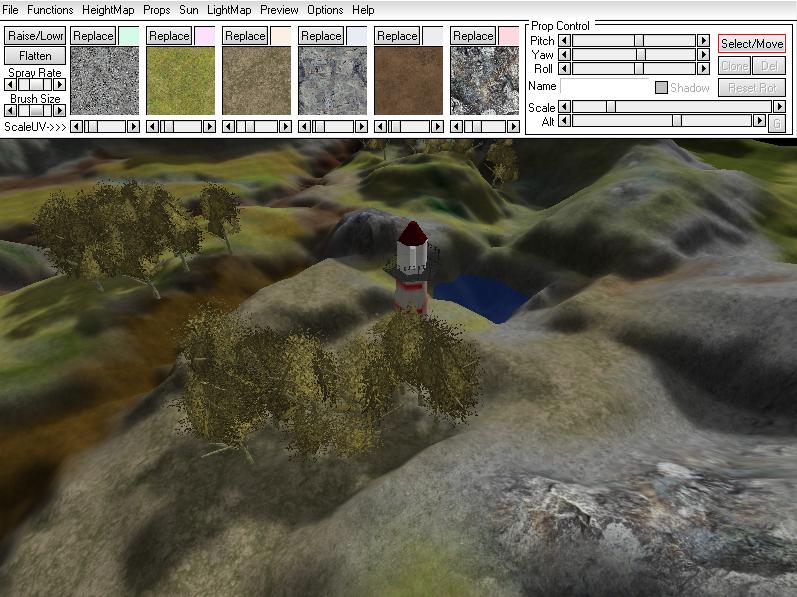
Placement of 'Props' (such as trees, buildings, waypoints) on the landscape
Full world enitor functionality implemented. (Load, position, scale, name, set to ground,
rotate, clone, delete)
Place multiple objects using white pixels on a bitmap (known as a 'PlaceMap')
Improved lightmapper.
Props can cast shadows on to the landscape (masked textures also cast correct shadows)
Export prop setup file (simple ASCII text file - loader function for Blitz included). Allows you to access ALL settings made within ALE including fog/CameraRange/player height etc.
New export options :
No Lightmap (strips lightmap from landscape. Useful if you are using an external lightmapper)
Copy All Media (Creates a directory with the same name as your landscape and copys all required models/textures to it)
Do Not Optimize (If you just want to preview your landscape quickly the optimize phase can be skipped)
Fixed AutoSmooth bug with steep hills
Make Self Tileable (Use a landscape as a repeating 'tile' - edges match seamlessly)
Edge To Zero (Any landscape with this function applied with seamlessly tile with itself or any other)
Improved heightmap Import/export
Hide Lightmap (So you can see dark areas when painting)
Lightmaps now sit on texture layer 1 and do not require the separate mesh that was causing some people problems.
This also means that the average optimize ratio is about 40% ie. 60% of polys are culled !! :)
Camera Mode (Set the camera to either a free-roaming 'flying' mode or FPS 'walk' mode which is more like a players perspective. Can also set 'player' height)
http://www.dyvision.co.uk/aleupdate1.zip
Installation Instructions :
Simply unzip the file into your ALE installation directory.
Make sure you have the latest version of Blitz when using the landscapes too.
The demo has also been updated if you want to try out the numerous new features :
http://lightbulb.binary-people.com/ALEdemo.zip
New in v1.1 :
Placement of 'Props' (such as trees, buildings, waypoints) on the landscape
Full world enitor functionality implemented. (Load, position, scale, name, set to ground,
rotate, clone, delete)
Place multiple objects using white pixels on a bitmap (known as a 'PlaceMap')
Improved lightmapper.
Props can cast shadows on to the landscape (masked textures also cast correct shadows)
Export prop setup file (simple ASCII text file - loader function for Blitz included). Allows you to access ALL settings made within ALE including fog/CameraRange/player height etc.
New export options :
No Lightmap (strips lightmap from landscape. Useful if you are using an external lightmapper)
Copy All Media (Creates a directory with the same name as your landscape and copys all required models/textures to it)
Do Not Optimize (If you just want to preview your landscape quickly the optimize phase can be skipped)
Fixed AutoSmooth bug with steep hills
Make Self Tileable (Use a landscape as a repeating 'tile' - edges match seamlessly)
Edge To Zero (Any landscape with this function applied with seamlessly tile with itself or any other)
Improved heightmap Import/export
Hide Lightmap (So you can see dark areas when painting)
Lightmaps now sit on texture layer 1 and do not require the separate mesh that was causing some people problems.
This also means that the average optimize ratio is about 40% ie. 60% of polys are culled !! :)
Camera Mode (Set the camera to either a free-roaming 'flying' mode or FPS 'walk' mode which is more like a players perspective. Can also set 'player' height)